
Introduction Usage User Manual
|
|
|
- Derya Mungan
- 10 yıl önce
- İzleme sayısı:
Transkript
1
2

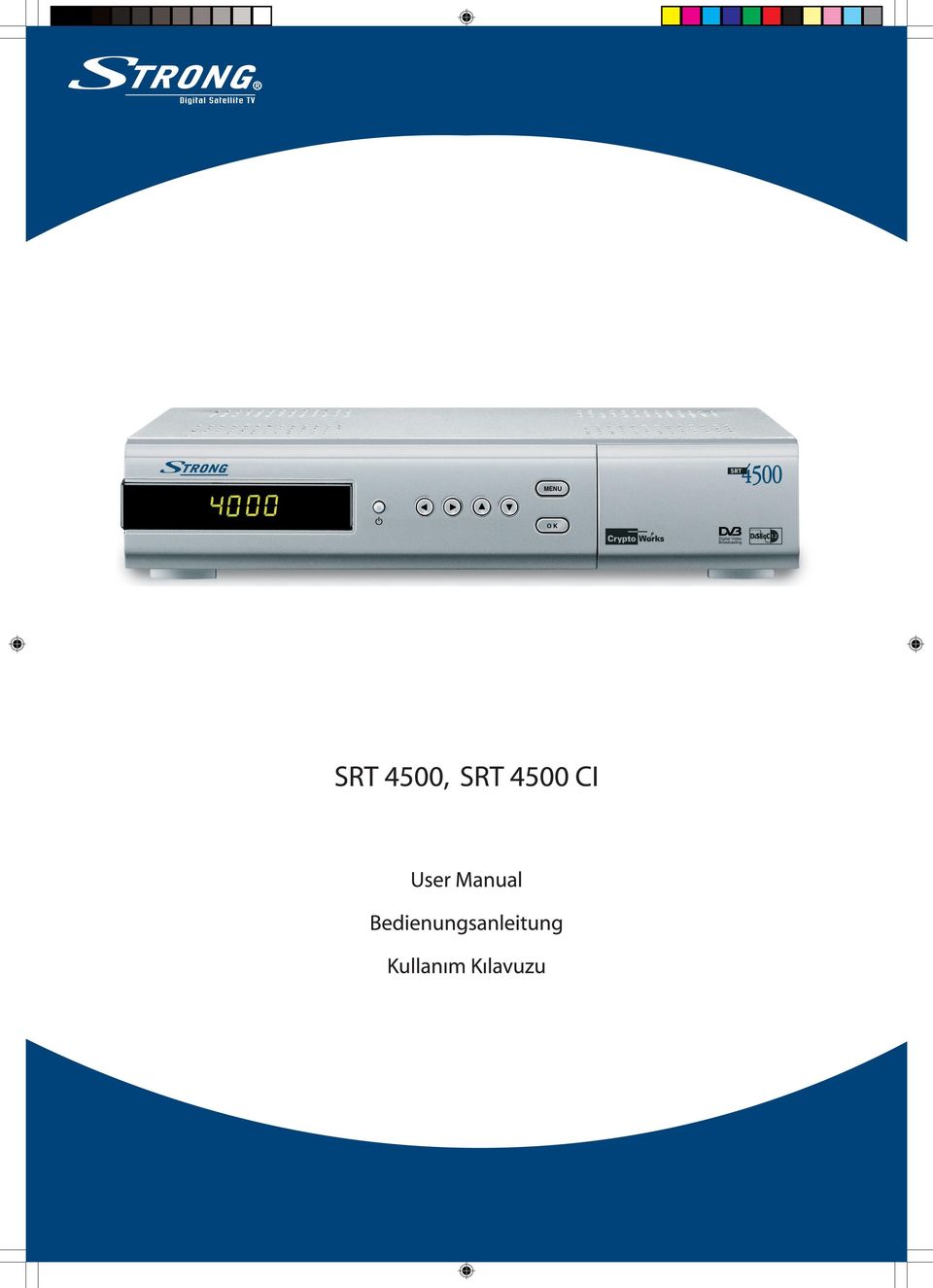
3 Introduction Thank you for purchasing a Strong satellite receiver. This receiver is of our latest development; it is designed to be compatible with new technologies by upgrading its software through the Internet. It is highly recommended that you read this manual carefully to safely install your receiver to achieve its optimum performance. Usage This user manual is applicable for Strong SRT 4500 series Digital Satellite Receiver and its related accessories. It is advised that first-time and experienced users read this manual in order to safely install and maintain the receiver. Strong has ensured its best to supply you with a satellite receiver built with the most recent innovations of software and hardware. Therefore, Strong reserves the right to make changes to the software used by your satellite receiver (without notifying you or any person or organization of such changes) in order to maintain and ensure that your receiver is compatible and updated with the most recent technology. As a result, we recommend that you regularly visit our website to check the latest available software. User Manual 1

4 Table of Contents Table of Contents Safety Instructions 3 Front panel 5 Rear Panel 6 Remote Control Unit 7 About embedded Cryptoworks and CA Modules (Conditional Access) 8 Installation 9 Starting Up 12 Basic Functions 14 Multi Video 14 Teletext 15 Program Guide 16 Guide of Main Menu 17 Language 17 Configuration 18 Change Password 20 Edit Programs 21 Installation 23 User Manual Conditional Access 27 Games 27 Information 27 Trouble Shooting 28 Specifications 29 Glossary of terms 30 2

5 Safety Instructions DO NOT INSTALL YOUR RECEIVER: In a closed or poorly ventilated cabinet. Directly on top of or under any another equipment. On a surface which might obstruct the ventilation slots. DO NOT EXPOSE THE RECEIVER AND ITS ACCESSORIES: To direct sunlight or near any other equipment that generates heat. To rain or intense moisture. To any shock which may cause permanent damage to your receiver. To any magnetic objects, such as loudspeakers, transformers, etc.. To intense vibration. Never open the cover. It is dangerous to touch the inside of the receiver due to high voltage currents and possible electrical hazards. Your warrantee will be void if the receiver has been opened. When the receiver is not used for a long period of time, you should unplug the power cord from the wall socket. Do not use a damaged power cord. It may cause a fire or an electrical shock. Do not touch a power cord with wet hands. It may cause an electric shock. Place the receiver in a well-ventilated environment. When you are connecting the cables, be sure that the receiver is not powered on. Do not use your receiver in a bathroom or humid environment. Make sure you read this user manual before installing your receiver. This manual provides complete instructions for installing and using this receiver. The following symbols will be used as follows: Bold Characters: Represents a button on the remote control or the receiver. Italic Characters: Represents a menu item within the On Screen Menu window. To maintain your receiver's optimum performance, you are advised to apply the following safety precautions: Read this manual carefully and make sure you fully understand the instructions given. Before starting any maintenance or installation procedures, disconnect the receiver from the power mains. If you wish, you may clean your receiver with a soft lint-free cloth slightly made damp with a mild soap solution. Do not use alcohol or ammonia based liquids to clean the receiver. Do not open the receiver cover, as you will be exposed to a shock hazard Do not open the receiver cover this will void your warrantee. Do not place any objects on top of the receiver because this might prevent proper cooling of the components inside. Make sure no foreign objects fall through the ventilation slots because this could cause fire or an electric shock. Wait a few seconds after switching off the receiver before you move the receiver or disconnect any equipment; Please ensure that that the electrical power supply corresponds with the voltage on the electrical identification plate at the back of the receiver. It is a necessity that you only use an approved extension and compatible wiring that is suitable for the electrical power consumption of the installed equipment. If the receiver does not operate normally even after strictly following the instructions in this user manual, it is recommended to consult your dealer. User Manual 3

6 Safety Instructions Storage Your receiver and its accessories are stored and delivered in a well protective packaging against electric shocks and moisture. When unpacking it, make sure that all the parts are included and keep packaging away from children. When transporting the receiver from one place to another or if you are returning it under warrantee make sure to store the receiver in its original packaging with its accessories. Failing to comply with such packaging procedures could void your warrantee. Equipment Set-up We recommend you to consult a professional installer to set up your equipment. Otherwise, please follow the following instructions: Refer to the user manual of your TV and dish. Make sure that the UHF coaxial cable is in a good condition. Make sure that the UHF coaxial cable connections are well shielded Make sure that the outdoor components of the dish are in good condition. Make sure that the dish is aimed at the satellite of your choice. Make sure that the dish is connected with the correct RF coaxial cable (75 Ohm) and Storage - Equipment Set-up is in good condition. User Manual 4

7 Front Panel Front Panel POWER MENU DISPLAY Select the Standby / Operation mode. To display the Main Menu on the screen. To show program number and clock time in standby mode To move in the menu and to change programs. OK SLOTS To display TV / Radio program list In the viewing mode. For two CA modules and / or a Smartcard (behind the lid). User Manual 5

8 Rear Panel Rear Panel SAT ANT IN SAT ANT OUT VCR SCART TV SCART VIDEO OUT AUDIO L / R DATA RS-232 S/PDIF TV AERIAL TV POWER ON / OFF Satellite dish input. Satellite dish output. For connection to a VCR. For connection to the TV. For video out. Stereo audio output for connection to a HiFi system. For service only. To read and load data information. Coaxial digital audio output for Home Theatre systems. Loop-through input for a terrestrial / cable TV antenna. UHF modulator output. For connecting TV through RF cable. Power cord. AC V. 50 / 60Hz. Power switch, disconnects mains for saving stand-by power. User Manual 6

9 Remote Control Unit Remote Control Unit You can operate every function using the buttons on the remote control. Please read this section to help your understanding of the STB s function. To switch between normal mode and standby mode. To turn the sound off / on (mute). TV / RADIO AUX FAV TV / SAT VOL +/- EPG CH / SAT +/- i EXIT SAT RECALL MENU To switch between TV and Radio. To switch between SAT and VCR. To edit the favorite programs list on the screen and to display the favorite list in the TV guide mode. To change subpages in the teletext mode. To switch between TV and SAT. To adjust the volume. To view program information, schedule. This information is only shown if your Service Provider transmits program information. To change programs or satellite. Information key to display the program information box on the screen. To return to the viewing mode from a current menu. To display the satellite list. To toggle between present and previous TV/Radio programs. To change subpages in the teletext mode To display or to go back one step in the menu. 56 To change programs and move up/down in the menu. To change pages in the teletext mode. 34 To change settings and to adjust the volume. To change programs up and down by one list page. To select subpage in the teletext mode. OK To confirm selection of a highlighted item in the menu To go to the next step. To display TV/Radio program list in the viewing mode. To select the top page in the teletext mode. User Manual AUDIO PAUSE TEXT To select the soundtrack list for the current service. To freeze the screen picture and go back to normal mode. To display the teletext menu. 0-9 To change programs and to enter characters. 7

10 Conditional Access About embedded Cryptoworks and CA Modules (Conditional Access) The Strong receiver model SRT 4500 is ready to receive scrambled digital satellite programs using the Cryptoworks encryption system. You will need a smart card from a Pay-TV service provider offering such encrypted TV program services. Receiver model SRT 4500 CI only: This unit is able to receive scrambled digital satellite programs using Cryptoworks encryption system. If you additionally want to receive other scrambled digital satellite programs you will need a Common Interface CA (Conditional Access) module from the Pay-TV service provider of your choice. The Pay-TV service provider is the program distributor. If you are subscribing to services from more than one Pay-TV service provider you might have to change between different Cryptoworks smart cards and / or CA modules. Two different CA modules can be inserted at the same time. Please note that a smart card and / or a CA module may only be valid for a single Pay-TV service provider and due to this, a specific range of channels. The smart card and / or a specific CA module may also provide access to special menus not described in this manual. If so, please follow the instructions from the Pay-TV service provider. Without inserting a smart card into the smart card reader or using a suitable CA module, only free to air channels will be available. Pay TV Service Follow the instructions from your Pay-TV service provider concerning smart cards, CA modules, and program services. Insert the smart card fully into the card reader slot behind the lid on the front panel of this receiver. Use only a smart card designed for the Cryptoworks encryption system. Model SRT 4500 CI additionally: Gently insert the CA module fully into the slot behind the lid of the front panel of the receiver. Use only DVB Standard, Common Interface CA Modules. Most of the commonly available CA modules require a valid smart card, too. Insert the smart card fully into the card reader slot of the concerned CA module. User Manual 8

11 Installation Installation There are several types of TV / VCR and other equipment that you can connect to this satellite receiver. In this manual you will see some of the most common ways of connecting the receiver to your equipment. Connecting to a TV Connect the coaxial cable from the LNB on the satellite dish to the SAT ANT IN socket on the rear panel of the receiver. Case 1 Connect the SCART cable between the main SCART socket on the TV and the TV SCART socket on the rear panel of the receiver. Case 2 Connect one end of RCA / Cinch cable to the VIDEO OUT socket on the rear panel of the receiver and the other end to a VIDEO IN socket on your TV. Case 3 If your TV neither has a SCART socket nor a RCA / Cinch socket, connect a RF cable from the TV (RF) output on the satellite receiver to the TV aerial input on the TV. In this case you must select the right UHF modulator output channel and tune your TV to the RF signal. If you want to receive also terrestrial TV programs or Cable TV programs connect the terrestrial TV (or Cable TV) aerial to the TV AERIAL input socket on the rear panel of the satellite receiver. User Manual 9

12 Installation Connecting to a TV and a VCR Connect the coaxial cable from the LNB on the satellite dish to the SAT ANT IN socket on the rear panel of the receiver. Connect the SCART cable between the main SCART socket on the TV and the TV SCART socket on the receiver. Connect another SCART cable between the VCR and the VCR SCART socket on the receiver. Case 1 Connect one end of the SCART cable to the TV SCART socket on the rear panel of the receiver and the other end to the main SCART socket on your TV. Case 2 Connect a RF cable from the RF output on the VCR to the TV aerial input on the TV. In this case you must select the right UHF modulator output channel on the VCR and tune your TV to the RF signal of the VCR. Connect the TV or Cable TV aerial to the RF input socket on the VCR. Connecting to a HiFi System Connect a RCA / Cinch stereo audio cable from the AUDIO L / R sockets on the receiver to the LINE or AUX input sockets on your HiFi system. If available you can connect an RCA / Cinch single cable from the SPDIF socket (coaxial digital audio output) on the receiver to a digital audio input jack of your HiFi or Dolby Digital system. User Manual 10

13 Installation Connecting Multiple Antennas (DiSEqC 1.0) If you have a single antenna equipped with 2 LNBs, or two antennas with one LNB on each, you must first connect the LNBs to an external switch since there is only one antenna input on the satellite receiver. Once installed the switch automatically selects the correct LNB for the selected channel. This external switch is known as a DiSEqC switch. Since the switch can be located close to the LNBs, you only need one cable down to the receiver. DiSEqC 1.0 Switch If you have two or more fixed antennas (LNBs) then we recommend you use a DiSEqC 1.0 switch. Connect the coaxial cable from the first LNB to the LNB1 or LNB A input connector of the DiSEqC switch. Do the same for any other LNBs that you have. Connect the antenna cable to the connector marked Receiver OUT on the switch. Connect the other end of this cable to the SAT ANT IN input on the satellite receiver. Connecting a Motorized Antenna System (DiSEqC 1.2) In case you have a DiSEqC 1.2 motorized system you can take advantage of the DiSEqC 1.2 functions available to store the positions of the satellites and to search for the channels. Connect one end of your coaxial cable to the LNB IN connector on the STB and the other end to the REC or Receiver connector on the DiSEqC 1.2 motor. Connect the coaxial cable from the LNB to the LNB connector on the DiSEqC 1.2 motor. User Manual 11

14 Starting up Starting up The following chapter contains all the steps necessary when first installing and then going to the basic functions. Step 1 Installation 1. Connect the coaxial cable from the LNB on the satellite dish to the SAT ANT IN socket on the rear panel of the receiver. 2. Connect the SCART lead between the main SCART socket on the TV and the TV SCART socket on the rear panel of the receiver. Step 2 Switching on the receiver Press the button on the remote control or the button at the front of the satellite receiver. Step 3 Basic Presetting The Menu System Press the MENU button on your remote control and you can see the Main Menu on the screen. The OK button always confirms your selection and pressing it will take you to the next step. You can also go back to the previous step by pressing the MENU button. You can move upwards and downwards by pressing the 56 buttons Selecting Menu Language 1. Press the MENU button on your remote control. The Main Menu appears on the screen 2. Select the Language by using the56buttons and press OK. Then the Language menu appears on the screen. 3. Select menu language you want by using the34buttons. The menu appears in the selected language. Selecting Audio Language 1. Press the MENU button on your remote control. 2. Select the Language by using the 56 buttons and press OK. And the Language menu appears on the screen. 3. Select Audio1 by using the 56 buttons. 4. You can select your preferred language as a main audio language by using the 34 buttons. You can also select the alternative audio language and subtitle language in this menu. User Manual 12

15 Starting up Step 4 Program Searching 1. Press the MENU button on your remote control. The Installation menu appears on the screen. 2. Select Installation by using the 56 buttons and press OK. You will be asked to enter your password. The password is preset to The Installation menu will appear on the screen. 3. Select the Search Programs by using the 56 button and press OK. Then the Search Programs menu appears on the screen. 4. Select the Satellite Name you want to scan using the 34 buttons or press OK. 5. Select the desired item using the 56 buttons. 6. Adjust the selected item using the 34 buttons or the numeric keys. 7. Repeat steps 6 and 7 to set other items. 8. Select Search using the 56 buttons. And then select the scan type using the 34 buttons and press OK. 9. You can see the search progress on the screen. 10. After scanning press OK to save or EXIT to cancel. Step 5 Watching TV 1. Press OK to access the TV Program List. 2. Select satellite by using the CH / SAT+/ - button and select program by pressing the 56 buttons. If the list contains a large number of programs, you can change one program list page at a time by using the 34 buttons. 3. Press the EXIT button to leave the program List. 4. Press i button to get program information and then the information box will appear on the screen. User Manual 13

16 Basic Functions Multi Video Basic Functions While you are watching TV you will get a Program Information by pressing i button on the remote control. The information may include: Information Box Current time and date Current program number and name Satellite name Transponder Bouquet Name Signal Quality / Strength Mute Time Sleep Pause Information whether Teletext and Soundtrack are supported by the service provider or not. Soundtrack Some broadcasters supply multiple language soundtracks. You will be able to check in the information box whether multiple language is supported or not. It will be displayed as symbol in the information box. Select the desired audio language of the soundtrack by pressing the AUDIO key. Signal Check Signal detection can be used to help the alignment of the satellite dish and to view the strength and the quality of signal from the satellite. The Signal Strength will indicate the average strength of any income signal, digital as well as analog. Multi Video Some special programs provide the broadcast with multiple video. Press F1 button on your remote control and you can see the Multi Video menu. You can select your preferred video by using the 56button. To leave the menu, press the EXIT or F1 button. User Manual 14

17 Basic Functions Teletext Teletext When a program has teletext, it will be displayed as symbol in information box. To view the teletext, you have to use the TEXT key on your remote control. Press EXIT, BACK or TEXT to return to TV / Radio mode. Select the desired page number by using the numeric button directly or the 56 buttons. A teletext page may consist of several subpages. In this case an information line is displayed, showing the number of subpages. Select the subpage mode by pressing the4 button. Select the subpage by using FAV or RECALL button. You can also go to the top page by pressing the OK button. TV Programs While you are viewing TV or listening to radio you can access the program list by pressing OK. The lists are sorted by satellite and program. You can find out which satellite the program you are watching right now belongs to. Select satellite by using the CH / SAT+/- button and then select program by pressing the 56 button. If the list contains a large number of programs, you can change one program list page at a time by using the 34 buttons. You can leave the program List by pressing the EXIT button. Select Satellite While you are viewing TV or listening to radio you can change satellite by pressing SAT. User Manual 15

18 Basic Functions Program Guide Program Guide While you are watching TV or listening to radio you can view the program name (event name) for each service in the TV Guide mode. To access this mode press the EPG button on the remote control. Change between the TV Guide and Radio Guide by pressing the RADIO button. You can leave the TV Guide mode by pressing the EXIT button. This mode displays all programs of the day. To view the program list for the other days use the 34 buttons. You can also move to another program by using the CH+ / CH- buttons. To reserve a desired program, move the highlight bar using the 56 buttons and then press the YELLOW button. Orange background shows current program and gray background shows the reserved program. To view the reserved program list, press the BLUE button. Extended EPG In the Extended EPG menu more information on programs can be called up. Press RED button to display Extended EPG. You can go back to the Program guide menu by using BLUE button. Booking List This mode shows the reserved program list. If you want to cancel the reserved program, select the program using the 56 buttons and then press GREEN button. You can also remove all programs using the YELLOW button. You can go back to the Program Guide menu by using BLUE button. User Manual 16

19 Guide of Main Menu Language Guide of Main Menu Main Menu Press the MENU button on your remote control, and you can see the Main Menu on the screen. It has 7 items: Language, Configuration, Edit Programs, Installation, Conditional Access, Games, and Information. The OK button always confirms your selection and pressing it will take you to the next step. You can also go back to the previous step by pressing the MENU button. You can leave the current menu to watch TV by pressing the EXIT button. You can move upwards and downwards by pressing the 56 buttons. Language You can select which language (English, German, Turkish, Hungarian, Russian, Czech, Slovakian, and Romanian) the menus will be shown in. Select menu language by using the 34 buttons. If you want to select audio language or subtitle language, press OK. Then the language menu will appear on the screen. Menu Select your preferred menu language using the 34 buttons. Audio 1 Some TV services provide programs with one or more alternative language soundtracks. You can select your preferred language as a main audio language by using the 34 buttons. Audio 2 Select your preferred alternative audio language using the 34 buttons. Text 1 / Text 2 Select your preferred subtitle language using the 34 buttons. User Manual 17

20 Guide of Main Menu Configuration Configuration You can configure the system in this menu. Select the menu Configuration by using the 34 buttons and press OK. Audio / Video Setting Audio Output You can select Stereo, Left, Right or Mixed output mode by using the 34 buttons. Screen Ratio You can select TV screen format by using the 34 buttons. The 4:3 TV full format is the standard format, the 16:9 Wide TV for a wide screen TV. TV Standard You can select TV standard (PAL / NTSC / AUTO) by using the 34 buttons. If the satellite signal and your TV set does not match, TV screen display may be distorted. Even in this case OSD (On-Screen Display) will be displayed in an abnormal way. Video Format You can select the video output signal format (RGB / CVBS) by using the 34 buttons. UHF Channel You can select the UHF modulator output channel by using the 34 buttons. UHF TV Standard You can select the UHF TV standard (PAL-I / PAL-BG / PAL-DK / NTSC) by using the 34 buttons. User Manual 18

21 Guide of Main Menu Time Setting Time Setting Display You can select the display time format and whether the time will be visible on the screen or not by using the 34 buttons. GMT Offset If your time zone is different from that of the TV service provider you can adjust the time display on the screen to your local time by using the 34 buttons. Summer Time You can set summer time indication by using the 34 buttons. Sleep Time You can set the sleep time period for switching the receiver to standby mode by using the 34 buttons. Power-On Time You can set power-on time by using the 34 buttons or the numeric buttons. Power-Off Time You can set power-off time by using the 34 buttons or the numeric buttons. Power-On Program Press OK to select the power-on TV program. User Manual 19
22 Guide of Main Menu Change Password Menu Setting OSD Transparency You can set the level of transparency for the menu using the 34 buttons. Display Duration You can set the display duration time of the OSD menu using the 34 buttons. Key Beep Type You can select the key beep type using the 34 buttons. Key Beep Volume You can select the key beep volume using the 34 buttons. Change Password Before you change the password you will be asked to enter your current password. The factory default password is Enter the new password by using the numeric buttons. If you do not want to change password press MENU or EXIT. Parental Control If you want everybody to have access to all available types of programs, select Off. If needed, you can block program unsuitable for children. Select an age limit between 9 and 18 years by using the 34 buttons. User Manual 20
23 Guide of Main Menu Edit Programs Edit Programs In this menu you can edit TV programs, radio programs, transponders and satellites. Edit TV Programs Select the satellite by using the CH / SAT + / - buttons and then select the program by using the 56 buttons. You can also change one program list page at a time by using the 34 buttons. This menu has seven command items: Move, Favorite, Sort, Rename, Lock, View, and Delete. You can select the command by using the color buttons or the function buttons. You can arrange the sequence of the program list. Select the program you want to move and press OK. Then move the program to the desired position by using the 56 buttons and press OK. Favorite program You can add programs to the favorite program list by using the FAV buttons. The selected program will be marked with a heart symbol. You can also create several different favorite program lists. Sort You can select the three different sorted lists by pressing the F1 button. Each list is sorted by All, FTA and CAS. Select the sorted list you want and press OK. Rename program You can change the program name. Select the program you want to change and press RED button. The rename box will appear on the screen and you can select the character by using the 3465 buttons. Then press OK. If you have entered a wrong character you can delete it with the RECALL button. Press SAT button to save the new name. User Manual 21
24 Guide of Main Menu Edit Programs Lock Program You can lock a program in order to prevent your children from watching. Press the GREEN button and then a locked program will be marked with a padlock symbol. View You can use this menu if you are looking for some special programs which can only be found when you have entered the necessary settings here. Press the YELLOW button. Delete Program If you want to delete a program, select the program you want to delete and press the BLUE button. Edit Radio Programs Please refer to the previous page and proceed as described under Edit TV Programs. Edit Transponders Please refer to the previous page and proceed as described under Edit TV Programs. Edit Satellites Please refer to the previous page and proceed as described under Edit TV Programs. User Manual 22
25 Guide of Main Menu Installation Installation Search Programs You can search programs in different ways, Please follow to the procedure described on the next page. Delete All Data Use this option only if you have to start the complete installation procedure from the beginning. If you continue from here, all your previous settings, parental code, favorite programs, etc. will be erased! If you do not want to change any settings you can leave this menu by pressing MENU or EXIT. Transfer Firmware You can transfer firmware data from one unit to an other. User Manual 23
26 Guide of Main Menu Installation Search Programs Satellite Name Select satellite by using the 34 buttons or press OK to check the satellite list. LNB Freq. Low / High You can select the local oscillator frequency valid for the present LNB. You can also enter a value of the L. O. frequency with the numeric buttons. LNB Power Select LNB power by using the 34 buttons. LNB 22 khz In case you are using a Dual LNB or two antennas connected to a 22 khz tone switch box, set 22 khz tone switch Auto, On or Off. DiSEqC Switch Select DiSEqC switch by using the 34 buttons. Positioner Activate positioner by using the 34 buttons. Program Type Select program type by using the 34 buttons. Transponder Select transponder by using the 34 buttons or press OK to check the transponder list. Search Select search type (AUTO / Manual / Network / Advanced) by using the 34 buttons. User Manual 24
27 Guide of Main Menu Installation 1. Auto Scan As long as the STB is searching for programs to download, you can see the search progress on the screen. All programs found will be listed in two columns on the screen: with TV programs in one column and Radio programs in the other. Please note that the search procedure may take a few minutes. When the search procedure has ended, the screen will show how many TV and Radio programs have been found. Press OK to save the programs. 2. Manual Search When you perform a Manual Search you first need to enter some parameters for the program search to work. Select the Search using the 56 buttons. Then select Manual using the 34 buttons and press OK. Transponder Select transponder by using the 34 buttons or you can see the transponder list by pressing OK. Frequency Inputs RF frequency. The unit is MHz. If you enter the wrong figure(s), erase with the 3 button. Polarization Select Horizontal or Vertical by using the 34 buttons. Symbol Rate (ks/s) Enter with the numeric buttons. If you enter the wrong figure(s), erase with the 3 button. FEC (Forward Error Correction) Select "Auto or any of the preprogrammed values. Program Type Select program type by using the 34 buttons. Now you can start searching by pressing OK in any step. User Manual 25
28 Guide of Main Menu Installation 3. Advanced Search When you perform an Advanced Search you first need to enter some parameters for the program search to work. Select the Search using the 56 buttons. Then select Advanced using the 34 buttons and press OK. Transponder Select transponder by using the 34 buttons or you can see the transponder list by pressing OK. Frequency Inputs RF frequency. The unit is MHz. If you enter the wrong figure(s), erase with the 3 button. Polarization Select Horizontal or Vertical by using the 34 buttons. Symbol Rate (Ks/s) Enter with the numeric buttons. If you enter the wrong figure(s), erase with the 3 button. FEC (Forward Error Correction) Select "Auto" or any of the preprogrammed values. Program Type Select program type by using the 34 buttons. Video PID (Packet Identifier) Enter the PID for the video signal with the numeric buttons. Audio PID (Packet Identifier) Enter the PID for the audio signal with the numeric buttons. PCR PID (Program Clock Reference) Enter the PID for the PCR with the numeric buttons. Now you can start searching by pressing OK in any step. User Manual 26
29 Guide of Main Menu Conditional Access Information Conditional Access This menu will only be activated if you have inserted valid smart card in the slot behind the front lid. The CA modules (with their smart cards) supporting the DVB Common Interface (CI) standard can be used in the slot on the front panel. Games If you select this menu option by pressing OK you will have access to two games: TETRIS and SOKOBAN. Select the desired game using 56 buttons and press OK. Information You can check the system information about the model name, the manufacturing date and the version of the software. User Manual 27
30 Trouble Shooting Trouble Shooting Occasionally receivers can hang-up (just like with PC) so you are recommended to reset the receiver by disconnecting it from mains power. Wait 30 seconds and connect to mains power again and now check if the unit is working as expected. If the receiver does not work properly after checking the trouble shooting section, please contact your dealer. Do not open the receiver cover, it may cause an electrical shock due to high current voltage and the warranty of your receiver will be void if the receiver has been opened. Symptoms Cause Solution The display on front panel does not light up. The power cord is not plugged in. Check that the power cord is plugged into the wall outlet. No picture and sound. TV is set to wrong channel. Check if the TV is switched on and set your TV to the correct EXT / AV or UHF channel. No picture and sound. Problem in cable connections between receiver and TV. Check if the SCART and / or RF cable is connected correctly to the TV and to the back of the receiver. No picture and sound. Receiver hang-up. Switch off receiver; disconnect the main power cord of the receiver from the 230 V mains power. After 30 seconds re-connect to the mains power and check if it is working properly. No sound. The receiver or TV is in MUTE mode. Press the MUTE button on the remote control unit of your receiver and TV. No sound or picture. Problem in SCART cable connections between receiver and TV. Firmly press the SCART connectors on the backside of the TV and receiver. Replace the SCART cable. No picture. Wrong alignment of the dish. Check the signal strength with a spectrum analyzer and adjust your dish correctly. The receiver displays the message No or Bad signal during bad weather conditions (heavy rain or snow) This is normal, the bad weather is interfering the signal between the satellite and your dish Once the weather is better the picture will appear. If not: check if there is snow on your dish. The receiver displays the message No or Bad signal Wrong satellite selected in the menu. Press the SAT button on the RCU and select the correct satellite User Manual The receiver displays the message No or Bad signal The receiver displays the message No or Bad signal Wrong parameters set in the menu. Wrong alignment of the dish Check settings in LNB and Channel set up menu. Ask your dealer to check the outdoor unit and antenna cable to LNB Front panel indicator of your receiver is blinking Overload of the maximum available LNB power. (Short circuit in the LNB cable) Disconnect the 230 V mains power and ask your dealer to check the LNB cable. The remote control is not working. The batteries of the remote control are not inserted or exhausted. Check whether the batteries are inserted correctly in your remote control. Check the batteries, and if they are exhausted, replace them. 28
31 Specifications Specifications Tuner / Channel A/V and Data In / Out Input Connector Frequency Range Input Impedance Signal Level LNB Power & Polarization 22 khz Tone DiSEqC Control Demodulation Input Symbol Rate FEC Decoder MPEG Transport Steam A/V Decoding Transport Stream Profile Level Input Rate Aspect Ratio Video Resolution Audio Decoding Audio Mode Sampling F-type, IEC , female 950 to 2150 MHz 75 ohms, unbalanced -25 to -65 dbm Vertical: V, Horizontal: V Current: 400 ma (max.), overload protection Frequency: 22 khz, ± 4 khz, Amplitude: 0.6 V, ± 0.2V Version 1.0 / 1.2 compatible QPSK 1-45 Ms/s convolutional code rate 1/2, 2/3, 3/4, 5/6 and 7/8 with constraint length (M=7) MPEG-2 ISO / IEC Transport Stream Specification MPEG-2 MP@ML 60 Mbit/s Max 4:3, 16:9 720 x 576 MPEG / MusiCam Layer I & II Single channel / Dual channel Joint Stereo / Stereo 32, 44.1, and 48 khz Video Audio R / L SPDIF RS232C (Engineering & service terminal) RF-Modulator RF Connector Frequency Output Channel TV Standard Test Pattern Power Supply Input Voltage Type Power Consumption Protection Physical Specification RCA Video Output (CVBS), TV SCART Video Output (CVBS & RGB), VCR SCART Video Output (CVBS), RF Modulator RCA & TV SCART (with mute and volume control) Resolution: 20 bit DAC Output: 2 V rms max. Digital Audio Output (coaxial) Transfer rate 115,200 bps 9 pin D-sub male type 75 ohms, IEC 169-2, male/female 470 to 860 MHz CH PAL B/G/I, selectable by menu Vertical black /white bars VAC, 50 / 60 Hz SMPS 30 W (max.) Internal fuse, mains input shall be lightning protected. Memory Main Processor Flash Memory Program SDRAM IBM Power PC 405D2 2 MB (asynchronous) 16 MB Operating temperature Storage temperature Humidity Size (W x D x H) Weight 0 to +45 C -10 to +70 C 5-95 % RH (Non-Condensing) 300 mm x 230 mm x 65 mm 2.0 kg (approx.) User Manual Note: All specifications of this receiver may be changed without prior notice. 29
32 Glossary of Terms Glossary of Terms C Band DiSEqC EPG Fixed Dish Free-To-Air Ku Band LNB MPEG Network Frequency band between 3.7 and 4.2 GHz (for satellite communication). Digital Satellite Equipment Control Electronic Program Guide. Broadcasted by most program providers for display of extended and actual program information A dish antenna that is aimed to one specific satellite position. Unscrambled TV and Radio broadcast, free access to everybody. Frequency band between 11 and 18 GHz (for satellite communication) Low-noise block converter. The LNB is an electronic unit mounted on the satellite dish. It receives the signals reflected by the dish and converts them to signals that can be used by Satellite receiver. The Moving Picture Experts group is founded by the ISO. MPEG is a standard method for digital transmission of video and audio. A network which is also known as a bouquet is a set of channels that is offered by a single broadcaster. PAL European video standard with picture aspect ratio of 4:3. Parental lock PID PIN Code This feature gives you the possibility to lock several functions of the receiver to prevent unauthorized users such as children to view channels that are not suitable for them. A PIN code (password) is required to unlock the parental lock. The transmitted signal packages have identifiers (PID) that tells the receiver what to do with the received information. Satellite receivers normally use four types of PID, these are V-PID (video PID), A-PID (audio PID), P-PID (Program PID) and data PID (EPG information). Personal Identification Number, also known as password. A four-digit code that is used for locking / unlocking, e.g. with the parental control feature. User Manual Polarization RS 232 Allows several programs to be fitted into the same frequency band. The signals from a satellite are transmitted either with linear (vertical or horizontal) polarization or circular (right or left) polarization. Serial data port, interface between satellite receiver and computer in case of service or data exchange. 30
33
34
35 Einführung Vielen Dank, dass Sie sich für einen Strong Satelliten-Empfänger entschieden haben. Dieser Empfänger umfasst unsere neuesten Entwicklungen; er wurde konzipiert, um die Kompatibilität mit den neuesten Technologien und Upgrades der Software über das Internet zu ermöglichen. Es wird empfohlen, diese Bedienungsanleitung sorgfältig zu lesen, um eine sichere Installation und optimale Bedienung Ihres Receivers zu gewährleisten. Diese Bedienungsanleitung ist ausschließlich für den Gebrauch des Strong SRT 4500 und SRT 4500 CI Digital Satelliten-Receivers sowie des Zubehörs bestimmt. Wenn Sie den Empfänger zum ersten Mal in Betrieb nehmen, oder aber auch schon Erfahrung in diesem Bereich haben, sollten Sie trotzdem diese Anleitung sorgfältig durchlesen, um eine sichere Installation und Bedienung Ihres Receivers zu gewährleisten. Die Firma Strong hat sich bemüht, Ihnen einen Satelliten-Empfänger mit der neuesten Software und Hardware anzubieten. Deshalb behalten wir uns das Recht vor, Software-Änderungen unangekündigt und ohne weitere Mitteilung vorzunehmen. Aus diesem Grund empfehlen wir Ihnen, unsere Website regelmäßig zu besuchen, um sich über den aktuellen Software-Stand zu informieren. Bedienungsanleitung 1
36 Inhalt Table of Contents Sicherheitshinweise 3 Frontseite 5 Rückseite 6 Fernbedienung 7 Über "embedded Cryptoworks" und CA-Modul (Conditional Access) 8 Anschluss 9 Inbetriebnahme 12 Grundfunktionen 14 Multi-Video-Übertragungen 14 Videotext (Teletext) 15 Elektronischer Programmführer (EPG) 16 Menüstruktur 17 Sprachen 17 Einstellungen 18 Passwort ändern 20 Programmlisten 21 Installation 23 Bezahl-Fernsehen (Conditional Access) 27 Spiele 27 Information 27 Bedienungsanleitung Hinweise zur Fehlersuche 28 Technische Daten 29 Fachbegriffe 30 2
37 Sicherheitshinweise BETREIBEN SIE IHREN RECEIVER NICHT... in einem geschlossenen oder unzureichend belüfteten Schrank, unmittelbar auf oder unter anderen elektrischen Geräten, an einem Ort, an dem die Lüftungsschlitze des Gehäuses verdeckt werden können. SCHÜTZEN SIE IHREN RECEIVER UND DAS ZUBEHÖR VOR DIESEN EINWIRKUNGEN: Direkte Sonneneinstrahlung oder Wärmequellen (z.b. durch andere Geräte), Regen oder extremer Feuchtigkeit Schwere Stöße, welche dem Gerät Schäden zufügen könnten Magnetische Gegenstände wie Lautsprecherboxen, Transformatoren, usw. Starke Vibrationen Öffnen Sie niemals das Gehäuse! Es besteht Gefahr eines Elektroschocks. Ihre Garantieansprüche erlöschen, wenn der Receiver durch Unbefugte geöffnet wird. Das Gerät sollte während eines Gewitters oder bei längeren Betriebspausen (Urlaub) vom Stromnetz getrennt werden. Verwenden Sie auf keinen Fall ein beschädigtes Stromkabel oder einen defekten Netzstecker. Berühren Sie niemals das Netzkabel oder den Netzstecker mit nassen Händen, es besteht Lebensgefahr durch einen elektrischen Schlag! Betreiben Sie das Gerät an einem gut belüfteten Ort. Ziehen Sie den Netzstecker aus der Steckdose, bevor Sie Ihren Receiver reinigen oder Anschlussarbeiten vornehmen. Betreiben Sie Ihren Receiver niemals im Bad oder in einer sonstigen feuchten Umgebung. Lesen Sie bitte diese Bedienungsanleitung, bevor Sie diesen Receiver anschließen. Diese Anleitung enthält alle Hinweise zum Anschluss und zur Bedienung des Gerätes. Die Schriftarten weisen auf folgendes hin: Fett gedruckte Zeichen und Buchstaben: Als Kennzeichnung von Bedienungselementen am Gerät und auf der Fernbedienung. Kursiv gedruckte Wörter: Als Kennzeichnung von Menüpunkten auf dem Fernseh-Bildschirm. Um die volle Leistungsfähigkeit Ihres Receivers zu erzielen und zu erhalten, bitten wir diese Sicherheitsvorkehrungen zu beachten. Lesen Sie bitte diese Anleitung gründlich und machen sich die Hinweise zueigen! Vor allen Arbeiten am Gerät sollten Sie unbedingt den Netzstecker aus der Steckdose ziehen. Falls nötig, können Sie Ihren Receiver mit einem weichen, leicht feuchten Tuch und milder Seifenlösung reinigen Benutzen Sie dabei keine alkohol- oder ammoniakhaltigen Reinigungsmittel Öffnen Sie niemals das Gehäuse des Receivers, es besteht die Gefahr eines elektrischen Schlags. Das Öffnen des Gehäuses hat den Verfall Ihres Garantie-Anspruchs zur Folge. Stellen oder legen Sie nichts auf das Gerät (z.b. keine Programmzeitschrift!). Die nötige Kühlung der inneren Bauelemente könnte dadurch beeinträchtigt werden und das Gerät überhitzen. Lassen Sie keine Gegenstände oder Flüssigkeiten durch die Lüftungsschlitze in das Innere des Gerätes gelangen. Sie können einen Stromschlag, Kurzschluss oder Brand verursachen. Warten Sie nach dem Ausschalten des Gerätes einige Sekunden, bevor Sie das Gerät bewegen oder Anschlussarbeiten ausführen. Prüfen Sie, ob Ihre Netzspannung mit der angegebenen Betriebsspannung auf dem Schild an der Rückseite des Gerätes übereinstimmt. Verwenden Sie nur einwandfreie Anschluss- und Verlängerungskabel. Sollte der Receiver trotz strenger Einhaltung der Anweisung in dieser Anleitung nicht einwandfrei funktionieren, wenden Sie sich bitte an Ihren Fachhändler. Bedienungsanleitung 3
38 Sicherheitshinweise Lagerung Ihr Receiver und das Zubehör wurden in einer gegen Feuchtigkeit und statische Aufladung gut schützenden Verpackung gelagert und ausgeliefert. Wenn Sie das Gerät auspacken, überzeugen Sie sich bitte, dass der Inhalt vollständig ist, und stellen Sie sicher, dass das Verpackungsmaterial von Kindern ferngehalten wird. Wenn es nötig wird, den Receiver später einmal zu transportieren oder zur Garantie-Reparatur zurückzusenden, verpacken Sie bitte Gerät und Zubehör in dieser Originalverpackung. Eine unzureichende Verpackung könnte Ihre Garantieansprüche gefährden. Anschluss des Receivers und der Außen-Anlage Wir empfehlen, mit dem Anschluss Ihres Gerätes und der zugehörigen Antennen-Anlage einen Fachmann zu betrauen. Entscheiden Sie sich, dies selbst auszuführen, beachten Sie bitte diese Hinweise: Beachten Sie auch die Anleitungen Ihres Fernsehers und der Satelliten-Antenne. Verwenden Sie nur einwandfreies, Satelliten-taugliches Koaxialkabel. Achten Sie auf vorschriftsmäßig geschirmte Kabelverbinder und gute Kontakte. Verwenden Sie nur einwandfreies Material für die Außenanlage und die Antenne. Sorgen Sie für eine korrekte Ausrichtung der Antenne auf den gewünschten Satelliten. Beachten Sie die Vorschriften über Potenzial-Ausgleich und Blitzerdung der Außeneinheit, soweit diese für Ihre Art der Installation und den Installationsort anzuwenden sind. Bedienungsanleitung 4
39 Frontseite Frontseite POWER MENU DISPLAY Schaltet das Gerät ein und aus (Stand by). Ruft das Bildschirmmenü auf. Zeigt die Nummer des gewählten Programms und im ausgeschalteten Zustand die Uhrzeit an Dient der Programmwahl und der Bewegung der Cursor innerhalb des Menüs. OK EINSCHÜBE Öffnet die Programmliste (bei normaler TV- oder Radio-Wiedergabe). Für zwei CA-Module und / oder eine Smartcard (hinter der Klappe). Bedienungsanleitung 5
40 Rückseite Rückseite SAT ANT IN SAT ANT OUT VCR SCART TV SCART VIDEO OUT AUDIO L / R DATA RS-232 S/PDIF TV AERIAL TV POWER ON / OFF Zum Anschluss der Satelliten-Antenne (LNB). Durchschleif-Ausgang für LNB-Signal. Anschluss eines Video-Recorders per SCART-Kabel. Anschluss des Fernsehgerätes per SCART-Kabel. Video-Ausgang zum Anschluss beliebiger Video-Geräte. Analoger Ton-Ausgang zum Anschluss einer HiFi Stereo-Anlage. Schnittstelle zum Software Update. Benutzung nur im Service-Fall. Digitaler Ton-Ausgang zum Anschluss einer Heimkino-Anlage (Dolby Digital). Durchschleif-Eingang für konventionelle TV- oder Kabel TV-Antenne. UHF Modulator-Ausgang (Anschluss des TV-Gerätes über ein Antennenkabel). Netzkabel, Wechselstrom V, 50 / 60 Hz. Netzschalter (vollständige Netztrennung). Vermeidet unnötigen Stand-by Stromverbrauch. Bedienungsanleitung 6
41 Fernbedienung Fernbedienung Mit den Tasten dieser Fernbedienung können Sie alle Funktionen des Receivers steuern. Bitte lesen Sie diesen Abschnitt, der Ihnen hilft, die Funktionen dieses Gerätes kennen zu lernen. Schaltet das Gerät ein und aus (Standby). Stummschaltung (kurzzeitig Ton aus). TV / RADIO AUX FAV TV / SAT VOL +/- EPG CH / SAT +/- i EXIT SAT RECALL MENU Schaltet zwischen TV und Radio um. Schaltet zwischen Satelliten-Empfang und Video-Recorder um. Zum Bearbeiten der Favoriten-Liste, zur Darstellung der Favoriten-Liste im Programm-führer-Menü und zur Umschaltung der Unterseiten bei Videotext (Teletext). Schaltet zwischen konventionellem TV- und Satelliten-Empfang um. Einstellen der Lautstärke. Wird das empfangene TV-Programm von Programm-Informationen begleitet, können Sie diese mit der EPG- Taste abrufen. TV-Programmwahl oder Wahl des Satelliten. Mit dieser Taste rufen Sie die Info-Box auf. Rückkehr vom Menü-Bildschirm zum TV-Programm. Ruft die Liste der verfügbaren Satelliten auf. Schaltet zwischen dem aktuellen und dem zuvor gewählten TV-Programm hin und her. Schaltet die Unterseiten bei Videotext um. Ruft das Bildschirm-Menü auf oder schaltet jeweils einen Menü-Schritt zurück. 56 Zum Umschalten der Programme und zum Auf- und Abwärtsbewegen innerhalb von Menüs. Schaltet Videotext-Seiten um. 34 Ändert Einstellungen und verändert die Lautstärke. Schaltet Programm-Listen eine Bildschirmseite weiter (auf oder ab). Wählt Unterseiten im Videotext. OK AUDIO PAUSE TEXT Bestätigt die Wahl markierter Menüpunkte und leitet den nächsten Schritt ein. Öffnet die Programm-Liste (bei normaler TV- oder Radio-Wiedergabe). Wählt die Startseite bei Videotext. Öffnet das Auswahl-Menü für Ton-Wiedergabe. Schaltet die TV-Wiedergabe auf Standbild und zurück zu normaler Wiedergabe. Schaltet zum Videotext-Menü. Bedienungsanleitung 0-9 Zifferntasten zur Wahl von Programmen und zur Eingabe von Zahlen. 7
42 Conditional Access Über embedded Cryptoworks und CA Module (Conditional Access) Der Strong Satelliten-Receiver SRT 4500 ist empfangsbereit für Programme des Bezahl-Fernsehens ( Pay-TV ), die mit dem Cryptoworks Verschlüsselungs-System gesendet werden. Sie benötigen lediglich eine Zugangs-Erlaubnis in Form einer Smartcard von dem betreffenden Pay-TV Anbieter. Nur für Modell SRT 4500 CI: Dieses Gerät ist ebenfalls empfangsbereit für Programme, die mit Cryptoworks verschlüsselt worden sind. Darüber hinaus können Sie Pay-TV Programme empfangen, die mit beliebigen anderen CA-Systemen verschlüsselt worden sind. Sie benötigen dafür allerdings zusätzlich das jeweils passende CA-Modul des betreffenden Programm-Anbieters und eine dazugehörige gültige Smartcard. Diese erhalten Sie meist von dem oder über den Anbieter des Pay-TV Programms. Wenn Sie mehrere verschlüsselte Programme des Bezahl-Fernsehens von unterschiedlichen Programm-Anbietern abbonieren, benötigen Sie u.u. auch mehrere verschiedene CA-Module. Bis zu zwei CA-Module können Sie gleichzeitig in die Common Interface (CI) - Schächte des SRT 4500 CI einschieben. Die Erkennung erfolgt automatisch. Bezahl-Fernsehen Bitte beachten Sie, dass einige CA-Module möglicherweise nur für einen Programm-Anbieter und eventuell auch nur für bestimmte Programme zu verwenden sind. CA-Module eröffnen möglicherweise den Zugang zu besonderen Bildschirm-Menüs, die in dieser Anleitung nicht beschrieben sind. Beachten Sie in einem solchen Fall bitte die Anleitung des betreffenden Programm-Anbieters. Ohne Verwendung eines CA-Moduls bzw. ohne eine gültige Cryptoworks Smartcard haben Sie nur Zugang zu den "freien" Fernsehprogrammen ("FTA"). Beachten Sie bitte auch die Hinweise über Smartcards, CA-Module und Programm-Angebote, die Sie von Ihrem Pay-TV Anbieter erhalten. Schieben Sie die Smartcard vorsichtig aber vollständig in den Schlitz des Kartenlesers hinter der Klappe an der Frontplatte des Geräts. Verwenden Sie nur Smartcards, die für das Cryptoworks CA-System bestimmt sind. Zusätzlich für Modell SRT 4500 CI: Schieben Sie ein CA-Modul vorsichtig aber vollständig in einen der Common Interface (CI)-Schächte hinter der Frontklappe des Receivers. Benutzen Sie nur Common Interface CA Module, die dem DVB-Standard entsprechen. Die meisten bekannten CA-Module erfordern zum Betrieb auch eine passende Smartcard, die Sie wiederum in das jeweilige Modul einschieben müssen. Bedienungsanleitung 8
43 Installation Installation Sie können unterschiedliche TV- und Video-Geräte sowie HiFi- und Heimkino-Anlagen an diesen Receiver anschließen. Von den zahlreichen Möglichkeiten werden in dieser Anleitung die wesentlichsten kurz dargestellt. Anschluss an ein TV-Gerät Verbinden Sie das Koaxial-Kabel vom LNB der Satelliten-Antenne mit der Buchse SAT ANT IN an der Rückseite des Gerätes. Möglichkeit 1 Verbinden Sie die SCART-Buchse Ihres TV-Gerätes (Buchse 1 oder Haupt-Buchse) über ein handelsübliches SCART-Kabel mit der Buchse TV SCART an der Rückseite dieses Receivers. Möglichkeit 2 Verbinden Sie die Video- und Audio-Eingangsbuchsen (Cinch) Ihres TV-Gerätes über entsprechende Audio-/ Video- Kabel mit den Buchsen VIDEO OUT und AUDIO L / R an der Rückseite dieses Receivers. Möglichkeit 3 Hat Ihr Fernsehgerät weder SCART- noch geeignete Cinch-Eingangsbuchsen, verbinden Sie den Antennen-Eingang Ihres TV-Gerätes über ein handelsübliches Antennenkabel mit der Modulator-Ausgangsbuchse Buchse TV an der Rückseite dieser Set Top Box. Hierzu muss der Fernseher auf den Modulator-Ausgangskanal des Video-Recorders abgestimmt werden. Benutzen Sie zusätzlich noch eine konventionelle TV-(Kabel-TV) Antenne, wird diese an die Buchse TV AERIAL an der Rückseite dieses Receivers angeschlossen. Bedienungsanleitung 9
44 Installation Anschluss an TV-Gerät und Video-Recorder Verbinden Sie das Koaxial-Kabel vom LNB der Satelliten-Antenne mit der Buchse SAT ANT IN an der Rückseite dieses Gerätes. Verbinden Sie die SCART-Buchse Ihres TV-Gerätes (Buchse 1 oder Haupt-Buchse) über ein handelsübliches SCART-Kabel mit der Buchse TV SCART an der Rückseite dieses Receivers. Möglichkeit 1 Verbinden Sie die SCART-Buchse Ihres Video-Recorders über ein weiteres SCART-Kabel mit der Buchse VCR SCART an der Rückseite dieses Receivers. Möglichkeit 2 Verbinden Sie den Modulator-Ausgang dieses Satelliten-Receivers (TV) über ein handelsübliches Antennenkabel mit dem Antennen-Eingang Ihres Video-Recorders. Hierzu muss der Video-Recorder auf den Modulator-Ausgangskanal des Satelliten-Receivers abgestimmt werden. Verbinden Sie, falls vorhanden, eine Antenne für analoge TV-Programme mit dem Durchschleif-Antennen-Eingang (TV AERIAL) des Satelliten-Receivers. Anschluss an eine HiFi Stereo- oder Heimkino-Anlage Verbinden Sie die Audio-Eingangsbuchsen (LINE, AUX, etc.) Ihres HiFi Stereo-Verstärkers (bzw. Receivers) über eine entsprechende Stereo-Tonleitung mit den Buchsen AUDIO L / R an der Rückseite Ihres Satelliten-Receivers. Der Digital-Eingang einer Heimkino-Anlage kann zusätzlich über ein spezielles Cinch-Kabel an die S/PDIF Buchse des Satelliten-Receivers angeschlossen werden. Dann ist die 5.1-kanalige Wiedergabe von Dolby Digital-Programmen möglich. Bedienungsanleitung 10
45 Installation Anschluss von Mehrfach-Antennensystemen (DiSEqC 1.0) Wenn Sie eine Antenne mit zwei LNBs oder zwei Antennen mit je einem LNB anschließen möchten, geht dies nur über einen externen Antennenumschalter, da Satelliten-Receiver üblicherweise nur über einen einzigen Antenneneingang verfügen. Bei korrekter Installation wählt der Umschalter automatisch das zum eingestellten Fernsehprogramm passende LNB. Ein solcher externer Schalter ist auch als DiSEqC- Umschalter bekannt. Ist der Schalter in der Nähe der Antennen installiert, wird nur ein Kabel für die Signalzuführung zum Receiver benötigt. DiSEqC 1.0 Schalter Wenn Sie zwei oder mehr fest ausgerichtete Antennen (LNBs) anschließen möchten, empfehlen wir die Verwendung eines DiSEqC 1.0 -Schalters. Verbinden Sie das Koaxial-Kabel von LNB 1 mit dem entsprechenden Eingang am DiSEqC 1.0 -Schalter. Verfahren Sie mit dem anderen Kabel eines weiteren LNB auf die gleiche Weise. Führen Sie ein Koaxial-Kabel vom Ausgang des DiSEqC 1.0 -Schalters zum Antenneneingang SAT ANT IN an diesem Receiver. Anschluss von Motor-Drehantennen (DiSEqC 1.2) Wenn Sie ein motorbetriebenes Antennensystem verwenden, können Sie sich die Vorteile der DiSEqC 1.2 Steuerung zunutze machen. Sie können die für die verschiedenen Satelliten benötigten Antennen-Positionen speichern und die Antenne in Verbindung mit der Programmwahl in die gewünschte Richtung drehen lassen. Verbinden Sie das Koaxial-Kabel von dem Anschluss REC (oder Receiver) am DiSEqC 1.2 Motor mit dem Antenneneingang SAT ANT IN an diesem Receiver. Verbinden Sie das Koaxial-Kabel vom LNB mit dem Eingang LNB am DiSEqC 1.2 Motor. Bedienungsanleitung 11
46 Inbetriebnahme Inbetriebnahme In diesem Kapitel finden Sie Hinweise zur erstmaligen Inbetriebnahme Ihres Gerätes und zu grundlegenden Funktionen. Schritt 1 Installation 1. Verbinden Sie das Koaxial-Kabel vom LNB der Satelliten-Antenne mit der Buchse SAT ANT an der Rückseite des Gerätes. 2. Verbinden Sie die SCART-Buchse Ihres TV-Gerätes (Buchse 1 oder Hauptbuchse) über ein handelsübliches SCART-Kabel mit der Buchse TV SCART an der Rückseite dieses Receivers. Schritt 2 Einschalten des Receivers Betätigen Sie die Taste auf der Fernbedienung oder die Taste am Gerät selbst. Schritt 3 Grundlegende Voreinstellungen Die Bediener-Oberfläche (Menüsystem): Durch Drücken der Taste MENU auf der Fernbedienung erscheint das Hauptmenü auf dem Bildschirm. Mit der Taste OK bestätigen Sie Ihre Auswahl und gelangen zum nächsten Menüpunkt. Durch Drücken der Taste MENU gehen Sie zum vorherigen Menüpunkt zurück. Innerhalb eines Menüs bewegen Sie sich mit den Tasten 56. Wahl der Menü-Sprache 1. Durch Drücken der Taste MENU auf der Fernbedienung erscheint das Haupt-Menü auf dem Bildschirm. 2. Wählen Sie Sprachen mit den Tasten 56 und drücken Sie OK. 3. Wählen Sie die gewünschte Sprache mit den Tasten 34. Das Menü erscheint in der gewählten Sprache. Wahl der Ton-Sprache 1. Durch Drücken der Taste MENU auf der Fernbedienung erscheint das Haupt-Menü auf dem Bildschirm. 2. Wählen Sie die Option Ton 1 mit den Tasten 56 und drücken Sie OK. Das Sprachauswahl-Menü erscheint. 3. Wählen Sie die Option Ton 2 mit den Tasten Wählen Sie die gewünschte Haupt-Tonsprache Ton 1 mit den Tasten 34. In diesem Menü können Sie auch die zweite Tonsprache Ton 2 und die Untertitel-Sprachen auswählen. Bedienungsanleitung 12
47 Inbetriebnahme Schritt 4 Programmsuche 1. Drücken Sie die Taste MENU auf der Fernbedienung. 2. Gehen Sie mit56zu Installation. Sie werden zur Eingabe Ihres Passwortes aufgefordert. Das werksseitig eingestellte Passwort lautet Dann erscheint das Installations-Menü auf dem Bildschirm. 3. Gehen Sie mit56zu Punkt Programme suchen und drücken Sie OK. Das Menü Programme suchen erscheint auf dem Bildschirm. 4. Wählen Sie mit34oder OK den Satelliten, auf dem Sie zuerst nach Fernsehprogrammen suchen lassen möchten. 5. Gehen Sie mit56zu dem Menüpunkt, bei dem Sie die Einstellung ändern möchten. 6. Wählen Sie mit34oder den Zifferntasten die gewünschte Option. 7. Wiederholen Sie die Schritte 5 und 6, um eventuell andere Einstellungen zu ändern. 8. Gehen Sie mit 56 zu Punkt Suche und wählen Sie zwischen Auto und Manuell. Bestätigen Sie Ihre Wahl mit OK. 9. Sie können den Suchvorgang auf dem Bildschirm beobachten. 10. Nach dem Ende der Suche drücken Sie OK, wenn Sie das Ergebnis speichern möchten. Drücken Sie EXIT, wenn Sie das Suchergebnis nicht speichern möchten. Schritt 5 TV-Programme sehen 1. Drücken Sie die Taste OK zum Öffnen der Programmliste. 2. Wählen Sie mit den Tasten CH / SAT + / - den gewünschten Satelliten (falls erforderlich) und mit den Pfeiltasten56das gewünschte Fernsehprogramm. Bestätigen Sie Ihre Wahl mit OK. Ist die Programmliste sehr umfangreich, können Sie mit 34 jeweils eine Seite der Programmliste vor- oder zurück blättern. 3. Mit EXIT blenden Sie die Programmliste wieder aus. 4. Informationen über das gerade empfangene Programm erhalten Sie durch Drücken der i Taste. Für einige Sekunden erscheint eine Info-Box auf dem Bildschirm. Bedienungsanleitung 13
48 Grundfunktionen Multi Video-Übertragungen Grundfunktionen Während Sie ein Fernsehprogramm sehen, können Sie durch Drücken der Taste auf der Fernbedienung Informationen über das laufenden Programm abrufen. Es können z.b. diese Programmdaten angezeigt werden: Info-Box Aktuelle Uhrzeit und Datum Programm-Name und Nummer (Programmliste) Name des Satelliten Nummer des Transponders Name des Programm-Pakets ( Bouquet ). Stärke und Qualität des Antennen-Signals Stummschaltung ( Mute ) Schlafzeitschalter ( Sleep Timer ) Pause Videotext-Anzeige Verfügbarkeit mehrerer Tonsprachen Untertitel-Anzeige Ton-Sprachen Manche Fernsehprogramme werden mit mehreren Tonsprachen ausgestrahlt ( Multi Language ). In der Info-Box erscheint ein entsprechender Hinweis durch das Zeichen. Die Wahl der gewünschten Sprache erfolgt in diesem Falle durch Drücken der Taste AUDIO auf der Fernbedienung. Empfangsqualität Die Beobachtung der Anzeige Signal-Stärke kann bei der optimalen Ausrichtung der Antenne hilfreich sein. Je länger der Balken ist, desto stärker ist das Empfangssignal. Dieser Anzeigenwert liefert auch einen Hinweis auf die mögliche Ursache, falls der Empfang zeitweise schlecht oder gestört sein sollte. Multi Video-Übertragungen Einige Programmanbieter strahlen sogenannte Multi Video - Programme aus. Über die Taste F1 auf der Fernbedienung rufen Sie ein Multi Video Sonder-Menü auf und können dann mit den Tasten 56 das gewünschte Programm auswählen. Mit der Taste EXIT oder F1 verlassen Sie dieses Sondermenü wieder. Bedienungsanleitung 14
49 Grundfunktionen Videotext / Teletext Videotext / Teletext Wird zu dem aktuell empfangen Fernsehprogramm ein begleitender Videotext (Teletext) angeboten, erscheint das Symbol in der Info-Box. Mit der Taste TEXT auf der Fernbedienung schalten Sie das Gerät auf Videotext-Wiedergabe um. Mit den Tasten EXIT, BACK oder TEXT gelangen Sie wieder zurück zur TV-/ Radio-Wiedergabe. Wählen Sie die gewünschte Videotext-Seite durch Eingabe der Nummer mit den Zifferntasten oder durch Weiterschaltung mit 56. Videotext-Seiten bestehen häufig aus mehreren Unterseiten. Die Anzahl der Unterseiten wird in einer Info-Zeile angezeigt. Zu den Unterseiten gelangen Sie durch Drücken der Taste 4. Mit der Taste FAV oder RECALL wählen Sie die gewünschte Unterseite. Zur Startseite gelangen Sie mit der Taste OK. TV-Programme Beim Sehen von Fernsehprogrammen oder beim Hören von Radioprogrammen können Sie durch Drücken der Taste OK die Programmliste öffnen. Sie sind nach Satelliten und Programmen gegliedert und zeigen u.a., welche Programme von welchem Satelliten stammen. Einen anderen Satelliten wählen Sie mit den Tasten CH/SAT +/-; ein anderes Programm können Sie mit den 56 -Tasten wählen. Bestätigen Sie Ihre Wahl mit OK. Ist die Programmliste sehr umfangreich, können Sie mit 34 jeweils eine Seite vor- oder zurück blättern. Mit EXIT blenden Sie die Programmliste wieder aus. Satelliten auswählen Während der Wiedergabe von Fernseh- oder Radioprogrammen können Sie mit der Taste SAT einen anderen Satelliten wählen, sofern Ihre Empfangsanlage für mehrere Satelliten eingerichtet ist. Bedienungsanleitung 15
50 Grundfunktionen Elektronischer Programmführer Elektronischer Programmführer (EPG) Beim Sehen von Fernsehprogrammen oder beim Hören von Radioprogrammen können Sie durch Drücken der Taste EPG den Elektronischen Programmführer aufrufen. Die Umschaltung zwischen TV-Programmführer und Radio- Programmführer erfolgt mit der Taste RADIO. Den TV-Programmführer verlassen Sie mit der Taste EXIT. Die EPG-Anzeige umfasst zunächst das Programm des jeweiligen Tages. Je nach Programmanbieter (TV-Sender) sind oft auch Programminformationen für die folgenden Tage vorhanden. Diese Informationen erreichen Sie mit den Tasten 34. Die Informationen zu anderen TV-Programmen erreichen Sie mit den Tasten CH+ / CH-. Um eine TV-Sendung für den Timer-Betrieb des Gerätes vorzumerken, markieren Sie es mit den Tasten 56 und drücken die Taste GELB. Der Eintrag wird dadurch orangefarbig hinterlegt. Mit der Taste BLAU können Sie die Liste der vorgemerkten TV-Sendungen einsehen. EPG - Zusatzinformationen Werden senderseitig zu den einzelnen TV-Sendungen Zusatzinformationen mitgeliefert, können diese mit der Taste ROT abgerufen werden. Mit der Taste BLAU kommen Sie von hier wieder zurück zum EPG-Bildschirm. Vormerk-Liste In diesem Menüpunkt sehen Sie die Liste der vorgemerkten TV-Sendungen. Vorgemerkte Sendungen können Sie mit den Tasten 56 markieren und mit der Taste GRÜN einzeln löschen. Durch Drücken der Taste GELB löschen Sie alle vorgemerkten TV-Sendungen. Mit der Taste BLAU kommen Sie von hier wieder zurück zum EPG-Bildschirm. Bedienungsanleitung 16
51 Menü-Struktur Sprache Menü-Struktur Haupt-Menü Mit der Taste MENU auf der Fernbedienung öffnen Sie das Haupt-Menü. Es besteht aus sieben Punkten: Sprache / Einstellungen / Programm-Listen / Installation / Conditional Access / Spiele / Information. Mit OK bestätigen Sie Ihre Wahl und öffnen das zugehörige Untermenü. Mit der Taste MENU gehen Sie zurück (d.h. in der Menüstruktur wieder eine Ebene höher). Innerhalb eines Menüs können Sie sich mit den Tasten 56 bewegen. Mit EXIT verlassen Sie das Menü und gehen zum TV-Programm zurück. Sprache Zur Darstellung des Bildschirm-Menüs stehen Ihnen folgende Sprachen zur Wahl: englisch, deutsch, türkisch, ungarisch, russisch, tschechisch, slowakisch und rumänisch. Die gewünschte Sprache wählen Sie mit den Tasten 34. Zur Wahl der Ton- und Untertitel-Sprachen drücken Sie OK. Ein Sprach-Auswahlmenü öffnet sich. Menü Wählen Sie die gewünschte Menü-Sprache mit den Tasten 34. Ton 1 Manche Fernsehprogramme werden mit mehreren Ton-Sprachen ausgestrahlt ( Multi Language ). Die Wahl der Haupt-Ton-Sprache Ton 1 erfolgt in diesem Falle mit den Tasten 34. Ton 2 Die Wahl der zweiten Audio-Sprache Audio-Sprache 2 erfolgt mit den Tasten 34. Untertitel 1 und Untertitel 2 Die Wahl der Untertitel-Sprache erfolgt mit den Tasten 34. Bedienungsanleitung 17
52 Menü-Struktur Einstellungen Einstellungen Wählen Sie im Haupt-Menü mit den Tasten 56 den Punkt Einstellungen. In diesem Menü nehmen Sie einige individuelle Grundeinstellungen des Gerätes mit Bezug auf Ihr TV-Gerät vor. Audio / Video Einstellungen Audio-Ausgang Mit den Tasten 34 können Sie zwischen Stereo, links, rechts und L/R Mix wählen. Bild-Format Dem angeschlossenen TV-Gerät entsprechend können Sie mit den Tasten34zwischen dem Standard-Format 4:3 und dem Breitbild-Format 16:9 wählen. TV-Norm Mit den Tasten34können Sie zwischen PAL, NTSC und Auto wählen. Stimmt das vom Satelliten empfangene Programm und die von Ihnen gewählte Einstellung nicht überein, kann die Bildwiedergabe fehlerhaft sein. Auch die Menüdarstellung (OSD) kann dann verfälscht sein. Video-Format Mit den Tasten34können Sie zwischen CVBS (= Composite oder FBAS) und RGB wählen. - RGB bietet die bessere Bildqualität, setzt aber voraus, dass das angeschlossene Fernsehgerät dieses Signalformat unterstützt. UHF-Kanal Mit den Tasten34können Sie den Ausgangs-Kanal des UHF-Modulators verändern. UHF TV-Norm Mit den Tasten34können Sie Fernseh-Norm des Ausgangs-Kanal des UHF-Modulators wie folgt verändern: PAL-I / PAL BG / PAL DK / NTSC. (Die in Deutschland übliche Norm ist PAL BG) Bedienungsanleitung 18
53 Menü-Struktur Zeit-Einstellungen Zeit-Einstellungen Display Mit den Tasten34können Sie das Zeitformat (12 / 24 Stunden) wählen und ob die Uhrzeit auf dem Bildschirm eingeblendet sein soll oder nicht. GMT Abweichung Mit den Tasten34können Sie den Zeitunterschied von Ortszeit zu Weltzeit (GMT) einstellen. Sommerzeit Mit den Tasten34können entscheiden, ob die Zeitverschiebung durch die Sommerzeit berücksichtigt werden muss ( ja oder nein ). Einschlafzeit Mit den Tasten34können Sie eine Zeitspanne vorwählen, nach deren Ablauf sich das Gerät ausschaltet (Standby). Einschaltzeit Mit den Zifferntasten oder34 können Sie eine Zeit eingeben, zu der sich das Gerät einschalten soll. Mit der Einstellung deaktiviert ist der Timer außer Betrieb. Ausschaltzeit Mit den Zifferntasten oder34 können Sie eine Zeit eingeben, zu der sich das Gerät einschalten soll. Mit der Einstellung deaktiviert ist der Timer außer Betrieb. Programm-Wahl Mit OK öffnet sich eine Auswahl-Box, in der Sie das TV-Programm vorwählen können, das beim Einschalten per Timer zu sehen sein soll. Bedienungsanleitung 19
54 Menü-Struktur Passwort ändern Menü-Einstellungen OSD-Transparenz Mit den Tasten34können Sie den Grad der Transparenz der Menü-Darstellung wählen. Einblend-Dauer Mit den Tasten34können Sie die Dauer der Bildschirmeinblendungen wählen. Tasten-Ton Mit den Tasten34können Sie die Art (Tonhöhe) des Quittungs-Tons wählen, der bei der Betätigung der Tasten hörbar ist, oder diesen Ton ausschalten. Lautstärke Mit den Tasten34wählen Sie die Lautstärke des Quittungs-Tons, der bei der Betätigung der Tasten hörbar ist. Passwort ändern Bevor Sie das Passwort ändern können, werden Sie nach dem bisherigen Passwort gefragt. Das werksseitig eingestellte Passwort ist Geben Sie das neue Passwort mit den Zifferntasten ein. Mit MENU oder EXIT können Sie diesen Menüpunkt verlassen, ohne das Passwort zu ändern. Jugendschutz Wenn Sie einen uneingeschränkten Zugang zu allen Sendungen gestatten möchten, wählen Sie aus. Für die verschiedenen Altersangaben (von 6 bis 18) können Sie Beschränkungen beim Empfang entsprechend klassifizierter Programme vorsehen. Mit den Tasten34können Sie die Altersklasse wählen. Bedienungsanleitung 20
55 Menü-Struktur Programm-Listen Programm-Listen In diesem Menü können Sie die Programmlisten Ihren persönlichen Wünschen entsprechend bearbeiten, d.h. umgestalten (TV-Programme, Radio-Programme, Transponder und Satelliten). TV Programm-Listen Wählen Sie mit den Tasten CH/ SAT + / - den gewünschten Satelliten (falls erforderlich) und mit den Pfeiltasten 56das gewünschte Fernsehprogramm. Ist die Programmliste sehr umfangreich, können Sie mit34jeweils eine Seite vor- oder zurück blättern. Das Menü enthält sieben Befehle zur Bearbeitung: Verschieben / Favoriten / Sortieren / Umbenennen / Sperren / Sehen / Löschen. Sie können diese Befehle mit den Funktions- oder den Farb-Tasten wählen. (Programme) verschieben Sie können die Reihenfolge der Programme in der Programm-Liste verändern. Markieren Sie das zu verschiebende Programm und drücken Sie OK. Das markierte Programm ist nun mit56gekennzeichnet. Schieben Sie es mit den Tasten 56 an die gewünschte Stelle der Programm-Liste und drücken Sie OK. Favoriten Sie können beliebige Programme mit der Taste FAV in eine Favoritenliste einfügen. Die so ausgewählten Programme sind mit einem Herz-Symbol gekennzeichnet. Sie können auch mehrere Favoritenlisten anlegen. Sortieren Mit der Taste F1 können Sie drei verschiedene Sortierungen vornehmen. Die Sortierung der Programme erfolgt entweder nach alle, FTA oder CAS (verschlüsselt). Umbenennen Sie können ein Programm mit einem neuen Namen versehen, indem Sie Taste ROT drücken und damit ein Fenster zum Umbenennen öffnen. Buchstaben und Ziffern wählen Sie mit den Tasten 56und 34, gefolgt jeweils von OK. Falsche Eingaben können Sie mit der Taste RECALL löschen. Mit der Taste SAT speichern Sie den neuen Namen. Bedienungsanleitung 21
56 Menü-Struktur Programm-Listen Sperren Sie können beliebige TV-Programme sperren, um so z.b. Ihre Kinder daran zu hindern, diese zu sehen. Drücken Sie die Taste GRÜN. Das gesperrte Programm wird dann mit einem Schloss-Symbol gekennzeichnet und ist nur noch mit Passwort zugänglich. Sehen Dieses Menü dient der Kontrolle spezieller Programme, die nur zu finden sind, wenn einige nötige Eingaben an dieser Stelle ausgeführt werden. Drücken Sie die Taste GELB. Löschen Mit diesem Befehl können Sie das gewählte Programm aus der Liste entfernen. Drücken Sie die Taste BLAU. Radio Programm-Listen Bitte gehen Sie sinngemäß so vor, wie unter TV Programm-Listen beschrieben. Transponder-Listen Bitte gehen Sie sinngemäß so vor, wie unter TV Programm-Listen beschrieben. Satelliten-Liste Bitte gehen Sie sinngemäß so vor, wie unter TV Programm-Listen beschrieben. Bedienungsanleitung 22
57 Menü-Struktur Installation Installation Programme suchen Sie können die Suche nach verfügbaren TV-Programmen auf unterschiedliche Weise ausführen. Bitte verfahren Sie so, wie auf der nächsten Seite beschrieben. Alle Daten löschen Führen Sie diesen Vorgang nur aus, wenn Sie alle individuellen Einstellungen löschen, das Gerät auf seine Werkseinstellungen zurücksetzen und eine Neu-Installation vornehmen möchten. Wenn Sie diesen Vorgang nicht wünschen, können Sie diesen Menüpunkt mit der Taste MENU oder EXIT wieder verlassen und es bleibt bei den bisherigen Einstellungen. Firmware übertragen Es besteht die Möglichkeit, die als Firmware bezeichnete Basis-Software dieses Gerätes auf ein anderes Gerät des gleichen Modells zu übertragen. Diese Funktion ist nur für Service-Personal von Bedeutung und nicht für den Benutzer vorgesehen. Bedienungsanleitung 23
58 Menü-Struktur Installation Programme suchen Satelliten-Name Mit den Tasten34oder OK können Sie (falls erforderlich) einen Satellit auswählen. LNB Frequ. Low / High Hier können Sie die für Ihren LNB zutreffende Oszillator-Frequenz auswählen oder mit den Zifferntasten eingeben. LNB Spannung Mit den Tasten34können Sie die LNB-Spannung wählen oder deaktivieren. LNB 22 khz Wenn Sie ein Dual LNB oder zwei Antennen verwenden, die über einen 22 khz-umschalter verbunden sind, können Sie hier einstellen, ob Sie das Schaltsignal benötigen (ein, Auto) oder nicht (aus). DiSEqC Switch Hier können Sie mit den Tasten34unter Ihren ggfs. vorhandenen verschiedenen DiSEqC-Schaltern den gewünschten auswählen. Positioner Mit den Tasten34oder OK können Sie den Positioner DiSEqC 1.2 ein- oder ausschalten. Programm-Art Mit den Tasten34können Sie die Programmart, nach der Sie suchen wollen, auswählen. Zur Wahl stehen alle, CAS oder nur FTA (freie). Transponder Mit den Tasten34 können Sie einen gewünschte Transponder direkt anwählen oder mit OK aus einer Liste auswählen. Suche Mit den Tasten34oder OK können Sie die Art der Suche bestimmen (Auto / manuell / Netzwerk / detailliert ). Bedienungsanleitung 24
59 Menü-Struktur Installation 1. Autom. Suche Sie können den Fortschritt der automatischen Suche auf dem Bildschirm verfolgen. Alle gefundenen Programme werden in zwei getrennte Listen eingetragen, getrennt nach TV- (links) und Radio- Programmen (rechts). Bitte beachten Sie, dass der Suchlauf einige Minuten in Anspruch nimmt. Mit dem Ende der Suche ist auf den Listen zu sehen, wie viele Programme gefunden wurden. Mit OK speichern Sie die Programme. 2. Manuelle Suche Zur manuellen Suche müssen Sie zunächst einige Parameter eingeben, damit die Suche beginnen kann. Wählen Sie mit den Tasten 56den Punkt Suche. Wählen Sie dann Manuelle Suche mit den Tasten 34 dann und OK. Transponder Mit den Tasten34können Sie den Transponder einstellen, den Sie absuchen wollen. Die Transponder-Liste können Sie mit OK öffnen. Frequenz Mit den Zifferntasten können Sie die Transponder-Frequenz in MHz eingeben. Falsche Eingaben können Sie schrittweise mit 3korrigieren. Polarization Mit den Tasten 34können Sie zwischen horizontal und vertikal wählen. Symbol-Rate Mit den Zifferntasten können Sie die Symbol-Rate eingeben. Falsche Eingaben können Sie schrittweise mit 3korrigieren. FEC Wählen Sie AUTO oder einen der vorgegebenen Werte. Programm-Art Mit den Tasten34können Sie die Programm-Art, nach der Sie suchen wollen, auswählen. Die Suche kann gestartet werden, indem Sie an einem beliebigen der obigen Menü-Punkte OK drücken. Bedienungsanleitung 25
60 Menü-Struktur Installation 3. Detaillierte Suche Zur detaillierten Suche müssen Sie zunächst einige Parameter eingeben, damit die Suche beginnen kann. Wählen Sie mit den Tasten 56den Punkt Suche. Wählen Sie dann Detailliert mit den Tasten 34 dann und OK. Transponder Mit den Tasten34können Sie den Transponder einstellen, den Sie absuchen wollen. Die Transponder-Liste können Sie mit OK öffnen. Frequenz Mit den Zifferntasten können Sie die Transponder-Frequenz in MHz eingeben. Falsche Eingaben können Sie schrittweise mit 3korrigieren. Polarization Mit den Tasten 34können Sie zwischen horizontal und vertikal wählen. Symbol-Rate Mit den Zifferntasten können Sie die Symbol-Rate eingeben. Falsche Eingaben können Sie schrittweise mit 3korrigieren. FEC Wählen Sie AUTO oder einen der vorgegebenen Werte. Programm-Art Mit den Tasten34können Sie die Programm-Art, nach der Sie suchen wollen, auswählen. Video PID (Packet Identifier) Geben Sie den PID für das Video-Signal mit den Zifferntasten ein. Audio PID (Packet Identifier) Geben Sie den PID für das Audio-Signal mit den Zifferntasten ein. PCR PID (Program Clock Reference) Geben Sie den PID für die PCR mit den Zifferntasten ein. Die Suche kann gestartet werden, indem Sie an einem beliebigen der obigen Menü-Punkte OK drücken. Bedienungsanleitung 26
61 Menü-Struktur Conditional Access Information Bezahl-Fernsehen (Conditional Access) Dieses Untermenü ist nur aktiviert, wenn Sie eine gültige Smart Card in den Schlitz hinter der Klappe an der Frontplatte eingeschoben haben. Nur Modell SRT 4500 CI: Dieses Untermenü wird ebenfalls aktiviert, wenn Sie ein CA Modul und eine gültige Smart Card in einen der CI-Schächte hinter der Klappe an der Frontplatte eingesetzt haben. Es können nur Module und Smart Cards verwendet werden, die dem DVB Standard entsprechen. Spiele Wenn Sie diesen Menüpunkt durch Drücken von OK aktivieren, haben Sie Zugang zu zwei Spielen: TETRIS und SOKOBAN. Wählen Sie das gewünschte Spiel mit 56 und drücken Sie OK. Information Hier finden Sie Angaben zur Modellbezeichnung dieses Gerätes, das Herstellungs-Datum und die Versions-Nummer der Geräte-Software. Bedienungsanleitung 27
62 Hinweise zur Fehlersuche Hinweise zur Fehlersuche Digitale Satelliten-Empfänger können sich ähnlich wie Computer gelegentlich aufhängen. Ein Neustart (Reset) erfolgt durch vollständige Netztrennung (Stecker ziehen) und Wiedereinschalten nach ca. 30 Sekunden Wartezeit. Prüfen Sie dann, ob das Gerät wieder ordnungsgemäß funktioniert. Die nachstehenden Fehler-Symptome, ihre Ursachen und die mögliche Abhilfe sind weitere Hilfen, wenn einmal etwas nicht so läuft, wie es sollte. Öffnen Sie nicht das Gehäuse des Receivers, denn es besteht die Gefahr eines elektrischen Schlages. Außerdem könnten Ihre Garantie-Ansprüche verfallen. Wenden Sie sich an Ihren Fachhändler, falls das Gerät reparaturbedürftig sein sollte. Symptom Ursache Abhilfe Das Display am Gerät leuchtet nicht Das Netzkabel ist nicht eingesteckt. Sorgen Sie für eine einwandfreie Stromzuführung. Kein Bild, kein Ton Das TV-Gerät ist auf den falschen Kanal eingestellt. Schalten Sie das TV-Gerät ein, und prüfen Sie, ob es auf den richtigen Programm-Eingang (EXT / AV ) oder den richtigen UHF Kanal eingestellt ist. Kein Bild, kein Ton Fehlerhafte Kabelverbindung zwischen Receiver und TV-Gerät Prüfen Sie, ob die SCART- oder UHF-Kabelverbindung am Fernseher und am Satelliten-Receiver korrekt und sicher eingesteckt ist. Kein Bild, kein Ton Der Receiver hat sich aufgehängt Trennen Sie den Satelliten-Receiver vom Netz (Stecker ziehen!) Nach 30 Sekunden können Sie das Gerät wieder einstecken und prüfen, ob es wieder funktioniert. Kein Ton Der Receiver (oder das TV-Gerät) ist auf stumm geschaltet (MUTE). Deaktivieren Sie die MUTE-Funktion am TV-Gerät und / oder am Satelliten-Receiver. Kein Bild oder kein Ton Probleme mit dem SCART- Kabel zwischen Receiver und TV-Gerät Drücken Sie die SCART-Stecker am TV-Gerät und / oder am Satelliten-Receiver fest in die Buchse. Tauschen Sie ggfs. das SCART-Kabel aus. Kein Bild Satelliten-Antenne nicht korrekt ausgerichtet Überprüfen und optimieren Sie die Ausrichtung Ihrer Anlage, u.u. mit einem Feldstärke-Messgerät ( Satellite Finder ) Fehlermeldung kein oder schwaches Signal erscheint bei schlechtem Wetter (Regen, Schneefall) Je nach Leistungsfähigkeit der Antennenanlage kann bei schlechtem Wetter der Empfang mehr oder weniger gestört sein. Bei besserem Wetter ist der Empfang wieder einwandfrei. Falls nicht: befindet sich Schnee in der Satelliten-Schüssel? Fehlermeldung kein oder schwaches Signal erscheint Im Empfangs-Menü ist der falsche Satellit ausgewählt. Drücken Sie die Taste SAT auf der Fernbedienung und wählen Sie den richtigen Satelliten. Fehlermeldung kein oder schwaches Signal erscheint Falsche Empfangs-Parameter im Menü eingegeben Prüfen Sie die LNB-Daten und die Empfangs-Parameter des gewünschten Transponders. Bedienungsanleitung Fehlermeldung kein oder schwaches Signal erscheint Anzeige bzw. Display am Satelliten-Receiver blinkt Fernbedienung funktioniert nicht Satelliten-Antenne nicht korrekt ausgerichtet Überlastung oder Kurzschluss der LNB-Stromversorgung. Die Batterien der Fernbedienung sind nicht bzw. nicht richtig eingelegt oder verbraucht. Bitten Sie Ihren Fachhändler, die Außen-Anlage (Antenne und Kabel) zu überprüfen. Trennen Sie den Satelliten-Receiver vom Netz (Stecker ziehen!), und bitten Sie Ihren Fachhändler, die Kabelverbindung zwischen Antenne (LNB) und Receiver komplett zu überprüfen. Prüfen Sie die Position der Batterien, tauschen Sie sie wenn nötig gegen neue aus. 28
63 Technische Daten Technische Daten Tuner / Channel A/V and Data In / Out Input Connector Frequency Range Input Impedance Signal Level LNB Power & Polarization 22 khz Tone DiSEqC Control Demodulation Input Symbol Rate FEC Decoder MPEG Transport Steam A/V Decoding Transport Stream Profile Level Input Rate Aspect Ratio Video Resolution Audio Decoding Audio Mode Sampling F-type, IEC , female 950 to 2150 MHz 75 ohms, unbalanced -25 to -65 dbm Vertical: V, Horizontal: V Current: 400 ma (max.), overload protection Frequency: 22 khz, ± 4 khz, Amplitude: 0.6 V, ± 0.2V Version 1.0 / 1.2 compatible QPSK 1-45 Ms/s convolutional code rate 1/2, 2/3, 3/4, 5/6 and 7/8 with constraint length (M=7) MPEG-2 ISO / IEC Transport Stream Specification MPEG-2 MP@ML 60 Mbit/s Max 4:3, 16:9 720 x 576 MPEG / MusiCam Layer I & II Single channel / Dual channel Joint Stereo / Stereo 32, 44.1, and 48 khz Video Audio R / L SPDIF RS232C (Engineering & service terminal) RF-Modulator RF Connector Frequency Output Channel TV Standard Test Pattern Power Supply Input Voltage Type Power Consumption Protection Physical Specification RCA Video Output (CVBS), TV SCART Video Output (CVBS & RGB), VCR SCART Video Output (CVBS), RF Modulator RCA & TV SCART (with mute and volume control) Resolution: 20 bit DAC Output: 2 V rms max. Digital Audio Output (coaxial) Transfer rate 115,200 bps 9 pin D-sub male type 75 ohms, IEC 169-2, male/female 470 to 860 MHz CH PAL B/G/I, selectable by menu Vertical black /white bars VAC, 50 / 60 Hz SMPS 30 W (max.) Internal fuse, mains input shall be lightning protected. Memory Main Processor Flash Memory Program SDRAM IBM Power PC 405D2 2 MB (asynchronous) 16 MB Operating temperature Storage temperature Humidity Size (W x D x H) Weight 0 to +45 C -10 to +70 C 5-95 % RH (Non-Condensing) 300 mm x 230 mm x 65 mm 2.0 kg (approx.) Änderungen und Irrtum vorbehalten. Bedienungsanleitung 29
64 Fachbegriffe Fachbegriffe C Band DiSEqC EPG Fixed Dish Free-To-Air Ku Band LNB MPEG Network PAL Frequenzband zwischen 3,7 und 4,2 GHz (für Satelliten-Kommunikation) Digital Satellite Equipment Control Elektronischer Programmführer (Electronic Program Guide). Wird von den meisten Programm- Anbietern als erweiterte und aktuelle Programm-Information bereitgestellt. Satelliten-Antenne, die auf eine bestimmte, feste Satelliten-Position ausgerichtet ist. Unverschlüsselte Fernseh- und Rundfunk-Programme, die frei zugänglich sind. Frequenzband zwischen 11 und 18 GHz (für Satelliten-Kommunikation) Low-Noise Block converter. Elektronische Baugruppe im Brennpunkt einer Satelliten-Antenne. Empfängt die von der Schüssel reflektierten höchstfrequenten Signale und wandelt sie in niedrigere Frequenzen um, die dann von einem Satelliten-Receiver weiterverarbeitet werden können. Moving Picture Experts Group. Fachverband, gegründet von der ISO. MPEG ist zugleich eine Bezeichnung für Verfahren und Normen, die bei der digitalen Übertragung und Aufbereitung von Video- und Audio-Signalen eine Rolle spielen. Sammelbezeichnung für mehrere Programme oder Programm-Pakete, die von einem Programmanbieter technisch koordiniert ausgestrahlt werden. Europäische Fernseh-Norm (Phase Alternating Line) Parental Lock PID PIN Code Polarisation RS 232 Jugendschutz. Zugangs-Beschränkung für Kinder zu TV-Programmen, die für die jeweilige Altersklasse ungeeignet sind. Einstellung und Aufhebung der Sperre mittels Passwort. Im Signalstrom digitaler Fernsehsender enthaltene Kennungen, die den Programmbestandteilen (z.b. Bild, Ton) zugeordnet sind und deren einwandfreie Identifizierung ermöglichen (Package Identifier). Bei Satelliten-Übertragung gibt es u.a. Audio-PIDs und Video-PIDs. Personal Identification Number, auch: Passwort. Häufig als vierstellige Zahl für Zugangssperre verwendet (z.b. bei der Jugendschutz-Funktion von Satelliten-Empfängern). Satelliten-Signale werden gleichzeitig in horizontaler und vertikaler Ebene abgestrahlt, um auf diese Weise die verfügbaren Sendefrequenzen doppelt nutzen zu können. Serielle Daten-Schnittstelle, wird bei digitalen Satelliten-Empfängern zur Kommunikation mit einem Computer verwendet, um im Service-Fall Daten aktualisieren zu können. Bedienungsanleitung 30
65
66
67 Giriş Strong marka bir dijital alıcı aldığınız için size teşekkür ederiz. Geliştirdiğimiz bu en son cihaz, en yeni teknolojilere uyumlu olabilmesi için internet üzerinden güncellenecek şekilde dizayn edilmiştir. Alıcınızdan tam performans alabilmeniz için, bu kılavuzu dikkatli bir şekilde okuyarak cihazınızı güvenli bir biçimde kurmanızı özellikle tavsiye ederiz. Kullanım Bu kullanım kılavuzu Strong SRT 4500 serisi Dijital Uydu alıcıları ve bunların aksesuvarları için geçerlidir. Hem yeni başlayanlar, hem de tecrübeli kullanıcıların cihazı güvenli bir şekilde kurmak ve bakımını yapmak için bu kılavuzu dikkatlice okumaları tavsiye edilir. Strong sizlere en güncel yazılım ve donanım yenilikleri ile donatılmış bir uydu alıcısı sağlamak için en yüksek desteği vermiştir. Bu yüzden Strong cihazınızın en güncel teknolojilere uygunluğunu sağlamak ve sürdürmek amacı ile alıcınızın kullandığı yazılımda değişiklik yapma hakkını (Sizi yahut herhangi bir kişi ya da kurumu bilgilendirmeden) saklı tutar. Sonuç olarak, en güncel yazılıma ulaşmak için web sayfamızı düzenli olarak ziyaret etmenizi öneririz. 1 Kullanım Kılavuzu
68 İçindekiler İçindekiler Güvenlik Talimatları 3 Ön Kapak 5 Arka Kapak 6 Uzaktan Kumanda Birimi 7 Gömülü Cryptoworks ve CA Modülleri Hakkında (Şifreleme Sistemi) 8 Kurulum 9 Çalıştırma 12 Temel İşlevler 14 Çoklu Video 14 Teletekst 15 Program Rehberi 16 Ana Menü Rehberi 17 Dil 17 Konfigürasyon 18 Şifre Değiştirme 20 Program Derleme 21 Kurulum 23 Şartlı Erişim 27 Oyunlar 27 Genel Bilgi 27 Aksaklık Giderme 28 Şartnameler 29 Terimler Sözlüğü 30 Kullanım Kılavuzu 2
69 Güvenlik Talimatları ALICINIZI AŞAĞIDAKİ ŞEKİLLERDE KURMAYINIZ: Kapalı yahut havalandırması zayıf bir dolapta; Herhangi başka bir cihazın direkt üzerinde veya altında; Havalandırma deliklerini tıkayacak herhangi bir yüzey üzerinde. ALICINIZI VE AKSESUVARLARINI AŞAĞIDA BELİRTİLENLERE KARŞI KORUYUNUZ: Doğrudan güneş ışığı veya ısı yayan herhangi başka bir cihazın yakını; Yağmur ve Yüksek Nem. Cihazınıza sürekli bir zarar verebilecek herhangi bir darbe; Tüm manyetik objeler (Ör: Hoparlör, trafo, transformatör vb.); Yoğun titreşim. Kapağı hiçbir durumda açmayınız. Alıcının iç kısımlarına dokunmak yüksek voltaj akıları ve olası elektrik çarpma riskleri yüzünden çok tehlikelidir. Garantiniz, kapak bir sefer dahi açıldığı takdirde geçerliliğini yitirecektir. Alıcınız uzun süreler için kullanılmayacak ise, güç kablosu fişten çekilmelidir. Hasarlı bir güç kablosu kullanmayınız. Bu yangına ya da elektrik çarpmalarına yol açabilir. - Güç kablosuna ıslak ellerle dokunmayınız. Bu elektrik çarpmasına neden olabilir. Alıcınızı havalandırması iyi bir ortama yerleştiriniz. Kablo bağlantılarınızı yaparken alıcınızın fişinin çekili olmasına dikkat ediniz. Alıcınızı banyo ya da benzeri nemli ortamlarda kullanmayınız. Alıcınızın kurulumunu yapmadan önce bu kullanım kılavuzunu dikkatlice okuyunuz. Bu kılavuz bu alıcının kurulumu ve kullanımı hakkında tüm talimatları tam olarak içermektedir. Aşağıdaki semboller açıklandığı şekilde kullanılacaktır: Koyu Karakterler: Alıcı yahut uzaktan kumandası üzerinde bir tuşu temsil eder. Yatık Karakterler: Ekran Menü Penceresinde beliren menü öğelerinden birini temsil eder. Alıcınızın en uygun performansta çalışmasını sağlamak için aşağıdaki güvenlik önlemlerini uygulamanızı tavsiye ederiz: Bu kılavuzu dikkatle okuyunuz ve talimatları tam olarak anladığınızdan emin olunuz. Herhangi bir bakım yahut kurulum işlemine başlamadan once alıcının ana güç bağlantısını kesiniz. Arzu etmeniz halinde, alıcınızı yumuşak bir sabunlu su ile hafifçe ıslatılmış tüy dökmeyen bir bez ile temizleyebilirsiniz. Alıcınızı alkol veya amonyak bazlı sıvılarla temizlemeyiniz. Elektrik çarpmasına uğrayabileceğiniz için alıcı kapağını açmayınız. Alıcı kapağını açmanız halinde garanti geçersiz olacaktır. Cihaz içerisindeki parçaların yeterli soğumalarını engelleyebileceğinden alıcınızın üzerine herhangi bir obje koymayınız. Yangın ve elektrik çarpmasına yol açabileceğinden, havalandırma deliklerinden aşağı herhangi bir yabancı maddenin düşmemesine dikkat ediniz. Alıcınızı kapattıktan sonra, herhangi bir teçhizatın bağlantısını kesmeden veya alıcıyı yerinden oynatmadan önce birkaç saniye bekleyiniz. Lütfen elektrik güç beslemesinin alıcının arka kapağında belirtilen elektrik teşhis kartında belirtilen voltaj ile aynı olmasına dikkat ediniz. Kurulu cihazın elektrik güç tüketimine uygun kablolama ve uzatmalar kullanılması gereklidir. Eğer alıcınız, bu kılavuzda belirtilen talimatları tam olarak uygulamanıza rağmen doğru çalışmıyorsa, cihazı aldığınız satıcıya danışmanız tavsiye edilir. 3 Kullanım Kılavuzu
70 Güvenlik Talimatları Depolama Alıcı cihazınız ve aksesuvarları elektrik şoklarına ve neme karşı iyi koruyan bir paket içerisinde depolanmakta ve teslim edilmektedir. Kutuyu açarken tüm parçaların paket içerisinde olduğundan emin olunuz ve ambalaj malzemelerini çocuklardan uzak tutunuz. Cihazınızı bir yerden diğerine taşırken, yahut garanti çerçevesinde geri teslim durumunda, cihazın tüm aksesuvarları ile birlikte orijinal paketinde olmasına dikkat ediniz. Bu ambalajlama prosedürüne uyamamanız durumunda cihazınızın garantisi geçersiz duruma düşebilir. Teçhizat Kurulumu Size cihazının kurulumu için konunun uzmanları olan profesyonellere danışmanızı tavsiye ederiz. Aksi takdirde lütfen aşağıdaki talimatları takip ediniz: Televizyonunuzun ve çanağınızın kullanım kılavuzlarına başvurunuz. UHF koaksiyel kablosunun iyi durumda olduğundan emin olunuz. UHF koaksiyel kablo bağlantılarının iyi korunduğundan emin olunuz. Çanağın açık havada bulunan parçalarının iyi durumda olduğundan emin olunuz. - Çanağın tercih ettiğiniz uyduya tam olarak yönlendirildiğinden emin olunuz. Çanağınızın doğru RF koaksiyel kablo (75 Ohm) ile bağlı olduğundan ve Depolama-Parça Kurulumunun iyi durumda olduğundan emin olunuz. Kullanım Kılavuzu 4
71 Ön Kapak Ön Kapak GÜÇ MENÜ LED EKRAN Açık ve Bekleme durumu arasında seçimi sağlar Ekranda Ana Menünün görünmesini sağlar Program numarasını, bekleme durumunda ise saati gösterir 3456 Menü içerisinde hareket etmek ve kanal değiştirmek için OK YUVALAR İzleme sırasında TV/Radyo program listesini gösterir İki CA (Şartlı Erişim/Şifreleme Sistemi) modülü ve/veya bir Akıllı Kart için (Kapağın Arkasında) 5 Kullanım Kılavuzu
72 Arka Kapak Arka Kapak SAT ANT IN SAT ANT OUT VCR SCART TV SCART VIDEO OUT AUDIO L / R DATA RS-232 S/PDIF TV AERIAL TV GÜÇ (POWER) AÇIK/KAPALI (ON / OFF) Uydu Anteni Giriş. Uydu Anteni Çıkış. Video Kayıt Cihazına bağlantı için. Televizyona bağlantı için. Video Çıkış İçin. HiFi sistemlere Stereo ses çıkışı için. Sadece servis için. Veri bilgilerini okumak ve yüklemek için. Ev sineması sistemleri için koaksiyel dijital ses çıkışı. Normal / Kablo TV antenler için Loop-through giriş. UHF modülatör çıkış. TV yi RF kablo ile bağlamak için. Güç Kablosu. AC V. 50 / 60Hz. Güç devre anahtarı, bekleme durumunda harcanan enerjiden tasarruf etmek için ana güç ile bağlantıyı keser. Kullanım Kılavuzu 6
73 Uzaktan Kumanda Birimi Uzaktan Kumanda Birimi Uzaktan Kumanda üzerindeki tuşları kullanarak tüm işlevleri çalıştırabilirsiniz. Lütfen Alıcı Cihazınıyın işlevlerini anlamanıza yardımcı olması için bu bölümü okuyunuz. Bekleme Durumu ile Normal (Açık) durum arasında geçiş yapmanızı sağlar. Sessiz ve Sesli Durum arasında geçişi sağlar (mute). TV / RADIO Radyo ve TV arasında geçişi sağlar. AUX FAV TV / SAT VOL +/- EPG Uydu ve Video Kayıt Cihazı arasında Geçişi sağlar. Program listesindeki en gözde kanallarınızı ekranda derleyeme ve bu gözde kanal listelerini TV Rehberi şeklinde görüntülemeyi sağlar. Teletekst durumunda alt sayfaları değiştirir. TV ve Uydu arasında geçişi sağlar. Ses ayarı için. Program Bilgisi ve çizelgesini görüntülemek için. Bu bilgi ancak yayını sağlayan kurum program bilgisini yayınlarsa görüntülenebilir. CH / SAT +/- Kanal ya da Uydu değiştirmek için. i EXIT SAT RECALL MENU Program Bilgi Kutusunu ekranda görüntülemek için kullanılan Bilgi Tuşu. Kullanılan Menüden görüntüleme moduna dönüş için kullanılır. Uydu listesini görüntülemek için. Hali hazırdaki ve son izlenen TV/Radyo programı arasında geçişi sağlar. Teletekst durumunda alt sayfaları değiştirir. Menüyü görüntülemek ya da Menüde bir basamak geri gitmek için kullanılır. 56 Kanal değiştirmek ve menüde yukarı aşağı gitmek için kullanılır. Teletekst durumunda sayfaları değiştirir 34 Ayarları değiştirmek ve sesi ayarlamak için kullanılır. Program listesini bir liste sayfası kadar yukarı ya da aşağı almayı sağlar. Teletekst durumda alt sayfa seçimini sağlar. OK AUDIO PAUSE TEXT İşaretlenmiş menü öğesinin seçimini onaylayarak bir sonraki basamağa geçişi sağlar. İzleme sırasında TV/Radyo program listesini ekranda gösterir. Teletekst durumunda en üst sayfayı seçmeyi sağlar. Geçerli hizmet için ses sistemi listesini ekrana taşır. Ekrandaki resmi dondurmak ve tekrar normal duruma geçmeyi sağlar. Teletekst menüsünü görüntülemeyi sağlar. 0-9 Kanal değiştirmek ve karakter girmek için kullanılır. 7 Kullanım Kılavuzu
74 Şartlı Erişim/Şifreleme Sistemi Gömülü Cryptoworks ve CA Modülleri Hakkında (Şartlı Erişim/Şifreleme Sistemi) Strong alıcılarından SRT 4500 modeli Cryptoworks şifreleme sistemini kullanan şifreli dijital uydu programlarını almaya hazırdır. Bu kanalları izleyebilmek için, bu tip şifreli TV program hizmeti sağlayan Ücretli kanal firmalarından bir akıllı kart edinmeniz gerekmektedir. Sadece SRT 4500 CI alıcısı için: Bu birim Cryptoworks şifreleme sistemini kullanan dijital uydu programlarını alabilir. Ek olarak başka şifreli kanalları da alabilmek istiyorsanız, seçtiğiniz ücretli kanal hizmetini sağlayan firmadan bir Ortak Arayüz CA (Şartlı Erişim/Şifreleme Sistemi) modülü edinmeniz gerekecektir. Ücretli kanal (Pay-TV) hizmetini sağlayan program distribütörüdür. Eğer birden fazla Ücretli Kanal firması tarafından sağlanan şifreli kanal hizmetlerine üye oluyorsanız, Cryptoworks Akıllı Kartları ve/veya CA modülleri arasında değişiklik yapmanız gerekebilir. Aynı anda iki farklı CA Modülü cihaza monte edilebilir. Dikkat edilmesi gereken bir diğer husus da, bir akıllı kart ve/veya CA modülünün sadece tek bir Ücretli Kanal sağlayıcı firma ve bu firmanın sağladığı belirli bir kanal aralığı için geçerli olacağıdır. Akıllı kart ve/veya özel bir CA modülü bu kılavuzda bahsedilmeyen menü öğelerine erişimi sağlayabilir. Bu durumda Ücretli Kanal Hizmetini sağlayan firmanın talimatlarını takip ediniz. Akıllı kart okuyucusuna bir akıllı kart takmadığınız, yahut uygun bir CA modülü kullanmadığınız sürece sadece ücretsiz ( free to air ) kanallara erişim mümkün olacaktır. Ücretli Kanal Hizmeti (Pay-TV) Akıllı Kartlar, CA modülleri ve program hizmetleri hakkında Ücretli Kanal Hizmetini sağlayan firmanın talimatlarını takip ediniz. Akıllı kartı alıcının ön kapağının arkasında bulunan kart okuyucu yuvaya tam olarak yerleştiriniz. Sadece Cryptoworks şifreleme sistemi için dizayn edilmiş akıllı kartları kullanınız. SRT 4500 CI modeli ek olarak: CA modülünü dikkatlice alıcınızın ön kapağının arkasında bulunan ortak arayüz yuvasına tam olarak yerleştiriniz. Sadece DVB standardında CI (Ortak Arayüz) CA modüllerini kullanınız. Genel olarak kullanılan CA modülleri genelde geçerli bir akıllı kart da gerektirmektedirler. Akıllı kartı kendine ait olan CA modülü üzerinde bulunan kart okuyucu yuvaya dikkatlice yerleştiriniz. Kullanım Kılavuzu 8
75 Kurulum Kurulum Bu uydu alıcısına bağlayabileceğiniz değişik tiplerde TV / VCR (Video Kayıt Cihazı) ve diğer cihazlar mevcuttur. Bu kılavuzda alıcınızı elinizde bulunan cihazlara bağlamak için kullanılan en genel yolları göreceksiniz. Televizyona Bağlantı Çanak üzerindeki LNB den gelen koaksiyel kabloyu alıcınızın arka kapağında bulunan SAT ANT IN soket girişine bağlayınız. Durum 1 TV üzerinde bulunan ana SCART soketi ile alıcının arka kapağı üzerinde bulunan TV SCART soketi arasına SCART kablosunu bağlayınız. Durum 2 RCA / Cinch kablosunun bir ucunu alıcının arka kapağı üzerinde bulunan VIDEO OUT soketine, diğer ucunu da TV üzerinde bulunan VIDEO IN soketine bağlayınız. Durum 3 Eğer televizyonunuzda SCART yahut RCA / Cinch soket girişleri bulunmuyorsa, uydu alıcınız üzerinde bulunan TV (RF) çıkışından TV üzerinde bulunan anten girişine bir RF kablosunu bağlayınız. Bu durumda doğru UHF modülatör kanalını seçmeli ve Televizyonunuzun ayarını RF sinyaline göre yapmalısınız. Eğer aynı zamanda karasal yayın yapan TV programlarını ya da Kablo TV programlarını almak istiyorsanız, ilgili anten kablosunu (normal yahut kablo TV) uydu alıcınızın arka kapağında bulunan TV AERIAL giriş soketine bağlayınız. 9 Kullanım Kılavuzu
76 Kurulum Televizyon ve Video Kayıt Cihazına (VCR) Bağlantı Çanak üzerindeki LNB den gelen koaksiyel kabloyu alıcınızın arka kapağında bulunan SAT ANT IN soket girişine bağlayınız. TV üzerinde bulunan ana SCART soketi ile alıcının arka kapağı üzerinde bulunan TV SCART soketi arasına SCART kablosunu bağlayınız. Bir başka SCART kablosunu VCR ve alıcı üzerinde bulunan VCR SCART soketi arasına bağlayınız. Durum 1 SCART kablosunun bir ucunu alıcının arka kapağı üzerinde bulunan TV SCART soketine, diğer ucunu ise TV üzerinde bulunan ana SCART soket girişine bağlayınız. Durum 2 Video Kayıt cihazı üzerinde bulunan RF çıkışı ile TV üzerinde bulunan normal anten girişi arasına bir RF kablo bağlayınız. Bu durumda doğru UHF modülatör kanalını seçmeli ve Televizyonunuzun ayarını RF sinyaline göre yapmalısınız. Normal Anten yahut kablolu yayın antenini VCR üzerinde bulunan RF Giriş soketine yerleştiriniz. HiFi Sistemine Bağlantı Alıcınız üzerinde bulunan AUDIO L / R soketlerinden bir RCA / Cinch stereo ses kablosunu HiFİ sisteminiz üzerinde bulunan LINE or AUX giriş soketlerine bağlayınız. Eğer mümkün ise, alıcınız üzerinde bulunan SPDIF soketinden (Koaksiyel Dijital Ses Çıkışı) HiFİ ya da Dolby Dijital Sistemi üzerinde bulunan dijital ses giriş jackına bir RCA/Cinch tekli kabloyu bağlayabilirsiniz. Kullanım Kılavuzu 10
77 Kurulum Çoklu Anten Bağlantıları (DiSEqC 1.0) Alıcınız üzerinde sadece bir tane Anten girişi bulunduğundan, eğer iki LNB ile donatılmış tek bir anteniniz veya her birinde tek LNB bulunan iki anteniniz var ise, öncelikle bu LNB leri bir dış anahtara bağlamak gereklidir. Bir kere kuruldktan sonra bu anahtar (switch) izlenecek kanala göre doğru LNB yi otomatik olarak seçer. Bu Tip dış DiSEqC switch(anahtar) olarak tanınmaktadır. Switch LNB lerin yanında kurulabileceğinden, alıcıya sadece tek kablonun inmesi yeterli olacaktır. DiSEqC 1.0 Anahtar (Switch) Eğer iki ya da daha fazla sabit anteniniz veya LNB niz mevcut iseif size DiSEqC 1.0 switch (anahtar) kullanmanızı tavsiye ederiz. İlk LNB den gelen koaksiyel kabloyu DiSEqC anahtar üzerinde bulunan LNB1 veya LNB A bağlantı noktasına bağlayınız. Aynı işlemi kullandığınız diğer LNB ler için de uygulayınız. Anten kablosunu anahtar üzerinde bulunan Receiver OUT işaretli konektöre bağlayınız. Bu kablonun diğer ucunu uydu alıcınızın arka kapağı üzerinde bulunan SAT ANT IN girişine bağlayınız. Motorlu Anten Sistemlerinin Bağlantısı (DiSEqC 1.2) Eğer DiSEqC 1.2 motorlu sisteminiz mevcut ise, uyduların yerini kaydetmek ve kanal aramak için DiSEqC 1.2 işlevlerinin avantajlarını kullanabilirsiniz. Koaksiyel kablonuzun bir ucunu alıcınıyın üzerinde bulunan LNB IN bağlantı noktasına, diğer ucunu ise DiSEqC 1.2 motoru üzerinde bulunan REC ya da Alıcı bağlantı noktasına bağlayınız. LNB den gelen koaksiyel kabloyu DiSEqC 1.2 motoru üzerinde bulunan LNB girişine bağlayınız. 11 Kullanım Kılavuzu
78 Çalıştırma Çalıştırma Bu bölüm, ilk kurulum ve daha sonrasında temel işlevlere gidiş hakkında tüm gerekli basamakları içermektedir. Basamak 1 Kurulum 1. Çanak üzerindeki LNB den gelen koaksiyel kabloyu alıcınızın arka kapağında bulunan SAT ANT IN soket girişine bağlayınız. 2. TV üzerinde bulunan ana SCART soketi ile alıcının arka kapağı üzerinde bulunan TV SCART soketi arasına SCART kablosunu bağlayınız. Basamak 2 Alıcının Açılması Uzaktan kumanda üzerinde bulunan düğmesine ya da uydu alıcınızın ön kapağındaki düğmelerinden birine basarak alıcınızı açınız. Basamak 3 Temel Ön Ayarlar Menü Sistemi Uzaktan kumanda birimi üzerinde bulunan MENU düğmesine bastığınız takdirde ekranda Ana Menü belirecektir. Burada OK tuşu yaptığınız seçimleri onaylayacak ve basmanız durumunda sizi bir sonraki aşamaya geçirecektir. Bir önceki aşamaya dönmek için MENU düğmesine tekrar basmanız yeterli olacaktır. Menü içerisinde aşaı ve yukarı hareket edebilmek için 56 düğmelerini kullanabilirsiniz. Menü Dil Seçimi 1. Uzaktan Kumanda üzerinde bulunan MENU tuşuna basınız. Menü ekranda bellirecektir. 2. Dil kısmını ( Language ) 56 tuşlarını kullanarak seçiniz ve OK tuşuna basınız. Dil menüsü ekranda belirecektir. 3. Kıllanmak istediğiniz dili 34 düğmeleri ile seçiniz. Menü seçilen dilde görüntülenecektir. Ses Dilinin Seçimi 1. Uzaktan Kumanda üzerinde bulunan MENU tuşuna basınız. 2. Dil kısmını ( Language ) 56 tuşlarını kullanarak seçiniz ve OK tuşuna basınız. Dil menüsü ekranda belirecektir düğmelerini kullanarak Audio1 kısmını seçiniz. 4. Tercih edilen dili ana ses dili olarak seçmek için 34 düğmelerini kullanabilirsiniz. Bu menüde ayrıca alternatif dil tercihini ve altyazı dilini de seçebilirsiniz. Kullanım Kılavuzu 12
79 Çalıştırma Basamak 4 Program (Kanal) Arama 1. Uzaktan Kumanda üzerinde bulunan MENU tuşuna basınız. Menü ekranda bellirecektir. 2. Kurulumu ( Installation ) seçmek için 56 düğmelerini kullanınız ve daha sonra OK tuşuna basınız. Şifre bilgisi girmeniz istenecektir. Şifre ön ayarı 0000 olarak belirlenmiştir. Kurulum Menüsü ekranda bellirecektir. 3. Program Ara yı ( Search Programs ) seçmek için 56 düğmelerini kullanınız ve daha sonra OK tuşu ile onay veriniz. Program Arama Menüsü ekranda bellirecektir. 4. Taramak istediğiniz Uydu adını ( Satellite Name ) seçmek için 34 düğmelerini kullanınız ve OK tuşu ile onay veriniz. 5. İstediğiniz öğeyi 56 düğmeleri ile seçiniz. 6. Seçilen öğeyi 34 düğmeleri ve rakamlı tuşlar ile ayarlayınız ve 7. basamakları diğer öğeleri seçmek için tekrarlayınız. 8. Arama yı ( Search ) seçmek için 56 düğmelerini kullanınız. Daha sonra 34 tuşlarını kullanrak tarama tipini seçiniz ve OK tuşuna basınız. 9. Arama prosesini ekranda görebilirsiniz. 10. Tarama işleminin sonunda kaydetmek için OK tuşuna, iptal etmek için EXIT tuşuna basabilirsiniz. Basamak 5 TV İzlemek 1. Program (Kanal) listesine erişmek için OK tuşuna basınız. 2. Uydu seçimini yapmak için CH / SAT+/ - düğmelerini kullanınız ve program seçmek için 56 tuşlarına basınız. Eğer liste çok yüksek sayıda programı içeriyorsa, program listesinde sayfa sayfa hareket etmek için 34 düğmelerini kullanınız. 3. EXIT tuşuna basarak rogram listesinden çıkınız. 4. Program Bilgisine ulaşmak için i tuşuna basınız, bu durumda bilgi kutusu ekranda belirecektir. 13 Kullanım Kılavuzu
80 Temel İşlevler Çoklu Video Temel İşlevler Televizyon izlerken i tuşuna basmanız halinde ekranda bir Program Bilgi kutusu elde edilir. Bu bilgi kutusu aşağıdakileri içerebilir: Bilgi Kutusu Geçerli saat ve tarih bilgisi Geçerli program numarası ve adı Uydu adı Uydu Alıcı-Vericisi (Transponder) Buket Adı Sinyal Kalitesi / Gücü Sessiz Durum (Mute) Otomatik Kapama Zamanı Duraklama (Pause) Teletekst ve Ses Sisteminin Hizmet Sağlayıcı tarafından desteklenip desteklenmediği hakkında bilgi. Ses Sistemi (Soundtrack) Bazı yayıncılar birden fazla dilde yayını desteklemektedirler. Bilgi kutusunda çoklu dil ses sisteminin desteklenip desteklenmediğini kontrol edebilirsiniz. Bilgi kutusunda yanda görülen sembol şeklinde görülecektir. Tercih ettiğiniz dil seçeneğini AUDIO tuşuna basarak ayarlayabilirsiniz. Sinyal Kontrolü Sinyal bulma çanağınızın yönünü ayarlamada yardımcı olarak kullanılabilir. Uydudan gelen sinyalin gücünü ve kalitesini gösterir. Sinyal gücü alınan dijital ya da analog alınan herhangi bir sinyalin ortalama gücünü gösterecektir. Çoklu Video Bazı öyel program yayınları çoklu video desteği vermektedir. Çoklu Video menüsünü görüntülemek için F1 tuşuna basınız. Tercih ettiğiniz video yayınını 56 tuşlarını kullanarak seçebilirsiniz. Menüden ayrılmak için EXIT ya da F1 tuşuna basınız. Kullanım Kılavuzu 14
81 Temel İşlevler Teletekst Teletekst Bir program teletekst desteği verdiği takdirde, bu bilgi kutusunda işareti olarak görüntülenecektir. Teleteksti görüntülemek için uzaktan kumandanız üzerinde bulunan TEXT tuşunu kullanmalısınız. TV/Radyo izleme durumuna dönmek için EXIT, BACK veya TEXT tuşlarından birine basınız. İstediğiniz sayfa numarasını rakamlı tuşları kullanarak yahut doğrudan 56 tuşlarını kullanarak giriniz. Bir teletekst sayfası birden fazla alt sayfadan oluşabilir. Bu durumda alt sayfa sayısını belirten bir bilgi çizgisi görüntülenecektir. Alt Sayfa durumuna geçmek için 4 tuşuna basınız. Alt sayfayı FAV veya RECALL tuşlarını kullanrak seçiniz. Ayrıca en üst sayfaya gitmek için OK tuşunu kullanabilirsiniz. TV Programları TV izlerken ya da Radyo dinlerken, program listesine OK tuşuna basarak ulaşabilirsiniz. Listeler uydu ve programlara göre düzenlenmiştir. İzlemekte olduğunuz programın hangi uyduya ait olduğunu bulabilirsiniz. Uydu seçimi için CH / SAT+/- tuşlarını kullanınız ve program seçimini 56 tuşlarını kullanarak yapınız. Eğer liste çok fazla program içeriyorsa, program listesini sayfa sayfa değiştirmek için 34 tuşlarını kullanabilirsiniz. Program listesinden ayrılmak için EXIT tuşunu kullanınız. Uydu Seçimi TV izlerken ya da Radyo dinlerken uydu değişikliğini SAT tuşuna basarak yapabilirsiniz. 15 Kullanım Kılavuzu
82 Temel İşlevler Program Rehberi Program Rehberi Tüm hizmetler için TV rehberi durumunda, TV izlerken ya da Radyo dinlerken program adını (yayındaki program) görüntüleyebilirsiniz. (EPG = Elektronik Program Rehberi) Bu duruma erişmek için uyaktan kumandanız üzerinde bulunan EPG tuşuna basınız. TV Rehberi ve Radyo Rehberi arasında geçişi RADIO tuşunu kullanarak yapabilirsiniz. TV rehberi durumundan çıkmak için EXIT tuşunu kullanabilirsiniz. Bu durum (mod) günün tüm programlarını görüntüler. Diğer günlerin program listelerine erişmek için 34 tuşlarını kullanınız. CH+ / CH- tuşlarını kullanarak başka bir programa da geçebilirsiniz. Bir programı rezerv etmek için işaretli çubuğu 56 tuşlarını kullanarak hareket ettirin ve daha sonra YELLOW (Sarı) tuşuna basınız. Turuncu arka fon güncel programı, gri arka fon ise rezerv edilen programı gösterir. Rezerv edilmiş program listesini görüntülemek için BLUE (Mavi) tuşuna basınız. Genişletilmiş EPG Genişletilmiş EPG menüsünde programlar hakkında daha fazla bilgi çağrılabilir. RED (Kırmızı) tuşuna basarak Genişletilmiş EPG yi görüntüleyiniz. Program Rehberi menüsüne dönmek için BLUE (Mavi) tuşunu kullanabilirsiniz. Rezervasyon Listesi Bu durum rezerv edilmiş program listesini gösterir. Rezerv edilmiş bir programı iptal etmek istiyorsanız, 56 tuşlarını kullanarak programı seçiniz ve daha sonra GREEN (Yeşil) tuşuna basınız. Tüm programları kaldırmak için YELLOW (Sarı) tuşunu kullanabilirsiniz. Program Rehberi menüsüne dönmek için BLUE (Mavi) tuşunu kullanabilirsiniz. Kullanım Kılavuzu 16
83 Ana Menü Rehberi Dil Ana Menü Rehberi Ana Menü Uzaktan kumandanız üzerinde bulunan MENU tuşuna bastığınız takdirde ekranda Ana Menü görüntülenecektir. Menü 7 öğeden oluşmaktadır: Dil, Konfigürasyon, Program Derleme, Kurulum, Şartlı Erişim/Şifreleme Sistemi, Oyunlar ve Bilgi. OK tuşu seçiminizi onaylayarak sizi bir sonraki basamağa taşıyacaktır. Bir önceki basamağa dönmek için MENU tuşunu kullanabilirsiniz. Aktif Menüden çıkarak televizyon izlemek için EXIT tuşunu kullanabilirsiniz. Menüde aşağı ve yukarı ilerlemek için 56 düğmelerini kullanabilirsiniz. Dil Menü görüntü dilini (İngilizce, Almanca, Türkçe, Macarca, Rusça, Çekce, Slovakça ve Romence) seçebilirsiniz. Menü dilini seçmek için 34 düğmelerini kullanınız. Eğer ses veya altyazı dilini değiştirmek istiyorsanız OK tuşuna basınız. Bu durumda dil menüsü ekranda belirecektir. Menü Tercih ettiğiniz dili seçmek için 34 düğmelerini kullanınız. Ses 1 Bazı TV hizmetleri bir ya da daha çok ses yayınlı programları desteklemektedirler. Ana ses lisanı olarak tercih ettiğiniz dili 34 düğmelerini kullanarak seçebilirsiniz. Ses 2 Alternatif ses lisanı olarak tercih ettiğiniz dili 34 düğmelerini kullanarak seçebilirsiniz. Tekst 1 / Tekst 2 Altyazı lisanı olarak tercih ettiğiniz dili 34 düğmelerini kullanarak seçebilirsiniz. 17 Kullanım Kılavuzu
84 Temel İşlevler Konfigürasyon Konfigürasyon Bu menüde sistem ayarlarını düzenleyebilirsiniz. Konfigürasyon menüsünü seçmek için 56 düğmelerini kullanınız ve OK tuşu ile onay veriniz. Ses / Video Ayarları Ses Çıkış Stereo, Sol, Sağ veya Karışık çıkış arasında seçimi 34 düğmelerini kullanarak yapınız. Ekran Oranı TV ekran formatını 34 düğmelerini kullanarak seçebilirsiniz. 4:3 TV tam formatı standart format olup, 16:9 Geniş TV modu Geniş ekranlı TV ler içindir. TV Standardı TV standardını (PAL / NTSC / AUTO) seçmek için 34 düğmelerini kullanınız. Eğer uydu sinyali ile TV setiniz uyumsuz olursa, TV ekran görüntüsü bozulabilir. Bu durumda OSD de (Ekranda Ayar Gösterimi, On-Screen Display) normal olmayan bir şekilde görüntülenecektir. Video Formatı Video çıkış sinyal formatını(rgb / CVBS) 34 tuşlarını kullanarak seçebilirsiniz. UHF Kanalı UHF modülatör çıkış kanalını 34 tuşlarını kullanarak seçebilirsiniz. UHF TV Standardı UHF TV standardını (PAL-I / PAL-BG / PAL-DK / NTSC) 34 tuşlarını kullanarak seçebilirsiniz. Kullanım Kılavuzu 18
85 Ana Menü Rehberi Zaman Ayarı Zaman Ayarı Görüntü Zaman görüntü formatını ve ekranda zamanın görünüp görünmemesi seçimlerini 34 tuşlarını kullanarak yapabilirsiniz. GMT Dengelemesi TV hizmet sağlayıcı ile sizin bulunduğunuz yerin zaman dilimleri farklı ise ekranınızda görülen zamanı kendi yerel zamanınıza 34 tuşlarını kullanarak ayarlayabilirsiniz. Yaz saati Yaz saati belirlemesini ayarlamak için 34 tuşlarını kullanabilirsiniz. Otomatik Kapanma Zaman Dilimi Alıcınızın bekleme(kapalı) durumuna geçmesini istediğiniz zaman dilimini 34 tuşlarını kullanarak belirleyebilirsiniz. Güç Açma Zamanı Güç açma zamanı 34 tuşları kullanılarak veya rakamsal tuşlar ile ayarlanabilir. Güç Kapama Zamanı Güç kapama zamanı 34 tuşları kullanılarak veya rakamsal tuşlar ile ayarlanabilir. Power-On Program OK tuşuna basarak güç açma TV programını seçebilirsiniz. 19 Kullanım Kılavuzu
86 Ana Menü Rehberi Şifre Değiştirme Menü Ayarları OSD Şeffaflığı Menünün şeffaflık seviyesini ayarlamak için 34 tuşlarını kullanabilirsiniz. Görüntüleme Zamanı OSD menüsünün ekranda ne kadar süre görüntüleneceğini 34 tuşlarını kullanarak ayarlayabilirsiniz. Anahtar Uyarı Sesi (Beep) Tipi Anahtar uyarı sesi tipini 34 tuşlarını kullanarak ayarlayabilirsiniz.. Anahtar Uyarı Sesi (Beep) Seviye Anahtar uyarı ses seviyesini 34 tuşlarını kullanarak ayarlayabilirsiniz.. Şifre Değiştirme Şifrenizi değiştirmeden önce sizden varolan şifreyi girmeniz istenecektir. Fabrika çıkışı şifre ön değeri 0000 olarak girilmiştir. Yeni şifreyi sayısal tuşları kullanarak giriniz. Şifreyi değiştirmekten vazgeçtiyseniz MENU veya EXIT tuşuna basınız. Ebeveyn Kontrolü Eğer herkesin her türlü programa erişebilmesini istiyorsanız, Kapalı (Off) durumunu seçiniz. Eğer gerekiyor ise çocuklara uygun olmayan programlara blok koyabilirsiniz. 9 ile 18 yaşları arasında bir yaş limitini 34 tuşlarını kullanarak koyunuz. Kullanım Kılavuzu 20
87 Ana Menü Rehberi Program Derleme Program Derleme Bu menüyü kullanarak TV programlarını, radyo programlarını, uydu alıcı ve vericilerini (transponder) ve uyduları derleyebilirsiniz. TV Programlarını Derlemek Uyduyu seçmek için CH / SAT + / - düğmelerini kullanınız, daha sonra 56 düğmelerini kullanarak programı seçiniz. Program listesini sayfa sayfa değiştirmek için 34 düğmelerini de kullanabilirsiniz. Bu menüde yedi adet komut öğesi bulunmaktadır: Hareket Ettir, Favoriler, Düzenle, Yeniden Adlandır, Kilitle, Görüntüle, ve Sil. İstediğiniz komutu renkli düğmeleri ya da işlev tuşlarını kullanarak seçebilirsiniz. Program listesi düzenini ayarlayabilirsiniz. Hareket ettirmek istediğiniz programı seçiniz ve OK tuşuna basınız. Daha sonra program ıstediğiniz pozisyona taşıyınız ve OK tuşuna basınız. Favori program Favori programlar listesine program eklemek için FAV tuşlarını kullanabilirsiniz. Seçilen program bir kalp sembolü ile işaretlenecektir. Birden fazla favori program listesi yaratabilirsiniz. Düzenle Üç değişik biçimde düzenlenmiş listeleri F1 tuşu ile seçebilirsiniz. Her liste All, FTA ve CAS a göre düzenlenmiştir. İsediğiniz düzenlenmiş listeyi seçiniz ve OK tuşuna basınız. Program Yeniden Adlandırma Program adlarını değiştirebilirsiniz. Değiştirmek istediğiniz programı seçiniz ve RED (Kırmızı) tuşuna basınız. Ekranda yeniden adlandırma kutusu belirecektir. İstediğiniz karakterleri 3456 düğmelerini kullanarak seçiniz ve OK tuşuna basınız. Eğer hatalı bir karakter girdiyseniz bu karakteri RECALL tuşu ile silebilirsiniz. SAT tuşuna basarak yeni ismi kaydediniz. 21 Kullanım Kılavuzu
88 Ana Menü Rehberi Program Derleme Program Kilitle Çocuklarınızın izlemesini önlemek için bir programı kilitleyebilirsiniz. Yeşil (GREEN) tuşa basınız ve kilitlenmişbir program bir asma kilit sembolü ile işaretlenecektir. Görüntüle Sadece buraya gerekli ayarları girdiğiniz takdirde bulunabilecek olan özel programları aıyorsanız bu menüyü kulanabilirsiniz. Sarı (YELLOW) tuşa basınız. Program Sil Eğer bir programı silmek istiyorsanız, silmek istediğiniz programı işaretleyiniz ve mavi (BLUE) tuşuna basınız. Radyo Programlarını Derle Bir önceki sayfaya başvurunuz ve TV Programlarını Derle başlığı altında açıklandığı gibi ilerleyiniz. Uydu Alıcı-Vericilerini (Transponder) Derle Bir önceki sayfaya başvurunuz ve TV Programlarını Derle başlığı altında açıklandığı gibi ilerleyiniz. Uyduları Derle Bir önceki sayfaya başvurunuz ve TV Programlarını Derle başlığı altında açıklandığı gibi ilerleyiniz. Kullanım Kılavuzu 22
89 Ana Menü Rehberi Kurulum Kurulum Program Arama Programlar değişik şekillerde arayabilirsiniz, lütfen bir sonraki sayfada açıklanan prosedürü takip ediniz. Tüm Verileri Sil Bu seçeneği ancak tüm kurulumu en baştan yeniden yapmanız gerekiyorsa kullanın. Bu prosedürü takip ederseniz, bundan önceki tüm ayarlarınız (ebeveyn kodu, favori programlar vb.) silinecektir. Herhangi bir ayarı değiştirmek istemiyorsanız, MEU veya EXIT tuşları ile bu menüden çıkabilirsiniz. Bellenim Veri Aktarımı Bir birimden diğerine Bellenim veri aktarımı yapabilirsiniz. 23 Kullanım Kılavuzu
90 Ana Menü Rehberi Kurulum Program Arama Uydu Adı Uydu seçimi için 34 tuşlarını kullanınız ve OK ile uydu listesini kontrol ediniz. LNB Frekansı Düşük / Yüksek Varolan LNB için geçerli yerel osilatör frekansını seçebilirsiniz. Ayrıca yerel osilatör frekansı için bir değeri rakamsal tuşları kullanarak da girebilirsiniz. LNB Güç LNB gücünü 34 tuşlarını kullanarak seçebilirsiniz. LNB 22 khz Eğer ikili LNB veya 22Hz tone anahtar kutusuna bağlı çift anten kullanıyorsanız, 22kHz ton anahtarını Otomatik, kapalı ya da açık konuma getiriniz. DiSEqC Anahtarı DiSEqC anahtarını 34 tuşlarını kullanarak seçiniz. Pozisyoner Pozisyoneri 34 tuşlarını kullanarak aktif duruma getiriniz. Program Tipi Program tipini 34 tuşlarını kullanarak seçiniz. Uydu Alıcı-Vericisi (Transponder) Transponderi 34 tuşlarını kullanarak seçiniz veya OK tuşuna basarak transponder listesini kontrol ediniz. Arama Arama tipini (OTOMATİK / Manuel / Ağ / Gelişmiş) 34 tuşlarını kullanarak seçiniz. Kullanım Kılavuzu 24
91 Ana Menü Rehberi Kurulum 1. Otomatik Arama Alıcı kutunuz indirmek için program aradığı sürece, siz sürecin gelişimini ekranda takip edebilirsiniz. Bulunan tüm programlar birinde TV programları, diğerinde radyo programları olmak üzere iki kolon halinde ekranda görüntülenecektir. Arama sürecinin birkaç dakika sürebileceğine dikkat ediniz. Arama sonlandırıldığında, ekranda kaç tane TV ve Radyo pogramının bulunduğu görülecektir. OK tuşuna basarak programları kaydediniz. 3. Manuel Arama Manuel arama gerçekleştirdiğinizde öncelikle program aramanın çalışabilmesi için bazı parametreleri girmeniz gerekecektir. Arama kısmını seçmek için 56 tuşlarını kullanınız. Daha sonra 34 tuşlarını kullanarak Manuel kısmını seçiniz ve OK tuşuna basınız. Uydu Alıcı-Vericisi (Transponder) Transponderi 34 tuşlarını kullanarak seçiniz veya OK tuşuna basarak transponder listesini kontrol ediniz. Frekans RF frekansını giriniz. Birim MHz dir. Eğer yanlış değerler girerseniz 3 tuşu ile siliniz. Polarizasyon Yatay ya da dikey durumu 34 tuşlarını kullanarak seçiniz. Sembol Oranı (ks/s) Rakamsal tuşlar ile giriniz. Eğer yanlış değerler girerseniz 3 tuşu ile siliniz. FEC (İleri Hata Düzeltmesi-İHD) "Otomatik" ya da önceden programlanmış değerlerden birini seçiniz. Program Tipi Program tipini 34 tuşlarını kullanarak seçiniz. Artık OK tuşuna herhangi bir basamakta basarak arama yapmaya hazırsınız. 25 Kullanım Kılavuzu
92 Ana Menü Rehberi Kurulum 3. Gelişmiş Arama Gelişmiş arama gerçekleştirdiğinizde öncelikle program aramanın çalışabilmesi için bazı parametreleri girmeniz gerekecektir. Arama kısmını seçmek için 56 tuşlarını kullanınız. Daha sonra 34 tuşlarını kullanarak Gelişmiş kısmını seçiniz ve OK tuşuna basınız. Uydu Alıcı-Vericisi (Transponder) Transponderi 34 tuşlarını kullanarak seçiniz veya OK tuşuna basarak transponder listesini kontrol ediniz. Frekans RF frekansını giriniz. Birim MHz dir. Eğer yanlış değerler girerseniz 3 tuşu ile siliniz. Polarizasyon Yatay ya da dikey durumu 34 tuşlarını kullanarak seçiniz. Sembol Oranı (ks/s) Rakamsal tuşlar ile giriniz. Eğer yanlış değerler girerseniz 3 tuşu ile siliniz. FEC (İleri Hata Düzeltmesi-İHD) "Otomatik" ya da önceden programlanmış değerlerden birini seçiniz. Program Tipi Program tipini 34 tuşlarını kullanarak seçiniz. Video PID (Paket Tanıyıcı) Video sinyali için PID yi rakamsal tuşlar ile giriniz. Ses PID (Paket Tanıyıcı) Ses sinyali için PID yi rakamsal tuşlar ile giriniz. PCR PID (Program Zaman Referansı-PZR) PCR(PZR) için PID yi rakamsal tuşlar ile giriniz. Artık OK tuşuna herhangi bir basamakta basarak arama yapmaya hazırsınız. Kullanım Kılavuzu 26
93 Ana Menü Rehberi Şifreleme Sistemi Bilgi Şartlı Erişim (Şifreleme Sistemi) Bu menü ancak ön kapağın arkasındaki yuvaya bir akıllı kart taktığınız takdirde aktif hale gelecektir. DVB Ortak Arayüz (CI) standardını destekleyen CA modülleri (akıllı kartları ile birlikte) ön kapağın ardındaki yuvalarda kullanılabilir. Oyunlar Eğer bu menu öğesini OK tuşu ile seçerseniz iki oyuna erişebileceksiniz: TETRIS ve SOKOBAN. Tercih ettiğiniz oyunu 56 tuşları ile seçiniz ve OK e basınız. Bilgi Model adı, üretim tarihi ve yazılım versiyonu gibi system bilgilerini kontrol edebilirsiniz. 27 Kullanım Kılavuzu
94 Hata Giderme Hata Giderzme Zaman zaman alıcılarda (Tıpkı bilgisayarlar gibi) takılı kalabilir, bu durumda size fişi çekerek ana gücü kapatmanızı öneririz. 30 saniye bekleyiniz, fişi tekrar takınız ve birimin beklendiği gibi çalışıp çalışmadığını kontrol ediniz. Eğer alıcınız Hata Giderme bölümüne başvurmanıza rağmen doğru çalışmıyor ise satıcınız ile bağlantı kurunuz. Yüksek akı voltajı nedeniyle elektrik çarpması oluşabileceğinden alıcının kapağını açmayınız. Kapağı açtığınız takdirde cihazınızın garantisi geçersiz olacaktır. Belirti Neden Çözüm Ön paneldeki ekranda ışık yok. Güç Kablosu yerine takılı değil. Güç kablosunun fişe takılı olup olmadığını kontrol edin. Ses ve görüntü yok TV yanlış kanala ayarlı. Televizyonun açık olduğndan emin olun ve doğru EXT / AV veya UHF kanalına ayarlayın. Ses ve görüntü yok TV ve alıcı arasında kablo bağlantısında sorun var. SCART veya RF kablosunun doğru olarak TV ye ve alıcının arkasına bağlı olduğunu kontrol ediniz. Ses ve görüntü yok Alıcı takılı kalmış Alıcıyı kapatınız, güç kablosunu 230V luk ana güç kaynağından ayırınız. 30 saniye sonra güç kaynağına bağlantıyı tekrar yapınız ve cihazın doğru çalışıp çalışmadığını kontrol ediniz. Ses yok TV ya da alıcı sessiz ( MUTE ) durumda Press the MUTE button on the remote control unit of your receiver and TV. Ses ve görüntü yok TV ve alıcı arasında SCART kablo bağlantısında sorun var. TV ve alıcı arkasında bulunan SCART bağlantılarını sıkıca bastırınız. SCART kablosunu değiştiriniz. Resim yok Çanak ayarı yanlış Sinyal gücünü bir spektrum analizör kullanarak ölçünüz ve çanak ayarını doğru yapınız. Kötü havalarda (Ağır yağmur ya da kaar) alıcınız Sinyal yok ya da Kötü mesajını veriyor. Bu normaldir. Kötü havalar çanak ile uydu arasında sinyali bozar. Hava normalleşince resim gelecektir. Eğer sorun devam ederse çanağınızda kar birikmiş olabilir. Alıcınız Sinyal yok ya da Kötü mesajını veriyor. Menüde yanlış uydu seçili. SAT tuşuna basınız ve RCU da doğru uyduyu seçiniz. Alıcınız Sinyal yok ya da Kötü mesajını veriyor. Menüde girilen parametreler yanlış LNB ve Kanal Kurulum menü ayarlarını kontrol ediniz. Alıcınız Sinyal yok ya da Kötü mesajını veriyor. Çanak ayarı yanlış Satıcınızın dışarıdaki birimleri, anten kablosunu ve LNB yi kontrol etmesini isteyiniz. Ön Panel göstergesi yanıp sönüyor Mümkün olan maksimum LNB gücü üstüne çıkış.(lnb kablosunda kısa devre) 230 Voltluk ana güç kablosunu çıkarınız ve satıcınızdan LNB kablosunu kontrol etmesini isteyiniz. Kullanım Kılavuzu Uzaktan kumanda çalışmıyor. 28 Uzaktan kumanda pilleri bitmiş ya da doğru takılmamış. Pillerin uzaktan kumandaya doğru takıldığını kontrol edin. Pilleri kontrol edin, bitmişlerse yenisi ile değiştirin.
95 Spesifikasyon Spesifikasyon Alıcı (Tuner) / Kanal A/V ve Veri Giriş / Çıkış Giriş Bağlacı Frekans Aralığı Giriş Çelisi (Empedans) Sinyal Seviyesi LNB Güç & Polarizasyon 22 khz Ton DiSEqC Control Karşı Kiplenim (Demodulasyon) Giriş Sembol Oranı FEC Kod Çözücü MPEG Taşıma Akış A/V Kod Çözümü Taşıma Akışı Profil Seviyesi Giriş Görüntü Oranı Video Çözünürlüğü Ses kod Çözümü Ses Modu Örnekleme F-tipi, IEC , dişi MHz 75 ohm, dengesiz -25 to -65 dbm Dikey: V, Yatay: V Akım: 400 ma (maksimum), Kısadevre Koruması Frekans: 22 khz, ± 4 khz, Genlik: 0.6 V, ± 0.2V Versiyon 1.0 / 1.2 uyumlu QPSK 1-45 Ms/s Evrişimli kod oranı 1/2, 2/3, 3/4, 5/6 ve sınırlı uzunluk ile 7/8 (M=7) MPEG-2 ISO / IEC Taşıma Akış Şartnamesi MPEG-2 MP@ML 60 Mbit/s Maksimum 4:3, 16:9 720 x 576 MPEG / MusiCam Layer I & II Tek Kanal / Çift Kanal Karışık Stereo / Stereo 32, 44.1, ve 48 khz Video Ses R / L SPDIF RS232C (Mühendislik & hizmet terminali) RF-Kipleyici (Modülatör) RF Bağlaç Frekans Çıkış Kanalı TV Standardı Test Şablonu Güç Kaynağı Voltaj Girişi Tip Güç Harcama Koruma (Sigorta) Fiziksel Şartname RCA Video Çıkış (CVBS), TV SCART Video Çıkış (CVBS & RGB) VCR SCART Video Çıkış (CVBS) RF Kipleyici (Modülatör) RCA & TV SCART (Sessiz mod (mute) ve ses kontrolüyle) Çözünürlük: 20 bit DAC Çıkış: 2 V rms maksimum Digital Ses Çıkış (Koaksiyal)) aşıma oranı 115,200 bps 9 pin D-sub erkek tipi 75 ohm, IEC 169-2, erkek / dişi MHz CH PAL B/G/I, menüden seçilebilir Dikey Siyah / beyaz bloklar VAC, 50 / 60 Hz SMPS 30 W (maks.) İç Sigorta, ana giriş topraklı olmalıdır. Hafıza Ana İşlemci Çakarbellek (flash) Program SDRAM IBM Power PC 405D2 2 MB (eşzamansız) 16 MB Çalışma Sıcaklığı Depo Sıcaklığı Nem Boyut (Boy x En x Yükseklik) Ağırlık C C 5-95 % RH (Yoğunlaşmayan) 300 mm x 230 mm x 65 mm 2.0 kg (yaklaşık) Not: Alıcı şartnamesinin tüm öğeleri bir önbildirim yapılmadan değiştirilebilir. 29 Kullanım Kılavuzu
96 Terminoloji Sözlüğü Terminoloji Sözlüğü C Bandı DiSEqC EPG Sabit Çanak Free-To-Air Ku Bandı LNB MPEG Ağ (Buket) PAL Ebeveyn kilidi PID PIN Kodu Polarizasyon RS and 4.2 GHz arasında frekans bandı (uydu iletişimi için) Dijital uydu cihaz kontrolü Elektronik Program Rehberi. Güncel ve genişletilmiş program bilgisinin görüntülenmesi için birçok hizmet sağlayıcı tarafından yayınlanır Belirli bir uydu pozisyonunu hedefleyen sabir çanak anten Şifresiz TV ve Radyo yayınları, herkesin kullanımına açık. 11 and 18 GHz arasında frekans bandı (uydu iletişimi için) Düşük-gürültülü blok dönüştürücü. LNB çanak antene monte edilen elektronik bir birimdir. Çanak tarafından yansıtılan sinyalleri toplar ve bu sinyaller alıcı tarafından kullanılabilecek sinyallere dönüştürür. Moving Picture Experts Group (Hareketli Resim Uzmanları Grubu) ISO tarafından bulunmuştur. MPEG dijital video ve ses yayını için kullanılan standard metoddur. Buket olarak da bilinen Ağ, tek bir yayıncı tarafından sağlanan bir kanal grubuna denir. Resim görüntü oranı 4:3 olan Avrupa video standardı. Bu özellik size, çocuğunuzun ona uygun olmayan kanalları izlemesinin önlenmesi gibi, alıcınızın birçok işlevini yetkisiz kişilere kilitleme olanağını sunar. Yollanan sinyal paketlerinin alıcıya gelen bilgi ile ne yapması gerektiğini belirten tanımlayıcıları (PID) vardır. Uydu alıcıları normalde dört tip PID kullanır. Bunlar V-PID (video PID), A-PID (ses PID), P-PID (Program PID) ve veri PID (EPG bilgi). Personal Identification Number (Kişisel Tanımlama Numarası), başka bir deyişle şifre. Ebeveyn Kontrolü özellikleri gibi, Kilitleme/Kilit Açma işlemlerinde kullanılan dört basamaklı kod Aynı frekans bandına birçok programın sığmasını sağlar. Bir uydudan gelen sinyaller doğrusal (dikey ya da yatay) veya çembersel (sağ ya da sol) polarizasyonda taşınır. Seri veri girişi. Hizmette ve veri transferinde kullanılan uydu alıcı ve bilgisayar arasında arayüz Kullanım Kılavuzu 30
97
98
99
100
Teknoloji Servisleri; (Technology Services)
 Antalya International University Teknoloji Servisleri; (Technology Services) Microsoft Ofis Yazılımları (Microsoft Office Software), How to Update Office 365 User Details How to forward email in Office
D-Link DSL 500G için ayarları
 Celotex 4016 YAZILIM 80-8080-8081 İLDVR HARDWARE YAZILIM 80-4500-4600 DVR2000 25 FPS YAZILIM 5050-5555-1999-80 EX-3004 YAZILIM 5555 DVR 8008--9808 YAZILIM 80-9000-9001-9002 TE-203 VE TE-20316 SVDVR YAZILIM
 GENERAL INFORMATION 3 Main Features For your Safety Unpacking General Operation RCU Front Panel Rear Panel 3 4 5 5 6 7 7 INSTALLATION 8 Connecting to TV& VCR using SCART support Connecting to Digital Amplifier
IDENTITY MANAGEMENT FOR EXTERNAL USERS
 1/11 Sürüm Numarası Değişiklik Tarihi Değişikliği Yapan Erman Ulusoy Açıklama İlk Sürüm IDENTITY MANAGEMENT FOR EXTERNAL USERS You can connect EXTERNAL Identity Management System (IDM) with https://selfservice.tai.com.tr/
Virtualmin'e Yeni Web Sitesi Host Etmek - Domain Eklemek
 Yeni bir web sitesi tanımlamak, FTP ve Email ayarlarını ayarlamak için yapılması gerekenler Öncelikle Sol Menüden Create Virtual Server(Burdaki Virtual server ifadesi sizi yanıltmasın Reseller gibi düşünün
CNC MACH breakout board user manual V8 type
 CNC MACH breakout board user manual V8 type 1 Catalogue CNC Router breakout board V8 type user manual... Hata! Yer işareti tanımlanmamış. 1) Brief introduction:...3 2) Breakout board drawing:...4 3) Wiring:...5
ZTM112 BİLGİSAYAR DESTETEKLİ ÇİZİM TEKNİĞİ
 ZTM112 BİLGİSAYAR DESTETEKLİ ÇİZİM TEKNİĞİ Yrd.Doç.Dr.Caner KOÇ Ankara Üniversitesi Ziraat Fakültesi Tarım Makinaları ve Teknolojileri Mühendisliği Bölümü [email protected] Teknik çizim nedir? Bir çizim
Arýza Giderme. Troubleshooting
 Arýza Giderme Sorun Olasý Nedenler Giriþ Gerilimi düþük hata mesajý Þebeke giriþ gerilimi alt seviyenin altýnda geliyor Þebeke giriþ gerilimi tehlikeli derecede Yüksek geliyor Regülatör kontrol kartý hatasý
24kV,630A Outdoor Switch Disconnector with Arc Quenching Chamber (ELBI) IEC IEC IEC 60129
 24kV,630 Outdoor Switch Disconnector with rc Quenching Chamber (ELBI) IEC265-1 IEC 694 IEC 129 Type ELBI-HN (24kV,630,normal) Closed view Open view Type ELBI-HS (24kV,630,with fuse base) Closed view Open
GÜVENLİK TALİMATLARI... 3 ALICI ÜZERİNDE KULLANILAN İŞARETLER... 4 GENEL BİLGİLER... 5. 1. Temel Özellikler... 5. 2. Paketi Açma...
 GÜVENLİK TALİMATLARI... 3 ALICI ÜZERİNDE KULLANILAN İŞARETLER... 4 GENEL BİLGİLER... 5 1. Temel Özellikler... 5 2. Paketi Açma... 6 3. Cihazın Genel Kullanımı... 6 CİHAZIN GENEL GÖRÜNÜŞÜ... 7 1. Ön Panel...
GÜVENLİK TALİMATLARI... 3 ALICI ÜZERİNDE KULLANILAN İŞARETLER... 4 GENEL BİLGİLER... 5 1. Ana Özellikler... 5 2. Paketi Açma... 6 3.
 GÜVENLİK TALİMATLARI... 3 ALICI ÜZERİNDE KULLANILAN İŞARETLER... 4 GENEL BİLGİLER... 5 1. Ana Özellikler... 5 2. Paketi Açma... 6 3. Cihazın Genel Kullanımı... 6 CİHAZIN GÖRÜNÜMÜ... 7 1. Ön Panel... 7
e-tartı LTR3 Firmware Upgrade Yazılım Güncelleme Moduler Connection LTR3 Firmware Upgrade / LTR3 Yazılım Güncelleme v1.0.
 e-tartı LTR3 Firmware Upgrade Yazılım Güncelleme Moduler Connection www.etarti.com LTR3 Firmware Upgrade / LTR3 Yazılım Güncelleme v1.0.0 1 LTR3 Firmware Upgrade / LTR3 Yazılım Güncelleme v1.0.0 2 Contents
PCC 6505 PROFILE CUTTING LINE
 PCC 6505 PROFILE CUTTING LINE 1.DESCRIPTION PCC 6505 is a servo controlled machine which is specifically designed for the serial cutting of any kind of PVC and aluminum s in the market. The machine is
HIGH SPEED PVC DOOR INSTALLATION BOOK
 HIGH SPEED PVC DOOR INSTALLATION BOOK HIZLI PVC KAPI MONTAJ KLAVUZU MODEL FUD 2015.01 MONTAJ KLAVUZU/INSTALLATION BOOK INTRODUCTION The information contained in this manual will allow you to install your
Delta Pulse 3 Montaj ve Çalıstırma Kılavuzu. www.teknolojiekibi.com
 Delta Pulse 3 Montaj ve Çalıstırma Kılavuzu http:/// Bu kılavuz, montajı eksiksiz olarak yapılmış devrenin kontrolü ve çalıştırılması içindir. İçeriğinde montajı tamamlanmış devrede çalıştırma öncesinde
ÖRNEKTİR - SAMPLE. RCSummer Ön Kayıt Formu Örneği - Sample Pre-Registration Form
 RCSummer 2019 - Ön Kayıt Formu Örneği - Sample Pre-Registration Form BU FORM SADECE ÖN KAYIT FORMUDUR. Ön kaydınızın geçerli olması için formda verilen bilgilerin doğru olması gerekmektedir. Kontenjanımız
DİJİTAL UYDU ALICISI
 THE SOUND OF FREEDOM DİJİTAL UYDU ALICISI KULLANIM KILAVUZU Lütfen kullanma kılavuzunu dikkatlice okumadan cihazınızı kullanmayınız. www.kamosonic.com GÜVENLİ KULLANIM Cihazı temizlemeden önce fişini çekiniz.
Y-0048. Fiber Optik Haberleşme Eğitim Seti Fiber Optic Communication Training Set
 Genel Özellikler General Specifications temel fiber optik modülasyon ve demodülasyon uygulamaların yapılabilmesi amacıyla tasarlanmış Ana Ünite ve 9 adet Uygulama Modülünden oluşmaktadır. Ana ünite üzerinde
Elektrikli Aktütör Bağlantı Şemaları
 Elektrikli Aktütör Bağlantı Şemaları Elektrik Şeması / Wiring Diagram O / OFF Type for 0 / 220 V AC O.. FB CS Tam açık uyarı (lamba) Fully open indicator (lamp) Tam kapalı uyarı (lamba) Fully closed indicator
Ardunio ve Bluetooth ile RC araba kontrolü
 Ardunio ve Bluetooth ile RC araba kontrolü Gerekli Malzemeler: 1) Arduino (herhangi bir model); bizim kullandığımız : Arduino/Geniuno uno 2) Bluetooth modül (herhangi biri); bizim kullandığımız: Hc-05
Seri kablo bağlantısında Windows95/98/ME'ten Windows 2000'e bağlantı Windows95/98/ME - NT4 bağlantısına çok benzer.
 Seri kablo bağlantısında Windows95/98/ME'ten Windows 2000'e bağlantı Windows95/98/ME NT4 bağlantısına çok benzer. Direkt Kablo desteğini Windows95/98'e yükledikten sonra, Windows95 for Direct Cable Client
AKE Bulaşık Yıkama Makinası Kontrol Kartı Kullanım Kılavuzu Dishwasher Controller User Manual TR EN
 Bulaşık Yıkama Makinası Kontrol Kartı Kullanım Kılavuzu Dishwasher Controller User Manual Bulaşık Yıkama Makinası Kontrol Kartı Kullanım Kılavuzu (7 SEG SIMPLE YATAY TİP) AKE-BYM-102 Lütfen bu kullanım
DĠJĠTAL UYDU ALICISI DM 800. Kullanma Kılavuzu. CĠHAZI KULLANMAYA BAġLAMADAN ÖNCE LÜTFEN KULLANMA KILAVUZUNU DĠKKATLĠCE OKUYUN
 DĠJĠTAL UYDU ALICISI DM 800 Kullanma Kılavuzu CĠHAZI KULLANMAYA BAġLAMADAN ÖNCE LÜTFEN KULLANMA KILAVUZUNU DĠKKATLĠCE OKUYUN 1 ĠÇĠNDEKĠLER Güvenlik Talimatları---------------------------------- 2 Genel
A20 KULLANIM KILAVUZU
 1. Kullanım Kılavuzu 1:Montaj ve Besleme Fingerprint Access Control A20 KULLANIM KILAVUZU 2:Yönetici Şifresi doğrulama ve değiştirme. Kullanıcı parmakizi, kart ve şifre kaydı 3: Erişim ( access control)
Bebek Hamağı Kullanım Kılavuzu Baby Hammock User Guide
 Türk Patent Enstitüsü Tasarım Tescilli 5 Dakikada Kurulum Alman TÜV Rheinland Tarafından Güvenlik Onaylı Bebek Hamağı Kullanım Kılavuzu Baby Hammock User Guide Ürünün kurulum ve kullanımından önce kılavuzu
Lenovo A369i. Quick Start Guide v1.0. English/Türkçe
 Lenovo A369i Quick Start Guide v1.0 English/Türkçe English Read this guide carefully before using your smartphone. Electronic emission notices European Union conformity Radio and Telecommunications Terminal
INCREMENTAL ROTARY ENCODERS Magnetic Measurement, 58 mm Body Diameter
 INCREMENTAL ROTARY ENCODERS Magnetic Measurement, 58 mm Body Diameter ARS S 58 Magnetic principle measurement Incremental measurement 6, 8 or 10 mm shaft diameters Resolution: 1 to 1024 pulse 300 KHz response
KULLANMA KLAVUZU / USER'S GUIDE GTİP/HS Code:
 MOTORLU ÇOKLU ASTAR KESME MAKİNESİ MOTOR DRIVEN LINING CUTTING MACHINE KULLANMA KLAVUZU / USER'S GUIDE GTİP/HS Code: 8461.90.00.00.00 Çelik Kuyumculuk Kalıp Makine San. Ve Tic. Ltd. Şti. Adres: Atatürk
!" ==Eumex 724PC DSL=
 !" ==Eumex 724PC DSL= Kurzbedienungsanleitung Leistungsmerkmal Intern anrufen bei autom. Intern anrufen bei manueller Extern anrufen bei autom. Extern anrufen bei manueller Gespräch annehmen Gespräch mit
GÜVENLİK TALİMATLARI... 2 ALICI ÜZERİNDE KULLANILAN İŞARETLER... 3 GENEL BİLGİLER...
 Dijital Uydu Alıcısı GÜVENLİK TALİMATLARI... 2 ALICI ÜZERİNDE KULLANILAN İŞARETLER... 3 GENEL BİLGİLER... 4 1.Önsöz... 4 2. Ana Özellikleri... 4 3. Paketi Açma... 4 4. Cihazın Genel Kullanımı... 5 5. Ön
WEEK 11 CME323 NUMERIC ANALYSIS. Lect. Yasin ORTAKCI.
 WEEK 11 CME323 NUMERIC ANALYSIS Lect. Yasin ORTAKCI [email protected] 2 INTERPOLATION Introduction A census of the population of the United States is taken every 10 years. The following table
KOMBİ VOLTAJ REGÜLATÖRÜ
 ENERJI KONTROL ALTINDA KOMBİ VOLTAJ REGÜLATÖRÜ 2 Yıl Garanti Kolay Montaj Tüm Kombilere Uyumlu Üstün Kalite Yüksek Teknoloji Güvenilir Bağlantı Ergonomik Tasarım Energy Regülatörler, kombi ve diğer ev
PA501S/PA502S/PA502X PX702HD DLP Projektör
 PA501S/PA502S/PA502X PX702HD DLP Projektör Uygunluk Bilgileri - - - - - - Kanada için - i - - ii Madde iii - - - - - ... 1 3 Projektör özellikleri... 3... 4... 5... 6 12 Bir konum seçme... 12... 13 14...
econn (Supplier Portal) of the MANN+HUMMEL Group
 econn (Supplier Portal) of the MANN+HUMMEL Group October 2016 1 econn CONNECTED FOR SUCCESS Support If you have any questions or technical issues during the registration please contact: Teknik sorularınız
I. Referans Genel Özellikler... 3 II. Görünüm Genel Görünüm Uzaktan Kumanda... 5 III. Uydu Alıcısı... 8 IV. Kurulum...
 I. Referans... 3 1.1 Genel Özellikler... 3 II. Görünüm... 4 2.1 Genel Görünüm... 4 2.2 Uzaktan Kumanda... 5 III. Uydu Alıcısı... 8 IV. Kurulum... 9 4.1 Anten Ayarları... 9 4.2 Fabrika Ayarları... 12 4.3TKGS
Keyestudio SHT31 Temperature and Humidity Module / SHT31 Sıcaklık ve Nem Modülü
 Keyestudio SHT31 Temperature and Humidity Module / SHT31 Sıcaklık ve Nem Modülü Overview / Genel Bakış This module mainly uses the SHT31 temperature and humidity sensor, which belongs to the SHT3X series
HP LaserJet 5200 Series printers
 HP LaserJet 500 Series printers Getting Started Guide Başlangıç Kılavuzu Copyright and License 005 Copyright Hewlett-Packard Development Company, L.P. Reproduction, adaptation or translation without prior
TAŞIMA PROFİLİ Yekpare yapısı sayesinde yüksek taşıma kapasitesine sahiptir. Kapalı kablo kanalı, yoğun kablo akışında avantaj sağlar.
 ÜRÜNLER Products SEGMENT SEÇİMİ Choosing Segment OPKOL OPK. 9010 SERİ Series TAŞIMA PROFİLİ Yekpare yapısı sayesinde yüksek taşıma kapasitesine sahiptir. Kapalı kablo kanalı, yoğun kablo akışında avantaj
Contents. English - 1 -
 Contents Features... 2 Introduction... 2 Preparation... 2 Safety Precautions... 2 Package Contents... 4 Environmental Information... 5 Repair Information... 5 Remote Control Buttons... 6 LCD TV and Operating
Çelik Kuyumculuk Kalıp Makine San. Ve Tic. Ltd. Şti.
 Çelik Kuyumculuk Kalıp Makine San. Ve Tic. Ltd. Şti. Fabrika Adres: Atatürk Mahallesi Marmara Sanayi Sitesi L Blok No: 3 İkitelli / İstanbul Türkiye Telefon: +90 212 494 44 60 Fax: +90 212 494 44 61 E-mail
Turkish Vessel Monitoring System. Turkish VMS
 Turkish Vessel Monitoring System BSGM Balıkçılık ve Su Ürünleri Genel Balıkçılık Müdürlüğü ve Su Ürünleri Genel Müdürlüğü İstatistik ve Bilgi Sistemleri İstatistik Daire Başkanlığı ve Bilgi Sistemleri
Arıza Giderme. Troubleshooting
 Arıza Giderme Sorun Olası Nedenler Giriş Gerilimi düşük hata mesajı Şebeke giriş gerilimi alt seviyenin altında geliyor Şebeke giriş gerilimi tehlikeli derecede Yüksek geliyor Regülatör kontrol kartı hatası
Learn how to get started with Dropbox: Take your stuff anywhere. Send large files. Keep your files safe. Work on files together. Welcome to Dropbox!
 Learn how to get started with Dropbox: 1 2 3 4 Keep your files safe Take your stuff anywhere Send large files Work on files together Welcome to Dropbox! 1 Keep your files safe Dropbox lets you save photos,
ELDAŞ Elektrik Elektronik Sanayi ve Tic.A.Ş.
 Sayfa (Page): 2/9 LVD Deney Raporu LVD Testing Report İÇİNDEKİLER (Contents) 1 Dokümantasyon Sayfa (Documentation) 1.1 DGC, Çevre Koşulları ve Sembollerin Tanımları 3 (Conditions/Power Utilized,Description
Exercise 2 Dialogue(Diyalog)
 Going Home 02: At a Duty-free Shop Hi! How are you today? Today s lesson is about At a Duty-free Shop. Let s make learning English fun! Eve Dönüş 02: Duty-free Satış Mağazasında Exercise 1 Vocabulary and
WI180C-PB. Online teknik sayfa
 Online teknik sayfa A B C D E F H I J K L M N O P Q R S T Ayrıntılı teknik bilgiler Teknik bilgiler Aksesuar ailesi Bilgi Koruma sınıfı Boyutlar (G x Y x U) Açıklama Sınıflandırmalar Sipariş bilgileri
ENTES RS-USB2 RS485 / USB CONVERTER
 ENTES RS-USB2 RS485 / USB CONVERTER Entes RS-USB2 Converter connects the computer to the devices, which communicate on RS485 communication port via USB port. In this case, you can use your USB port as
BC-M150. Battery Charger. Genel Bakış
 BC-M150 Battery Charger Genel Bakış Versatile battery charger with the ability to charge conventional Li-ion, large capacity BPM100 and Ni-MH batteries (suitable for use with BP-M50, BP-M100 and BP-IL75).
VRE SERS ELEKTRONK TERMK RÖLELER VRE SERIES ELECTRONIC THERMAL OVERLOAD RELAY
 VRE SERS ELEKTRONK TERMK RÖLELER VRE SERIES ELECTRONIC THERMAL OVERLOAD RELAY Teknik Özellikler 1.Standartlar : IEC 60947-4-1, TS EN 60947-4-1 2.Depolama Sıcaklıı : - 40 0 C +70 0 C 3.Çalıma Sıcaklıı :
Yüz Tanımaya Dayalı Uygulamalar. (Özet)
 4 Yüz Tanımaya Dayalı Uygulamalar (Özet) Günümüzde, teknolojinin gelişmesi ile yüz tanımaya dayalı bir çok yöntem artık uygulama alanı bulabilmekte ve gittikçe de önem kazanmaktadır. Bir çok farklı uygulama
INSTRUCTIONS. Panel Function
 Panel Function 1. PWR/MOD (power & mode switch) After the unit gets connected to the power supply, short press the button to turn the unit on, long press it to turn the unit off. When the power is on,
Tel: +90 216 521 32 03-04 Fax : 0216 461 77 02 e-mail: [email protected] http://www.tatman.com.tr
 DVB-S TRANSMITTER FEATURES 1 to 4 real time MPEG-2 video / dual audio Encoders (Main Profile @ Main Level - 4:2:0) and Multiplexer Full D1 encoding resolution with up to 756-* horizontal pixels Optional
SmartBox. Kullanım Kılavuzu. Televizyonunuzu Akıllı Televizyona Çeviriniz! Plug n play. Wireless Dual Band
 SmartBox Kullanım Kılavuzu Televizyonunuzu Akıllı Televizyona Çeviriniz! Wireless Dual Band Plug n play Televizyon Kumanda Rehberi 5 4 1. ON/Beklemede 1 6 2 3 7 2. 3. 4. Paket seçimi Favori kanallar listesi
İNKREMENTAL ROTARY ENKODERLER Yarı Hollow Şaft, 50 mm Gövde Çapı
 İNKREMENTAL ROTARY ENKODERLER Yarı Hollow Şaft, 50 mm Gövde Çapı ARC B 50 ARS B 50 Optik ya da manyetik sistem İnkremental (Artımsal) ölçüm 6, 8, 10mm delik çapları ARC (Optik) için 20.000 pulse, ARS (Manyetik)
Clear omegle ban on puffin
 Clear omegle ban on puffin How to Get Unbanned from Omegle. Omegle can be a rowdy place, but bans can come when you least expect them. If you don't have the patience to wait out. You can use Unban Omee
WI-FI USB ADAPTER. Televizyon için kablosuz USB dongle Wireless USB dongle for TV. www.vestel.com.tr
 WI-FI USB ADAPTER Televizyon için kablosuz USB dongle Wireless USB dongle for TV www.vestel.com.tr Güvenlik Bilgileri Bu ürünün küçük parçaları, bebekler veya çocuklar tarafında yutulabilir. Bu küçük parçaları,
Smartphone-Funktionen
 Smartphone-Funktionen 1 2 3 4 15 1 1 14 13 12 5 8 9 10 11 22 21 20 18 19 1. Ohrhörer 2. Kopfhöreranschluss 3. Display 12. Senden/Antworten 13. Menü/Linksauswahl 14. USB-Anschluss 4. Messaging/Menü Bildlauf
BL compact Fieldbus Station for CANopen 4 Analog Pt and Ni Sensor Inputs BLCCO-4M12LT-2AI-PT-2AI-PT
 On-Machine kompakt fieldbus I/O blokları CANopen slave 10, 20, 50, 125, 250, 500, 800, or 1000 kbps Two 5-pin M12 male receptacles for fieldbus connection 2 rotary coding switches for node-address IP 69K
We specialise in design and producing the most comprehensive infrastructural lighting solutions.
 We specialise in design and producing the most comprehensive infrastructural lighting solutions. We offer you cost and competing advantages with our professional staff and the experience gained through
Tel: +90 216 521 32 03-04 Fax : 0216 461 77 02 e-mail: [email protected] http://www.tatman.com.tr
 DVB-S TRANSMITTER FEATURES 1 to 4 real time MPEG-2 video / dual audio Encoders (Main Profile @ Main Level - 4:2:0) and Multiplexer Full D1 encoding resolution with up to 756-* horizontal pixels Optional
Unlike analytical solutions, numerical methods have an error range. In addition to this
 ERROR Unlike analytical solutions, numerical methods have an error range. In addition to this input data may have errors. There are 5 basis source of error: The Source of Error 1. Measuring Errors Data
AB surecinde Turkiyede Ozel Guvenlik Hizmetleri Yapisi ve Uyum Sorunlari (Turkish Edition)
 AB surecinde Turkiyede Ozel Guvenlik Hizmetleri Yapisi ve Uyum Sorunlari (Turkish Edition) Hakan Cora Click here if your download doesn"t start automatically AB surecinde Turkiyede Ozel Guvenlik Hizmetleri
ABSOLUTE ROTARY ENCODER
 ABSOLUTE ROTARY ENCODER Multi-Turn Absolute Encoder, Magnetic Measurement, Shaft and Semi Hollow Shaft -58 Analog Signal Output MAGNETIC PRINCIPLE MEASUREMENT ABSOLUTE MEASUREMENT SHAFT OR SEMI HOLLOW
DOKUNMAT K PANEL S STEM DOKUNMAT K PANEL S STEM. Kullanım Kılavuzu. www.kaledisticaret.com.tr
 DOKUNMAT K PANEL S STEM www.kaledisticaret.com.tr DOKUNMAT K PANEL S STEM Kullanım Kılavuzu Girifl Dokunmatik panel sistemi modern tasarımlı, kullanıfllı ve basit ifllemsel özelliklidir. LED aydınlatmalı
H48.33b FILTER DRIER SHELLS KARTUŞ KOVANLARI. H48.33b.54.1
 H48.33b H48.33b.54.1 Introduction Filter drier shells are important equipments for refrigeration and air conditioning systems. They are designed to be used in the suction line and liquid line. Filter drier
42" İnce Çerçeveli Kurumsal LED Ekranlar CDE4200-L
 42" İnce Çerçeveli Kurumsal LED Ekranlar CDE4200-L ViewSonic CDE4200-L 42" kurumsal ekran, 16,6 mm 'lik ince çerçeveli tasarımı ile iç mekan kullanımlarında en geniş ve kaliteli görsel deneyimi yansıtmak
AUTOMATIC POWER FACTOR CONTROLLER REAKTİF GÜÇ KONTROL RÖLESİ. Shreem Capacitors Pvt. Ltd. AFB Enerji Mühendislik Ltd. Şti.
 AUTOMATIC POWER FACTOR CONTROLLER REAKTİF GÜÇ KONTROL RÖLESİ Features: Özellikler: Controller measures and displays various electrical parameters such as Voltage, current,active power, Reactive power,
Bilgi Teknolojileri için Parafudurlar Surge Protective Devices for IT Systems
 RPD RJ - RJ11 Network cihazlarını darbe gerilimine karşı korurlar. GB 10.1-00 /IEC 1-1:000 standardında, RJ ve RJ11 tipi sokete sahiptirler. Protect network equipments from surge voltage, according to
AKE.ZR Yıkama Durulama Zaman Rölesi Kullanım Kılavuzu Washing and Rinse Time Relay User Manual TR EN
 Yıkama Durulama Zaman Rölesi Kullanım Kılavuzu Washing and Rinse Time Relay User Manual YIKAMA DURULAMA ZAMAN RÖLESİ Kullanım Kılavuzu Lütfen bu kullanım kılavuzunu cihazın montajını yapmadan ve cihazı
Immigration Studying. Studying - University. Stating that you want to enroll. Stating that you want to apply for a course.
 - University I would like to enroll at a university. Stating that you want to enroll I want to apply for course. Stating that you want to apply for a course an undergraduate a postgraduate a PhD a full-time
Do not open the exam until you are told that you may begin.
 ÖRNEKTİR ÖRNEKTİR ÖRNEKTİR ÖRNEKTİR ÖRNEKTİR OKAN ÜNİVERSİTESİ FEN EDEBİYAT FAKÜLTESİ MATEMATİK BÖLÜMÜ 03.11.2011 MAT 461 Fonksiyonel Analiz I Ara Sınav N. Course ADI SOYADI ÖĞRENCİ NO İMZA Do not open
 Bağlantılar 4 5 6 6 7 8 9 Ana Menü 1.Kanal Düzenleme 1.1 TV Kanalları 1.2 Radyo Kanalları 1.3 Tümünü Sil 2.Kurulum 2.1 Anten Ayarları 2.2 Motor Ayarları 2.3 Uydu Listesi 2.4 TP Listesi 2.5 TKGS Ayarları
ÇEVRESEL TEST HİZMETLERİ 2.ENVIRONMENTAL TESTS
 ÇEVRESEL TEST HİZMETLERİ 2.ENVIRONMENTAL TESTS Çevresel testler askeri ve sivil amaçlı kullanılan alt sistem ve sistemlerin ömür devirleri boyunca karşı karşıya kalabilecekleri doğal çevre şartlarına dirençlerini
Y Analog - Dijital Haberleşme Eğitim Seti Analog - Digital Communication Training Set
 Genel Özellikler General Specifications Analog Dijital Haberleşme Eğitim Seti analog ve dijital haberleşme ile ilgili uygulamaların yapılabilmesi amacıyla tasarlanmış Ana Ünite ve 13 Adet (9 adet standart
MPID MPID MOISTURE PROBE INDICATOR NEM PROBU İNDİKATÖR EKRANI DISPLAY NEM PROBU İNDİKATÖR EKRANI MOISTURE PROBE INDICATOR DISPLAY
 MPID MPID NEM PROBU İNDİKATÖR NEM PROBU İNDİKATÖR EKRANI EKRANI MOISTURE PROBE INDICATOR MOISTURE PROBE INDICATOR DISPLAY DISPLAY Döküman Kodu: Document Code: OZB.M.MPID Revizyon No-Tarih: Revision No-Date:
Mitsubishi Electric Corporation. Number of Items
 Mitsubishi K65HM-CE / KP65HM-CE High Density Thermal Paper Monochrome High Density Thermal Sensitive Paper A6 type media 110mm x 21m Bluish tone 4 rolls per box For use in CP-700DSU, CP-700U, CP-700UM,
PACKAGE STITCHING SYSTEMS KOLİ DİKİŞ SİSTEMLERİ. MAKİNA SAN.TİC.LTD.ŞTİ KOLİ DİKİŞ MAKİNALARI ve DİKİŞ TELİ İMALATI GÜVENİLİR ÜRETİMDE DOĞRU TERCİH
 MAKİNA SAN.TİC.LTD.ŞTİ KOLİ DİKİŞ MAKİNALARI ve DİKİŞ TELİ İMALATI GÜVENİLİR ÜRETİMDE DOĞRU TERCİH RIGHT CHOICE IN SAFE PRODUCTION PACKAGE STITCHING SYSTEMS Esas Olan Bize Olan Güveniniz What is Essential
EGE UNIVERSITY ELECTRICAL AND ELECTRONICS ENGINEERING COMMUNICATION SYSTEM LABORATORY
 EGE UNIVERSITY ELECTRICAL AND ELECTRONICS ENGINEERING COMMUNICATION SYSTEM LABORATORY INTRODUCTION TO COMMUNICATION SYSTEM EXPERIMENT 4: AMPLITUDE MODULATION Objectives Definition and modulating of Amplitude
EGETEST CENTER ELEKTRİK ELEKTRONİK SANAYİ VE TİCARET LİMİTED ŞİRKETİ
 EGETEST CENTER ELEKTRİK ELEKTRONİK SANAYİ VE TİCARET LİMİTED ŞİRKETİ Gülbahçe Mah. Gülbahçe Cad. İzmir Yüksek Teknoloji Enstitüsü Elektrik Elektronik Laboratuvarı, No:113B, Urla-İZMİR Deney Raporu Test
Newborn Upfront Payment & Newborn Supplement
 TURKISH Newborn Upfront Payment & Newborn Supplement Female 1: Bebeğim yakında doğacağı için bütçemi gözden geçirmeliyim. Duyduğuma göre, hükümet tarafından verilen Baby Bonus ödeneği yürürlükten kaldırıldı.
BAR. Linear and functional: BAR
 BAR 283 BAR Lineer ve fonksiyonel: BAR BAR, lineer formda bir ışık istenen vurgu aydınlatması uygulamaları için özel olarak geliştirildi. Ürünün optik lensli versiyonu ışık üstünde mükemmel bir kontrol
Mezun ( ) Sınav Salon Numarası GENEL AÇIKLAMA (GENERAL INSTRUCTIONS) In the test,
 Karadeniz Teknik Üniversitesi Yabancı Uyruklu Öğrenci Sınavı (KTÜYÖS) Karadeniz Technical University The Examination for Foreign Students A TEMEL ÖĞRENME BECERİLERİ TESTİ / THE BASIC LEARNING SKILLS TEST
VITRUM. Mutfak Terazisi Electronic Kitchen Scale. Instruction Manual Kullan m K lavuzu
 VITRUM Mutfak Terazisi Electronic Kitchen Scale Instruction Manual Kullan m K lavuzu 2 G R fi Uzun y llar sorunsuz çal flmas için tasarlanan ve üretilen Fakir Vitrum Elektronik Mutfak Tart s n sat n alm
KULLANMA KILAVUZU USER MANUAL
 M-BUS MASTER PMM 30 KULLANMA KILAVUZU USER MANUAL PMM 30: M-BUS MASTER FOR UP TO 30 SLAVES M-BUS ÇEVİRİCİ 30 SAYACA KADAR AÇIKLAMALAR: DESCRIPTION: PMM 30 M-BUS çevirici 30 adet sayaca kadar sayaçların
MPC 9000 A F.01U.500.376. Ürün tanýmý / Kurulum kýlavuzu Panel kumandasý olan iþletim ve görüntü birimi
 TR GB Ürün tanýmý / Kurulum kýlavuzu Panel kumandasý olan iþletim ve görüntü birimi Product description / Installation manual Operating and display unit with panel controller F.01U.500.376 HBC 0010 A CPH
Inventory of LCPs in Turkey LCP Database explained and explored
 Inventory of LCPs in Turkey LCP Database explained and explored Hakan Hatipoglu Antalya, 9 October 2015 Requirements and specifications (TOR) Web based database application that will: Support Inventory
LCD Digital Colour TV GB TR. Operating Instructions Kullanım Kılavuzu. KDL-52V4000/52V42xx. KDL-46V4000/46V42xx. KDL-40V4000/40V42xx
 LCD Digital Colour TV Operating Instructions Kullanım Kılavuzu GB TR KDL-52V4000/52V42xx KDL-46V4000/46V42xx KDL-40V4000/40V42xx KDL-40S40xx/40U40xx KDL-40L4000 2008 Sony Corporation 3-298-969-61(1) Introduction
nareks is an Electrical Contracting and Automation Engineering company. nareks Elektrik Taahhüt ve Otomasyon Mühendislik firmasıdır.
 About Us Hakkımızda nareks is an Electrical Contracting and Automation Engineering company. It was founded at 2012. From its beginning, with local presence and international expert team, the company is
www.tpelectric.com.tr MINIBOX MINIBOX
 MINIBOX MINIBOX Minibox Kulplu Minibox with Handle Minibox with Hanger - Fuse Module Minibox Askılı - Sigorta Modüllü 27 MINIBOX 215x215 ölçüsüne sahip MINIBOX serisi ürünler özellikle fabrika, tekstil,
YEDİTEPE ÜNİVERSİTESİ MÜHENDİSLİK VE MİMARLIK FAKÜLTESİ
 ÖĞRENCİ NİN STUDENT S YEDİTEPE ÜNİVERSİTESİ STAJ DEFTERİ TRAINING DIARY Adı, Soyadı Name, Lastname : No ID Bölümü Department : : Fotoğraf Photo Öğretim Yılı Academic Year : Academic Honesty Pledge I pledge
a, ı ı o, u u e, i i ö, ü ü
 Possessive Endings In English, the possession of an object is described by adding an s at the end of the possessor word separated by an apostrophe. If we are talking about a pen belonging to Hakan we would
SETCOMBT MULTIROOM 800P BİLGİLERİ. www.setcombt.com...
 SETCOMBT MULTIROOM 800P BİLGİLERİ... 1.MULTIROOM 800P TEMEL BİLGİLER Açıklama : SetcomBt Multiroom 800p oldukça kullanışlı, fonksiyonel ve bir çok uygulamada kullanabileceğiniz bir ses ve görüntü merkezi
TRANSFORMERS LV CURRENT LV VOLTAGE LV CURRENT LV VOLTAGE TRANSFORMERS
 LV CURRENT LV VOLTGE TRNSFORMERS LV CURRENT LV VOLTGE TRNSFORMERS LV CURRENT & VOLTGE TRNSFORMERS CONTENTS 0 /02 03 /04 05 /06 07 /08 09 /0 /2 3 /4 6 7 8 8 /9 20 /2 22 /23 24 LV CURRENT TRNSFORMERS LV
K12NET ÖĞRENCİ-VELİ PORTALI KULLANIMI USE OF K12NET STUDENT-PARENT PORTAL
 K12NET ÖĞRENCİ-VELİ PORTALI KULLANIMI USE OF K12NET STUDENT-PARENT PORTAL 1. K12NET i İnternet Explorer 7, 8 ya da 9 sürümlerinde kullanınız. Firefox, Google Chrome vb. tarayıcılarda açmayınız. Use K12NET
CHARACTERISTICS UNITY KENAR KONTROL CİHAZI (UEC01) KULLANIM KLAVUZU GENEL ÖZELLİKLER UNITY EDGE CONTROL DEVICE (UEC01) USER S MANUAL
 UNITY KENAR KONTROL CİHAZI (UEC01) KULLANIM KLAVUZU UNITY EDGE CONTROL DEVICE (UEC01) USER S MANUAL GENEL ÖZELLİKLER Mikroişlemci tabanlı Yüksek hassasiyet Otomatik merkezleme özelliği Sabit hız, sensöre
VHR ER ENERJİ GERİ KAZANIM CİHAZLARI VHR ER ENERGY RECOVERY UNITS
 ER ENERJİ GERİ KAZANIM CİHAZLARI ER ENERGY RECOVERY UNITS AKSESUARLAR ACCESSORIES Sayfa/Page 9~ VENCO ER enerji geri kazanım cihazları, rotorlu tip eşanjörü sayesinde, yüksek enerji tasarrufu sağlamak
Koaksiyel Kablo Koruyucuları Coaxiel Cable Protectors
 RPD L4JY N LPZ O A -1 bölgesinde, 50Ω anten vb koaksiyel kablo sisitemleri için, GB 18802.21 / IEC 61643-2 standardı ile tasarlanmıştır. For protecting 50Ω coaxial system, appied in coaxial systems, cell
SolarBaba2015: Solar Energy Conference GÜNEŞ ÖLÇÜM ⁹Ü NEDİR? NEDEN / NASIL YAPILIR? İSKENDER KÖKEY, MSc Country Manager, Turkey
 SolarBaba2015: Solar Energy Conference GÜNEŞ ÖLÇÜM ⁹Ü NEDİR? NEDEN / NASIL YAPILIR? İSKENDER KÖKEY, MSc Country Manager, Turkey İÇERİK Kintech Engineering Hakkında Nereden Çıktı Güneş Ölçümü? Güneşlenme