
SSM-VA10 Kullanım Kılavuzu
|
|
|
- Duygu Sabancı
- 10 yıl önce
- İzleme sayısı:
Transkript
1 SSM-VA10 Kullanım Kılavuzu Bu programı kurmadan ya da kullanmadan önce adresindeki Samsung web sitesini ziyaret edin ve en son yazılım sürümünü indirip yükseltme yapın.

2 genel bakış İÇİNDEKİLER GENEL BAKIŞ 2 2 KURULUM 7 7 SSM-VA CİHAZ İSTATİSTİKLER RAPOR AYAR İçindekiler 3 SSM-VA10 nedir? 6 SSM-VA10'un ana işlevleri Desteklenen ürün listesi 7 Kurulum 14 Kurulum sonuçlarının kontrol edilmesi 15 Port Manager (Port Yöneticisi) Oturum açma/oturum kapatma 18 Dashboard Cihaz İstatistikler Rapor Ayar 33 Open Source License Notification On The Product 2_ genel bakış

3 SSM-VA10 NEDİR? SSM-VA10, Samsung ağ kamerası ürününe bağlantı içeren ve Counting, Zone ve Heat Maps analizi yapıp rapor oluşturabilen standart PC tabanlı bir yazılımdır. Kullanıcılar bu ürünü kullanarak gerçek zamanlı istatistikler alabilir, iş ortamlarını geliştirebilir ve mağazalarını müşteri odaklı bir yöntemle işletebilirler. Arama sonuçları derhal rapor haline getirilebilir ve raporlar uygun programlama yapılarak e-posta veya FTP ile gönderilebilir. Program yapılandırma V-managing Client Web tarama tabanlı bir istemci programıdır ve V-analyzing Server kurulu olduğunda iki bilgisayarı yönetebilecek bir kullanıcı arayüzü sağlar. V-analyzing Tools - V-analiz Port yöneticisi: V-analyzing Server'ın ortam ayar yöneticisi. - V-analiz Sunucusu: Video analiz yazılımı modülü. İki bilgisayara kurulabilir. V-managing Tools - V-yönetim Port yöneticisi: V-managing Server'ın ortam ayar yöneticisi. - V-yönetim Sunucusu: SSM-VA10 yönetim yazılımı. Beş V-managing Client aynı anda erişebilir. Yalnızca Ana bilgisayara kurulur. GENEL BAKIŞ Sistem yapılandırması Bir bilgisayar kullanıldığında. Kamera HUB PC V-managing Server V-analyzing Server (Database Server) İki bilgisayar kullanıldığında. (Ana durum dahildir. VT kayıt konumu.) Kamera HUB PC1 (Ana sunucu) V-managing Server V-analyzing Server (Database Server) V-analyzing Server PC2 (İkincil sunucu) Türkçe _3

4 genel bakış Sistem gereksinimleri Teknik özellikler yalnızca bu programın bilgisayara kurulmuş olması ve SSM-VA10 sisteminin çalışması için minimum donanımın ve işletim sisteminin mevcut olması durumunda geçerlidir. Ad Önerilen özellikler İşlemci Ekran çözünürlüğü İşletim Sistemi Intel i7 (ivy bridge) 3.4GHz, 8MB Önbellek veya üstü. 1,280 x 1,024 veya üstü. Windows 7 32/64bit, Windows 8 32/64bit Windows Server 2008 R2 M Kesilme veya güç kaynağı sorunları olması durumunda SSM-VA10 düzgün çalışmayabilir. Bu durumda, UPS (Kesintisiz Güç Kaynağı) kullanmanızı öneririz. - Bilgisayarın CMOS ayarında AC/Güç Kaybı Durumunda Geri Yükle seçeneğini ayarlarsanız, elektrik kesildikten sonra tekrar geri geldiğinde otomatik olarak yeniden başlatılır. Bilgisayarın bu işlevi desteklediğini kontrol edin. Kamera gereksinimleri Kamera kurulum durumu Kamera kurulum yüksekliği: 3m~7m Kamera zemin kaplama alanı boyutu (min): 5m X 4m Kamera görüş açısı: 0 ~20, zemine dikey biçimde. Min. yoğunluk: 200 Lüks Önerilen kamera ayarları Counting/Zone/Heat Map(Maks. 8kn) Kodek: H.264 (no. 2 Profil) Çözünürlük: 640*480 KARE/SN: 15 kare/sn~30 kare/sn Yalnızca Heat Map (Maks. 16kn) Kodek H.264 (no. 2 Profil) Çözünürlük: 320*240 KARE/SN: 15 kare/sn~30 kare/sn ~7m 5m 4m 4_ genel bakış

5 VA performans sınırlamaları Aşağıdaki durumlarda VA hatası oluşabilir ya da işlem başarısız olabilir. - Işık seviyelerinin çok hızlı değişmesi veya parlak ışığın koyu gölgeler oluşturması durumunda. - Zemine ya da duvara bir nesne yansırsa. (örn: yumuşak mermerden yapılmış taş zemin, cam.) - Kamera sarsıldığında. - Görüntüde hedef nesne dışında başka hareketli nesne olursa. (Örn: döner kapı, sallanan perdeler) - Nesne rengi arka plan rengine benzerse. - Görüntüdeki nesnenin boyutu ayarlanan nesne boyutundan en az %10 daha büyük veya daha küçük olursa. (%10 daha büyük olursa, bir başka nesneyi algılayabilir. %10 daha küçük olursa, bir nesneyi algılamayabilir.) - Nesne olarak görünen bir insan emekleme konumunda olursa ya da bulunduğu konumdan daha aşağıda bir konuma gelirse. - Bir alışveriş arabasını ya da büyük bir çantayı çektiğinizde. - Çok sayıda insan birbirine yakın bir konuma geldiğinde. - Bir nesne uzun süre aynı yerde hareketsiz durumda kaldığında. (örn: Bir insanın hareket etmeden sabit durumda kalması.) - Bir nesne ve hareket eden ya da koşan bir yetişkin arasında büyük bir boyut farkı olduğunda. (örn: bebek, emekleyen adam, çok iri adam.) - Çok sayıda nesne birbirine yakın bir konuma geldiğinde. (örn: büyük bir nesne taşıyan adam, tekerlekli sandalyedeki adam, omuz omuza hareket eden adam.) - Görüntüde yalnızca hedef nesnenin bir bölümü görülebildiğinde. (örn: görüntü sınırında bulunma veya bir bina tarafından gizlenme ve vücudun yalnızca bir bölümünün görünmesi.) - Nesne hızlı hareket ettiğinde. - Bir görüntüdeki kare sayısı 15KARE/SN değerinden daha az olduğunda. - Minimum kamera yoğunluğu: 200 Lüks GENEL BAKIŞ Türkçe _5

6 genel bakış SSM-VA10'UN ANA İŞLEVLERİ Sunulan modlar Heat Map Counting Zone Yönetim Özel Heat Map analiz modu Kapsamlı Counting/Zone/Heat Map analiz modu Arama modu Arama sonuçları Rapor Ayarlar Arama modu Arama sonuçları Rapor Ayarlar Gerçek zamanlı olay listesi Gerçek zamanlı olay alarmları Arama modu Arama sonuçları Rapor Ayarlar Kullanıcılar Ayarlar 16 kanalın eşzamanlı analizi (1 Bilgisayar) 8 kanalın eşzamanlı analizi (1 Bilgisayar) zaman, günlük, aylık, yıllık Arka planda Heat Map görüntü katmanı, sekiz renk seviyesi. (kırmızı~mavi), Multi-Heat Map veya tekli Heat Map türü, kalma süresi. XLSX, PDF, PNG, DOCX Multi-Heat Map Ayarı, Düzen Haritası Kaydı, Heat Map Kaydı Son arama (1 gün, 1 hafta, 1 ay), Bölüm arama (günlük, aylık, yıllık), Belirli dönem ortalama arama (zamana/güne göre) Çoklu kanal, çoklu durum çizelgeleri ve grafikleri sağlanmıştır. XLSX, PDF, TXT, CSV, PNG, DOCX, RTF Counting için sanal hat ayarı Yön dahil edilmiştir. Dashboard'de gerçek zamanlı olay alarmları Menünün üst kısmında gerçek zamanlı alarm sayısı gösterilir. Dwell Time tabanlı arama, Occupancy tabanlı arama Olay listesi, çoklu kanallar/koşullar çizelgeler ve grafikler sunulmuştur. XLSX, PDF, TXT, CSV, PNG, DOCX, RTF Zone yönetimi için Zone ayarı, Dwell Time ve Occupancy ayarı. Yönetici, genel kullanıcılar. Saat dilimi, yaz saati kullanımı, günlük kaydetme süresi, veritabanı sıfırlama. 6_ genel bakış

7 kurulum DESTEKLENEN ÜRÜN LİSTESİ İç mekanda kullanılır ve yalnızca dome model kameraları destekler. SND Serisi: SND-7082/F, SND-7061/7011 SND-6084/6083, SND-5061/5011, SND-3082/F, SND-1080/1011, SND-6084R SNV Serisi: SNV-7082/5080/5010/3120/3082/1080 SNV-7080R/6084R/5080R/1080R SNF-7010 (Fisheye model) desteklenmemektedir. IR modu desteklenmemektedir. Kamera kurulum durumu Kamera kurulum yüksekliği: 3m~7m Kamera zemin kaplama alanı boyutu (min): 5m X 4m Kamera görüş açısı: 0 ~20, zemine dikey biçimde. Min. yoğunluk: 200 Lüks KURULUM KURULUM SSM-VA10 en fazla iki bilgisayardan oluşabilir ve bu şekilde olduğunda analiz edilebilen kanal sayısı iki katına çıkar. - Tek bilgisayar kullanıldığında. 1. Önce V-managing Server'ı kurun. 2. V-analyzing Server'ı kurun. PC - İki bilgisayar kullanıldığında. PC1 (Ana) PC2 (İkincil) Ana bilgisayar 1. V-managing Server'ı kurun. 2. V-analyzing Server'ı kurun. (Kurulum adımında ana seçeneğini seçin.) İkincil PC 1. V-analyzing Server'ı kurun. (Kurulum adımında ikincil seçeneğini seçin.) J Kurulum aşamasında, Veritabanı IP adresini ve V-managing Server'ın IP adresini Ana Bilgisayarın IP adresiyle değiştirin. V-analyzing Server IP adresi ve Akış IP adresi için, daha önceden girilen ikincil bilgisayarın IP adresini kullanın. Donanım kilidini yalnızca Ana Bilgisayara bağlayın. Türkçe _7

8 kurulum SSM-VA10_V-managing Server kurulumu Yerel bilgisayarda, SSMVA10_VMS_Setup kurulum programını çalıştırın ve V-managing Server'ı kurun. Kurulum işlemi ortama bağlı olarak yaklaşık 20 ila 30 dakika sürer. 1. V-managing Server kurulum programı "VMS_ Setup.exe" yi bulmak için CD'nizi veya bilgisayarınızı kontrol edin. 2. Kurulum ekranı görüntülendiğinde [Next >] öğesini tıklayın. 3. Donanım kilidini (20 harf) girdikten sonra, [Next >] öğesini tıklayın. - Ürün anahtarı DVD kutusunda bulunur. 4. Lisans sözleşmesini dikkatlice okuyup "I accept the terms of the license agreement" öğesini seçin ve devam etmek istiyorsanız [Next >] öğesini tıklayın. 8_ kurulum
![exe" yi bulmak için CD'nizi veya bilgisayarınızı kontrol edin. 2. Kurulum ekranı görüntülendiğinde [Next >] öğesini tıklayın. 3.](/docs-images/41/476311/images/page_8.jpg "Donanım kilidini (20 harf) girdikten sonra, [Next >] öğesini tıklayın. - Ürün anahtarı DVD kutusunda bulunur. 4.")
9 5. Program kurulumu için sunucu yapılandırmasını kontrol edin ve SQL Server kurulumu için yönetici şifresini girin. Devam etmek istiyorsanız [Next >] düğmesini tıklayın. KURULUM 6. Kurulum dosyasını kaydetmek için hedef klasörü seçin. Varsayılan olarak "C: SSM-VA10"dur. Devam etmek istiyorsanız [Next >] düğmesini tıklayın. 7. Kurulumun başlaması için [Install] öğesini tıklayın. Türkçe _9

10 kurulum 8. SSM-VA10 V-managing Server kurulur. 9. Kurulum başarılı şekilde tamamlanırsa, kurulumu sonlandırmak için [Finish] öğesini tıklayın. Kurulumdan sonra V-managing Server otomatik olarak çalışır. 10_ kurulum
![sonlandırmak için [Finish] öğesini tıklayın.](/docs-images/41/476311/images/page_10.jpg "Kurulumdan sonra V-managing Server otomatik olarak")
11 SSM-VA10_V-analyzing Server kurulumu Yerel bilgisayarda, SSMVA10_VAS_Setup kurulum programını çalıştırın ve V-analyzing Server'ı kurun. 1. CD'de veya yerel bilgisayarda V-analyzing Server kurulum programı "VAS_Setup.exe"yi bulun ve çalıştırın. 2. Kurulum ekranı görüntülendiğinde [Next >] öğesini tıklayın. KURULUM 3. Lisans sözleşmesini dikkatlice okuyup "I accept the terms of the license agreement" öğesini seçin ve devam etmek istiyorsanız [Next >] öğesini tıklayın. 4. V-analyzing Server'ı ana sunucuya kurduğunuzda, <Master> öğesini seçin. İkincil sunucuya kurduğunuzda, <Slave> öğesini seçin. Türkçe _11
![Kurulum ekranı görüntülendiğinde [Next >] öğesini tıklayın. KURULUM 3.](/docs-images/41/476311/images/page_11.jpg "Lisans sözleşmesini dikkatlice okuyup \"I accept the terms of the license agreement\" öğesini seçin ve devam etmek istiyorsanız [Next >] öğesini tıklayın.")
12 kurulum 5. Program kurulumu için sunucu yapılandırmasını kontrol edin ve V-managing Server'ı kurduğunuzda girilen SQL sunucu yönetici şifresini girin. Devam etmek istiyorsanız [Next >] düğmesini tıklayın. - Counting/Zone/Heat Map Türü: Her kanal için bir VA seçilebilir. - Heat Map: Heat Map özel sunucusu olarak kullanılır. Multi-Heat Map işlevi ek olarak sağlanır. J Sunucu rolünü değiştirdiğinizde programı yeniden yüklemeniz gerektiğini unutmayın. Yalnızca İkincil bilgisayara kurulduğunda, Veritabanı IP adresini ve V-managing Server'ın IP adresini yazılımın kurulduğu ana bilgisayarın IP adresiyle değiştirin. V-analyzing Server'ın IP adresi ve Akış IP adresi için, daha önceden girilen İkincil Bilgisayarın IP adresini kullanın. 6. Kurulum dosyasının kaydedileceği hedef klasörü ayarlayın. Varsayılan olarak "C: SSM-VA10" ayarlanmıştır. Devam etmek istiyorsanız [Next >] düğmesini tıklayın. 7. Kuruluma başlamak için [Install] düğmesini tıklayın. 12_ kurulum

13 A XnsActiveXSDK lisans sözleşmesi penceresinde, [I Agree] düğmesini tıklayın. KURULUM B Lisansın kaydedileceği klasörü seçtikten sonra, kurulumu başlatmak için [Install] öğesini tıklayın. Kurulumdan sonra devam etmek istiyorsanız, [Next >] düğmesini tıklayın. C Kurulum başarılı şekilde tamamlandığında, bitirmek için [Finish] öğesini tıklayın. Türkçe _13
![[Install] öğesini tıklayın.](/docs-images/41/476311/images/page_13.jpg "Kurulumdan sonra devam etmek istiyorsanız, [Next >] düğmesini tıklayın.")
14 kurulum 8. Kurulumun yürütüldüğünü belirten kurulum durum çubuğu görüntülenir. 9. Kurulum başarılı şekilde tamamlandığında, bitirmek için [Finish] düğmesini tıklayın. Kurulumdan sonra V-analyzing Server otomatik olarak çalışır. KURULUM SONUÇLARININ KONTROL EDİLMESİ Kurulum tamamlandıktan sonra, SSM-VA10'un başarılı şekilde kurulup kurulmadığını kontrol edin. 1. <Start> menüsüne gidin. 2. SSM-VA10 başarılı şekilde kurulmuşsa, SSM-VA10 dizinin altında <V-managing Tool>, <V-analyzing Tool> öğelerini görürsünüz. 3. Arka planda, V-managing Client simgesi oluşturulur. SSM-VA10'a erişmek için simgeyi çift tıklayın. 14_ kurulum

15 PORT MANAGER (PORT YÖNETİCİSİ) Ortam ayar programı. V-managing Server ve V-analyzing Server için iki set sunulmaktadır. IP/port bilgisini değiştirmek için kullanabilirsiniz. VMS (V-managing Server) Port Yöneticisi Database - IP: Veritabanı sunucusunun IP adresi. (Veritabanının kurulduğu bilgisayarın IP adresi. Bir başka deyişle, V-managing server'ın kurulduğu ana bilgisayarın IP adresidir.) - PORT: Veritabanı sunucusunun port numarası. - Password: Veritabanı sunucusunun şifresi. - HTTP PORT: V-managing Server'ın (web sunucusu) http port numarası. - HTTPS PORT: V-managing Server'ın (web sunucusu) https port numarası. KURULUM VAS (V-analyzing Server) Port Yöneticisi Database - IP: Veritabanı sunucusunun IP adresi. (Veritabanının kurulduğu bilgisayarın IP adresi. Bir başka deyişle, V-managing Server'ın kurulduğu ana bilgisayarın IP adresidir.) - PORT: Veritabanı sunucusunun port numarası. - Password: Veritabanı sunucusunun şifresi. V-managing Server - IP: V-managing Server'ın kurulduğu bilgisayarın IP adresi. - PORT: V-managing Server tarafından kullanılan veri iletişim portu. V-analyzing Server - ID: Her V-analyzing Server'ın tekil kimliği. - IP: V-analyzing Server'ın kurulduğu bilgisayarın IP adresi. - PORT: V-analyzing Server tarafından kullanılan veri iletişim portu. - Streaming IP: V-analyzing Server'ın kurulduğu bilgisayarın IP adresi. - Streaming PORT: V-analyzing Server tarafından kullanılan görüntü iletişim portu. - Role: V-analyzing Server'ın rolünü belirler. (Karma analiz modu tarafından sekiz kanal desteklenir.) Heat Map özel analiz modu tarafından on altı kanal desteklenir.) - Type: Ana (V-managing Server ile aynı bilgisayara kurun.), ikincil (İki bilgisayar kullanıldığında bağımsız bilgisayara kurun.) M V-analyzing Server-IP ve V-Streaming Server-IP aynı bilgisayarın IP adresidir. Gerekirse, aynı veya farklı IP adreslerini kullanabilirsiniz. Örneğin, tek bir bilgisayara iki IP adresi atayın (örn: (dahili IP), (genel IP)) ve dahili iletişim için dahili IP adresini kullanın; harici görüntü iletişimi için genel IP adresini kullanın. Türkçe _15

16 SSM-VA10 SSM-VA10'a erişmek için arka planda "V-managing Client" simgesini çift tıklayın. OTURUM AÇMA/OTURUM KAPATMA Oturum Açma SSM-VA10'u kullanmak için oturum açın. 1. Tarayıcıyı açın ve web site adresini girin. Oturum açma onay penceresi görüntülenir. IP adresi:port (Örn.localhost:8080) 2. Kullanıcı kimliğini ve şifreyi girip <Login> düğmesini tıklayın. Varsayılan Kimlik: admin M İlk kez oturum açtığınızda, kimliğiniz için şifreyi seçmeniz gerekir. Şifre 8 ile 31 hane arasında olmak üzere harfler ve sayıların birleşiminden oluşmalıdır. Bilgileri güvenli şekilde korumak için şifrenizi ayda bir kez değiştirmeniz önerilir. Şifre yönetiminin ihmal edilmesinden kaynaklanan sorunların sizin sorumluluğunuzda olduğunu unutmayın. İlk kez oturum açtığınızda, giriş penceresinde Oturum Açma Kimliği, Şifre ve Şifre Onayı görüntülenir. Bu bilgileri girdiğinizde yönetici hesabı için ilk şifre oluşturulur. Şifre oluşturulduktan sonra, başarılı şekilde oturum açabilirsiniz. 3. Sonra, <Oturum Açma Başarılı> penceresi görüntülenir. Oturum açmak için [OK] düğmesine basın. 16_ SSM-VA10

17 Oturum Kapatma SSM-VA10'u kullandıktan sonra lütfen oturumu kapatın. Oturumu kapattığınızda, geçerli ekran düzeni kaydedilir, tüm pencereler kapatılır ve oturum açma penceresine geri dönersiniz. 1. Ana pencerede [OTURUMU KAPATMAK] düğmesini tıklayın. Oturum kapatma onay penceresi görüntülenir. 2. Onay penceresinde [OK] düğmesini tıklayın. Oturum kapatılır. SSM-VA10'u sonlandırdığınızda, oturumunuz otomatik olarak kapatılır. SSM-VA10 Olay Bir olay oluştuğunda, alarm simgesi titrer. Olay Listesi: Listede en fazla 500 olay görüntülenir. Bu sayı aşılırsa, en eski olayı silmeye başlar. Olayların nedeniyle birlikte tüm gerçek zamanlı olaylar görüntülenir. Türkçe _17
![Ana pencerede [OTURUMU KAPATMAK] düğmesini tıklayın. Oturum kapatma onay penceresi görüntülenir. 2. Onay penceresinde [OK] düğmesini tıklayın. Oturum kapatılır.](/docs-images/41/476311/images/page_17.jpg "SSM-VA10'u sonlandırdığınızda, oturumunuz otomatik olarak kapatılır. SSM-VA10 Olay Bir olay oluştuğunda, alarm simgesi titrer.")
18 SSM-VA10 DASHBOARD Arama sonuçlarını ana ekranda görebilirsiniz. b c Ad İşlevsel açıklamalar b c Yenile Today's Visitors Rule Setup Multi-Heat Map Arama değerleri yenilenir. Düğmeyi seçmezseniz, her saat başı otomatik olarak yenilenir. Saat başı güncellenen günlük ziyaretçi sayısı grafikte gösterilir. Bugün (vurgu) / Dün / son üç haftanın günlük toplamları karşılaştırılır. Ziyaretçi sayısını hesaplamak için kural ayarlayabilirsiniz. Yalnızca Counting bilgisine sahip kanalları gösterir. Yalnızca yönetici olarak oturum açmanız durumunda ayarlanabilir. Kayıtlı kameralar için hareket dağılımını renkli olarak kontrol edebilirsiniz. Toplam sekiz renk kullanılır. Çok fazla hareket varsa, kırmızı renkle işaretlenir. Az hareket varsa, mavi renkte görüntülenir. Live Canlı video ekranı görüntülenir. Live Event List Oluşan olayların ayrıntılı bilgilerini gösterir. Olay listesi gerçek zamanlı güncellenir. En son 10 olayı gösterir. 18_ SSM-VA10

19 cihaz CİHAZ Cihaz Ekleme Eklemek/değiştirmek/silmek için bir cihaz seçebilirsiniz. 1. Cihaz ayar penceresinde [ ] düğmesini tıklayın. Cihaz Ekle düğmesi, maksimum bağlı kamera sayısına ulaşılıncaya kadar sağ taraftaki pencerede görüntülenir. CİHAZ 2. Manuel ya da otomatik olarak eklemek için bir cihaz kaydedebilirsiniz. Bir cihazı otomatik olarak eklemek istiyorsanız Yerel ağa bağlı cihazları otomatik olarak arayabilir ve kaydedebilirsiniz. 1. Cihazı Yenile [ ] düğmesini tıklayın. Yerel ağa bağlı her cihaz "Otomatik Olarak Ekle" penceresinde görüntülenir. 2. Listelenen cihazlar arasından kaydetmek istediğiniz cihazı seçin. 3. Kullanıcı kimliğini ve şifreyi girip [Kaydet] düğmesini tıklayın. M Kullanıcı kimliği ve şifre, kaydetmek istediğiniz kameraya kaydedilir. Bir cihazı manuel olarak eklemek istiyorsanız Erişmek istediğiniz cihazın bilgilerini girin ve cihazı kaydedin. 1. Manuel olarak kaydet penceresinde, cihazın model adını ve IP türünü girin. Mevcut türler: SAMSUNG DDNS, ipolis DDNS, URL. Mevcut adres türleri cihaza göre değişiklik gösterebilir. 2. Cihazı bağlamak için gerekli bilgileri ayarlayın. Adres türüne bağlı olarak farklı bilgiler girmek gerekir. Türkçe _19
![Bir cihazı otomatik olarak eklemek istiyorsanız Yerel ağa bağlı cihazları otomatik olarak arayabilir ve kaydedebilirsiniz. 1. Cihazı Yenile [ ] düğmesini tıklayın.](/docs-images/41/476311/images/page_19.jpg "Yerel ağa bağlı her cihaz \"Otomatik Olarak Ekle\" penceresinde görüntülenir. 2. Listelenen cihazlar arasından kaydetmek istediğiniz cihazı seçin. 3.")
20 cihaz 3. Kullanıcı kimliğini ve şifreyi girin. Kullanıcı kimliği ve şifre, kaydetmek istediğiniz cihaz içindir. 4. [Kaydet] düğmesini tıklayın. [Kapat] düğmesini tıklarsanız, cihaz listesine yönlendirilirsiniz. Bir bağlantı hatası oluştuğunda, görüntülenen mesaj hatanın nedenini gösterir. Cihaz bilgilerini görüntüleme Kayıtlı cihazın bilgilerini değiştirebilirsiniz. 1. Adları, açıklamaları ve kayıt bilgilerini değiştirin. 1 Duraklat: Canlı ekranı duraklatabilirsiniz. 1 Bu görüntüyü Isı Haritası BG için kullan: Yalnızca video duraklatıldığında etkinleştirilir. Geçerli ekran cihaz önizlemeleri ve Heat Map BG için kullanılır. M Kullanıcı kimliği ve şifre, kaydetmek istediğiniz cihazda ayarlanır. Cihaz arıza yaparsa değiştirilebilir. Ağa bağlı cihazı değiştirin ve ardından cihaz özelliklerini (adres, tür, IP adresi vb.) düzenleyin. Cihaza erişirken model adını ve MAC adresini değiştiremezsiniz. Kamera kurulum koşullarıyla ilgili ayrıntılı bilgi edinmek için "Kamera Gereksinimleri" bölümüne bakın. (sayfa 4) 2. Değiştirilen bilgileri kaydetmek için [Kaydet] düğmesini tıklayın. Cihaz listesi ekranına gitmek için [Kapat] düğmesini tıklayın. 3. Kayıt bilgilerini değiştirdikten sonra cihaza erişemezseniz, kayıt bilgisi değiştirme onay penceresi görüntülenir. Önceki bilgilere dönmeyi seçebilirsiniz. Cihazın silinmesi Silmek için bir cihaz seçebilirsiniz. 1. Silinecek cihazı seçin. 2. [ ] düğmesini tıklayın. 3. Cihaz silme onay penceresi görüntülenir. [OK] düğmesini tıklayın. 20_ cihaz

21 Calibration Kamera analizinin hassasiyetini artırmak için kameranın Calibration seçeneğini ayarlayabilirsiniz. CİHAZ 1. Kamera yüksekliğini ve dönüşünü ayarlamak için canlı video ekranı ızgarasını sürükleyebilirsiniz. 2. Sağ ayar penceresinde kamera yüksekliği, yukarı/aşağı/sol/ sağ, insan yüksekliği ve çevre öğelerini manuel olarak ayarlayabilirsiniz. 1 Duraklat: Canlı ekranı duraklatabilirsiniz. 1 Gelişmiş Kurulum: Kamera görüntü ayarlarının ayrıntıları. Aşağıdakilerin performansını azaltabilir: Counting, Zone, Heat Map bu nedenle yalnızca aşağıdaki durumlarda ayarlayın. - Kamera sarsıldığında. - Görüntüde hedef nesne dışında başka hareketli nesne olursa. (Örn: döner kapı, sallanan perdeler.) - Görüntüde yalnızca hedef nesnenin bir bölümü görülebildiğinde. (örn: görüntü sınırında bulunma veya bir bina tarafından gizlenme ve vücudun yalnızca bir bölümünün görünmesi.) - Kamera görüntüsünün kare sayısı 15 KARE/SN değerinden daha az olduğunda. 1 Kalibrasyon Sıfırlama: Tüm Calibration ayarlarını en son kaydedilen değerlere döndürün. İlk kez ayar yapacaksanız, başlangıç ayarlarına döndürülür. Kameranın minimum yoğunluğu 200 Lüks'tür. 3. Ayar tamamlandığında, bilgileri kaydetmek için [Kaydet] düğmesini tıklayın. Cihaz listesi ekranına gitmek için [Kapat] düğmesini tıklayın. Counting Counting işlemi yapmak için kamera görüntü ekranında bir sanal hat ayarlayabilirsiniz. Counting ayarı yapmak istiyorsanız 1. Canlı ekranda, bir hat başlangıç konumu seçip bir hat çizin ve üzerine fareyle çift tıklayın. Hattın yönünü değiştirmek isterseniz, fareyle bir kez tıklayın. 2. Fareyle çift tıklar veya imleci canlı ekranın dışına taşırsanız, hat çizim işlemi tamamlanır. 3. Sağ taraftaki şekilde yer alan yön düğmesini çift tıklarsanız, giriş/çıkış yönünü ayarlayabilirsiniz. En fazla üç hat oluşturabilirsiniz. Türkçe _21
22 cihaz 4. Ayarlar tamamlandığında, ayarları kaydetmek için [Kaydet] düğmesini tıklayın. 5. Ayarları tamamladıktan sonra Counting işlemini başlatmak istiyorsanız, [Başlat saymak] düğmesini tıklayın. Geçmişte kaydedilen bir kural varsa, Counting işlemini otomatik olarak başlatmak için kuralı kaydedin. 1 Duraklat: Canlı ekranı duraklatabilirsiniz. 1 Sil: Görüntüde seçilen bir noktayı veya hattı silin. 1 Sıfırla: Tüm ayarları en son kaydedilen ayarlara döndürün. İlk kez ayar yapacaksanız, başlangıç ayarlarına döndürülür. 6. Cihaz listesi ekranına gitmek için [Kapat] düğmesini tıklayın. Zone Kayıtlı kamera için Zone öğesini ayarlayabilirsiniz. Zone öğesini ayarlamak için 1. Canlı ekranda, bir Zone başlangıç konumu seçin ve üzerini çift tıklayın. Hat yönünü değiştirmek istiyorsanız, üzerini bir kez tıklayın. 2. Fareyle çift tıklar veya imleci canlı ekranın dışına taşırsanız, Zone ayar işlemi tamamlanır. Zone en az üç nokta seçildiğinde oluşturulur. İki veya daha az nokta seçilirse, noktalar silinir ve Zone oluşturulmaz. Zone alanının iç kısmını seçerseniz, tüm Zone seçilir ve taşınabilir. Bir hat seçerseniz, yalnızca bir hat seçilir ve taşınır. Bir nokta seçerseniz, yalnızca bir noktayı taşıyabilirsiniz. Aynı Zone öğesini oluşturan hatlar kesişmezler ancak Zone öğeleri üstü üste gelebilir. 3. Sağ taraftaki menüden, Zone için olay türlerini ve olay değerlerini seçin. 1 Dwell Time: Olay belirli bir süre duran bir kişi olduğunda oluşur. 1 Occupancy: Zone içindeki yoğunluk sınıra ulaşırsa, bir olay oluşur. En fazla üç Zone oluşturabilirsiniz. 1 Duraklat: Canlı ekranı duraklatabilirsiniz. 1 Sil: Görüntüde seçilen bir noktayı veya Zone öğesini silebilirsiniz. 1 Sıfırla: Tüm ayarları son kaydedilen ayarlara döndürün. İlk kez ayar yapacaksanız, başlangıç ayarlarına döndürülür. 4. Ayarları tamamladıktan sonra ayarı kaydetmek istiyorsanız, [Kaydet] düğmesini tıklayın. Cihaz listesi ekranına gitmek için [Kapat] düğmesini tıklayın. 22_ cihaz
23 Heat Map CİHAZ : Düzen görüntüsünü değiştirebilirsiniz. : Harita ekranını küçültebilir veya büyütebilirsiniz. : Düğmeye her tıkladığınızda, harita üzerindeki ilgili noktalar eklenir. Duraklat: Canlı ekranı duraklatabilirsiniz. Sıfırla: Tüm ayarları en son kaydedilen ayarlara döndürün. İlk kez ayar yapacaksanız, başlangıç ayarlarına döndürülür. Heat Map Düzen üzerindeki ilgili alanı kayıtlı bir kameraya ayarlayabilirsiniz. Düzendeki hareketi kontrol etmek için kamera tarafından görüntülenen ekran üzerindeki bir nokta veya düzen üzerindeki bir nokta bağlanabilir. Multi-Heat Map Kayıtlı kamerada tek bir düzenle ilişkili alanı ayarlayabilirsiniz. Tek düzen üzerindeki tüm kamera hareketlerine göz atabilirsiniz. Heat Map için özel olarak kurulan V-analyzing server'da, Multi-Heat Map işlevi normal şekilde çalışır. Türkçe _23
24 cihaz Heat Map Kolay Mod - Düzen üzerinde oluşturulan bir dikdörtgen alanı sürükleyip kamera görünümündeki ilgili alana taşıyın. - Boyutu değiştirmek için düzen üzerinde oluşturulan dikdörtgen alanın yan kısmını/başını sürükleyin. - Düzen üzerinde oluşturulan dikdörtgen alanın tepe sırasını değiştiremezsiniz. - Kamera Görünümünde oluşturulan her dikdörtgen alanın tepe kısmını sürükleyip istediğiniz konuma taşıyabilirsiniz. - Bir düzenin tepe kısımlarını değiştiremezsiniz, ancak kamera görünümünde alanda bulunan bir tepenin konumunu değiştirebilirsiniz. Her tepeyi düzen numarasına karşılık gelen alana taşıyın. Gelişmiş Mod - Gelişmiş Modda, her alana ince ayar yapmak için en az 4 ve en fazla 9 karşılık gelen noktayı kullanabilirsiniz. - Gelişmiş Heat Map ayar moduna geçmek için Gelişmiş Mod düğmesini tıklayın. - Kolay Modda kabaca ayarlanmış karşılıklı noktalar Gelişmiş Moda uygulanır. - Kolay Moda Gelişmiş Moddaki ayarları kaydetmeden giderseniz, ayarlar kaybolur. Multi-Heat Map Düzen görünümünün alt kısmında bulunan çoklu Heat Map onay kutusunu tıklarsanız, Multi-Heat Map moduna geçersiniz. Başka cihaza kaydedilmiş Multi-Heat Map Düzen görüntüsü veya alan varsa, ekranda otomatik olarak görüntülenir. Multi-Heat Map ayarı Gelişmiş Modu desteklemez. Kolay Mod - Temel ayar yöntemi Heat Map Kolay Modun ayarlanmasıyla aynıdır. - Farklı cihazlar tarafından ayarlanan alanlar üst üste gelemez. Alan yapılandırılabilir durumdaysa, mavi renkte görüntülenir. Başka alanın üstüne gelirse, kırmızı renkte görüntülenir. 24_ cihaz
25 istatistikler İSTATİSTİKLER Ayarlara bağlı olarak istatistikleri/aramaları ve video analiz sonuçlarını kontrol edebilirsiniz. Arama sonuçları Counting, Zone ve Heat Map cihaz sekmesinde ayarlanan kurallara bağlı olarak değişiklik gösterebilir. Arama verileri arama tarihinden itibaren bir yıl süreyle depolanır. Counting istatistiklerini arama 1. Arama türünü <Countin> olarak ayarlayın. 2. Arama tarihini ayarlayın. En Son: Otomatik olarak bugüne ayarlanır. - 1 gün: Saat başı bir haftalık en son verileri arayın. - 1 hafta: Günlük bazda bir haftalık en son verileri arayın. - 1 ay: Günlük bazda bir aylık (30 gün) en son verileri arayın. Period: Arama yapmak için belirli bir dönemi ayarlayabilirsiniz. Bugünden bir yıl öncesine kadar bir tarih için arama yapabilirsiniz. Sistem bir yıl içinde kurulmuşsa, önceki tarihler aranmaz. - Günlük: günlük arama. Yatay eksen günlük olarak aranır. - Aylık: aylık arama. Yatay eksen aylık olarak aranır. - Yıllık: yıllık arama. Yatay eksen yıllık olarak aranır. Ortalama: İstediğiniz ortalama arama türünü seçip arama yapabilirsiniz. - zamana göre: Periyodik verilerin zaman ortalamasını alıp arama yapın. - haftanın gününe göre: Periyodik verilerin gün ortalamasını alıp arama yapın. 3. Aranacak kanalı ve kuralı seçin. En fazla 10 kural seçebilirsiniz. İSTATİSTİKLER 4. [Ara] düğmesini tıklayın. Arama sonuçları görüntülenir. Arama sonuçlarını görüntüleme 1. Arama sonuçlarını görüntülemek için bir yöntem seçin. Grafik veya Tablo. 2. Aramak için bir kanal seçin. Yalnızca seçilen kanalları arayabilirsiniz. 3. Arama sonuçlarını bir rapor şeklinde dışa aktarmak için [Report] düğmesine basın. Başlık, Açıklama, Dosya Adı ve Dosya Biçimleri öğelerini seçtikten sonra, arama sonuçlarını bir rapor şekilde dışa aktarmak için <OK> düğmesini tıklayın. - Dosya adı "<, >, :, ", /,,,?, *" öğelerini içeremez. - Dosya biçimi ".xlsx(*varsayılan),.pdf,.txt,.csv,.png,.docx,.rtf" arasından seçilir. Türkçe _25
26 istatistikler Zone istatistiklerinin aranması 1. Arama türü olarak <Zone> öğesini seçin. Dwell Time, Occupancy arasından seçim yapın. 2. Arama tarihini ayarlayın. 3. Aranacak kanalı ve kuralı seçin. En fazla 10 kural seçebilirsiniz. 4. [Ara] düğmesini tıklayın. Arama sonuçları görüntülenir. Arama sonuçlarını görüntüleme 1. Arama sonuçlarını görüntülemek için bir yöntem seçin. Grafik, Tablo veya Olay Listesi. 2. Aramak için bir kanal seçin. Yalnızca seçilen kanalları arayabilirsiniz. 3. Arama sonuçlarını bir rapor şeklinde dışa aktarmak için [Report] düğmesine basın. Başlık, Açıklama, Dosya Adı ve Dosya Biçimleri öğelerini seçtikten sonra, arama sonuçlarını bir rapor şeklindede dışa aktarmak için <OK> düğmesini tıklayın. - Dosya adı "<, >, :, ", /,,,?, *" öğelerini içeremez. - Dosya biçimi ".xlsx(*varsayılan),.pdf,.txt,.csv,.png,.docx,.rtf" arasından seçilir. Heat Map istatistiklerinin aranması Heat Map Kamera Görünümü için Heat Map analiz sonuçları, kural ayarından bağımsız olarak sunulur. 1. Arama türü olarak <Heat Map> öğesini seçin. 2. Arama tarihini ayarlayın. zamana göre/güne göre/aya göre/yıla göre: Atanan dönem için tüm verileri arayın. ubugünden bir yıl öncesine kadar bir tarih için arama yapabilirsiniz. Sistem bir yıl içinde kurulmuşsa, önceki tarihler aranmaz. 3. Arama için kanal/mod seçin. 4. [Ara] düğmesini tıklayın. Arama sonuçları görüntülenir. 26_ istatistikler
27 Arama sonuçlarını görüntüleme Seçilen kamera için hareket dağılımını renkli olarak kontrol edebilirsiniz. Toplam sekiz renk seviyesi kullanılır. Çok fazla hareket varsa, kırmızı renkle görüntülenir. Yoksa, mavi renkle görüntülenir. Grid Size: Izgara boyutunu değiştirebilirsiniz. 20x20 (Varsayılan), 10x10, 5x5 modları sunulmaktadır. Show Grid: Izgarayı gizleyebilir veya gösterebilirsiniz. Report: Geçerli arama sonuçlarını bir dosyaya aktarabilirsiniz. Başlık, Açıklama, Dosya Adı ve Dosya Biçimi öğelerini seçtikten sonra arama sonuçlarını otomatik olarak rapor halinde dışa aktarmak için <OK> düğmesine basın. - Dosya adları "<, >, :, ", /,,,?, *" öğelerini içeremez. - Dosya biçimi ".xlsx(*default),.pdf,.png,.docx" arasından seçilebilir. Ayrıntılı arama işlevi: Heat Map ekranında ayrıntılı arama yapabilirsiniz. Heat Map arama ekranında bir hücre seçerseniz, değer görüntülenir. Bir alanı Heat Map görüntüsü üzerine sürüklerseniz, alanın ısı haritası yeniden oluşturulur ve görüntülenir. Izgara boyutunu değiştirirseniz, sıfırlanır ve kısmi Heat Map kaybolur. Aranan Heat Map sonuçları harita üzerinde görüntülenir. Cihaz > Heat Map öğesinde harita ayarlanmamışsa, hiçbir şey görüntülenmez. İSTATİSTİKLER Multi-Heat Map görüntüleme Isı haritası menüsünde bir cihaz için Multi-Heat Map alanı ayarladıysanız, Multi-Heat Map için analiz sonuçlarını görmek için Multi-Heat Map düğmesine basabilirsiniz. Tüm cihazlar için Heat Map analiz sonuçlarını tekli düzen içinde kontrol edebilirsiniz. "Heat Map" bölümüne bakın. (Sayfa 23) Türkçe _27
28 rapor RAPOR Kayıtlı program raporlarının durumunu kontrol edin ve rapor ekleyin, raporu silin veya düzenleyin. Rapor ekleme Bir raporda bulunan tüm arama sonuçlarını görebilirsiniz. 1. Rapor ayar penceresinde [ ] düğmesini tıklayın. Ayrıntılı ayar penceresi görüntülenir. 2. Rapor başlığını ve açıklamaları silin. 3. Rapor almak için kullanılan yapılandırma türünü seçin. Counting, Zone (Dwell Time, Occupancy), Heat Map 4. Kayıtlı cihazlar arasından raporu ayarlamak için kanalı/kuralı seçin. 5. Rapor almak için kullanılan programı seçin. Rapor oluşturulur ve programa göre kullanıcıya gönderilir. günlük: Günlük olarak ayarlanan zamanda rapor oluşturur. haftalık: Haftalık olarak ayarlanan zamanda rapor oluşturur. DST Altında: DST durumunda bir kayıt dosyası seçin. DST Dışında: DST iptal zamanı Zone öğesinde bir kayıt dosyası seçin. 6. Bir dosya adı ve türü seçin. Kullanılabilir dosya türleri. - Counting/Zone:.xlsx,.pdf,.txt,.csv,.png,.docx,.rtf - Heat Map:.xlsx,.pdf,.png,.docx 7. Raporu dışa aktarma yöntemini seçin. E-posta: Rapor oluşturulduğunda kaydedilen e-posta adresine e-posta gönderin. E-posta gönderilmişse, alıcı/gönderen bilgilerini (e-posta adresi) girin. En fazla beş alıcıya bilgi (CC) gönderebilirsiniz. Maksimum e-posta kapasitesi 25MB'tır. FTP: Rapor oluştururken, FTP ile dosya gönderebilirsiniz. Dosya aktarımı için sunucu adresi/kimlik/şifre girin. 8. Daha önce ayarlanan rapora önizleme yapabilirsiniz. 28_ rapor
29 9. Ayarlar tamamladıktan sonra kaydetmek istiyorsanız, [Kaydet] düğmesini tıklayın. Cihaz listesi ekranına gitmek için [Kapat] düğmesini tıklayın. RAPOR Raporu silme Raporu silebilirsiniz. 1. Silinecek raporu seçin. 2. [ ] düğmesini tıklayın. 3. Silme onay penceresi görüntülendiğinde, [OK] düğmesini tıklayın. Türkçe _29
30 ayar AYAR Ayar Dil Aşağıdaki listeden SSM-VA10 programı için kullanıcı arayüzü dili seçebilirsiniz. - Korece, İngilizce, Fransızca, Almanca, İspanyolca, İtalyanca, Çince, Rusça, Japonca, İsveççe, Danca, Portekizce, Türkçe, Lehçe, Çekçe, Rumence, Sırpça, Flemenkçe, Hırvatça, Macarca, Yunanca, Norveççe, Fince. Log 1 ila 90 gün arasında günlük kaydetme dönemi ayarlayabilirsiniz. Timezone Gerekirse, yaz saati seçeneklerini etkinleştirebilir veya devre dışı bırakabilirsiniz. Yaz saati seçeneklerini kullanırsanız, görüntülenen saat yaz saati sistemine göre gösterilir. VT Sıfırla Sistemde kayıtlı bulunan tüm ayarları sıfırlamak için [Sıfırla] düğmesine basın. Sıfırlama işlemini yalnızca yönetici erişiminiz olması durumunda yapabilirsiniz. Kullanıcı Kullanıcı grubu ekleyebilir, her kullanıcı grubu için ayrıcalık ayarlayabilir ve her gruba kullanıcı ekleyebilirsiniz. 30_ ayar
31 Bir kullanıcı eklemek isterseniz 1. [ ] düğmesini tıklayın. 2. Kullanıcı bilgisini girin. 3. Ayarları tamamladıktan sonra, [Kaydet] düğmesini tıklayın. Kullanıcı listesine gitmek için [Kapat] düğmesini tıklayın. Programı kurduğunuzda varsayılan olarak "admin" kimliği ayarlanır. Bu silinemez. AYAR Kullanıcı bilgilerini değiştirmek isterseniz 1. Değiştirilecek kullanıcı bilgisini girin. Oturum Açma Kimliği değiştirilemez. 2. Ayarları tamamladıktan sonra, [Kaydet] düğmesini tıklayın. Kullanıcı listesine gitmek için [Kapat] düğmesini tıklayın. Haklar yalnızca yönetici tarafından değiştirilebilir. Bir kullanıcıyı silmek isterseniz Kayıtlı bir kullanıcıyı silebilirsiniz. Kullanıcı ayar penceresinde, [ tıklayın. Kullanıcı yalnızca yönetici tarafından silinebilir. ] düğmesini Türkçe _31
32 ayar Sunucu Her hizmetin durumunu kontrol edebilir, V-managing server'a yanlışlıkla kaydedilen bir V-analyzing server'leri silebilir ve bazı öğeleri değiştirebilirsiniz. Ayrı verilen Port Manager programında bulunan tüm bilgileri değiştirebilirsiniz. 1. Değişiklikleri etkin menüye girin. 2. Değiştirilen bilgileri kaydetmek için [Kaydet] düğmesini tıklayın. Başlangıç ayarı bilgilerine dönmek için [Sıfırla] düğmesini tıklayın. Günlük Günlük kaydetmeyi ayarlayın ve kaydedilen günlüğü arayın. 1. Kontrol edin ve bir arama türü seçin. 2. Anahtar kelime arama penceresinde, günlüğü arayın. Koşula uygun günlük listede görüntülenir. 3. Geçerli sayfada görüntülenen günlüğü bir metin dosyasına göndermek için [Export] düğmesini tıklayın. Başlığı ve Dosya Adını girip [Tamam] düğmesini tıklayın..xlsx(*default),.pdf,.docx arasından bir dosya biçimi seçin. 32_ ayar
33 OPEN SOURCE LİCENSE NOTİFİCATİON ON THE PRODUCT The software included in this product contains copyrighted software that is licensed under the Apache License Version 2.0 / MIT License / GNU Lesser GPL Version 3 / Mozilla Public License 1.1 / Oracle Binary Code License Agreement / MICROSOFT SOFTWARE LICENSE / GNU Lesser GPL Version 2.1 / OpenSSL / OpenCV / XML-RPC For C/C++ License. You may obtain the complete Corresponding Source code from us for a period of three years after our last shipment of this product by sending to [email protected] Apache License Version 2.0 : Bootstrap, jquery Atmosphere, Spring Framework, Apache Tiles, Apache XML-RPC, Apache WS Common Utilities, Apache POI, MyBatis, Tomcat 7 MIT License : jquery globalize, jquery-1.8.3, jquery UI , jquery UI i18n, jquery BlockUI, jquery Flot, jquery Form, jquery Maxlength, jquery JSON 2.3, jquery Placeholder, jquery qtip, Respond, Handlebars v1.3.0, jquery Timer, flashcanvas GNU Lesser GPL Version 3 : wkhtmltoimage, wkhtmltopdf GNU Lesser GPL Version 2.1 : ffmpeg Mozilla Public License 1.1 : itext 2.1.7, NPAPI Oracle Binary Code License Agreement : Java SE Development Kit 1.6.0_42 MICROSOFT SOFTWARE LICENSE : MS-SQL 2008 R2 Express Apache License Version 2.0, January 2004 We used the Bootstrap, jquery Atmosphere, Spring Framework, Apache Tiles, Apache XML-RPC, Apache WS Common Utilities, Apache POI, MyBatis, Tomcat 7 in our application and we did not modify the source code. Copyright (C) TERMS AND CONDITIONS FOR USE, REPRODUCTION, AND DISTRIBUTION 1. Definitions. License shall mean the terms and conditions for use, reproduction, and distribution as defined by Sections 1 through 9 of this document. Licensor shall mean the copyright owner or entity authorized by the copyright owner that is granting the License. Legal Entity shall mean the union of the acting entity and all other entities that control, are controlled by, or are under common control with that entity. For the purposes of this definition, control means (i) the power, direct or indirect, to cause the direction or management of such entity, whether by contract or otherwise, or (ii) ownership of fifty percent (50%) or more of the outstanding shares, or (iii) beneficial ownership of such entity. You (or Your ) shall mean an individual or Legal Entity exercising permissions granted by this License. Source form shall mean the preferred form for making modifications, including but not limited to software source code, documentation source, and configuration files. Object form shall mean any form resulting from mechanical transformation or translation of a Source form, including but not limited to compiled object code, generated documentation, and conversions to other media types. Work shall mean the work of authorship, whether in Source or Object form, made available under the License, as indicated by a copyright notice that is included in or attached to the work (an example is provided in the Appendix below). Derivative Works shall mean any work, whether in Source or Object form, that is based on (or derived from) the Work and for which the editorial revisions, annotations, elaborations, or other modifications represent, as a whole, an original work of authorship. For the purposes of this License, Derivative Works shall not include works that remain separable from, or merely link (or bind by name) to the interfaces of, the Work and Derivative Works thereof. Contribution shall mean any work of authorship, including the original version of the Work and any modifications or additions to that Work or Derivative Works thereof, that is intentionally submitted to Licensor for inclusion in the Work by the copyright owner or by an individual or Legal Entity authorized to submit on behalf of the copyright owner. For the purposes of this definition, submitted means any form of electronic, verbal, or written communication sent to the Licensor or its representatives, including but not limited to communication on electronic mailing lists, source code control systems, and issue tracking systems that are managed by, or on behalf of, the Licensor for the purpose of discussing and improving the Work, but excluding communication that is conspicuously marked or otherwise designated in writing by the copyright owner as Not a Contribution. Contributor shall mean Licensor and any individual or Legal Entity on behalf of whom a Contribution has been received by Licensor and subsequently incorporated within the Work. 2. Grant of Copyright License. Subject to the terms and conditions of this License, each Contributor hereby grants to You a perpetual, worldwide, non-exclusive, no-charge, royalty-free, irrevocable copyright license to reproduce, prepare Derivative Works of, publicly display, publicly perform, sublicense, and distribute the Work and such Derivative Works in Source or Object form. 3. Grant of Patent License. Subject to the terms and conditions of this License, each Contributor hereby grants to You a perpetual, worldwide, non-exclusive, no-charge, royalty-free, irrevocable (except as stated in this section) patent license to make, have made, use, offer to sell, sell, import, and otherwise transfer the Work, where such license applies only to those patent claims licensable by such Contributor that are necessarily infringed by their Contribution(s) alone or by combination of their Contribution(s) with the Work to which such Contribution(s) was submitted. If You institute patent litigation against any entity (including a cross-claim or counterclaim in a lawsuit) alleging that the Work or a Contribution incorporated within the Work constitutes direct or contributory patent infringement, then any patent licenses granted to You under this License for that Work shall terminate as of the date such litigation is filed. 4. Redistribution. You may reproduce and distribute copies of the Work or Derivative Works thereof in any medium, with or without modifications, and in Source or Object form, provided that You meet the following conditions: (a) You must give any other recipients of the Work or Derivative Works a copy of this License; and (b) You must cause any modified files to carry prominent notices stating that You changed the files; and (c) You must retain, in the Source form of any Derivative Works that You distribute, all copyright, patent, trademark, and attribution notices from the Source form of the Work, excluding those notices that do not pertain to any part of the Derivative Works; and (d) If the Work includes a NOTICE text file as part of its distribution, then any Derivative Works that You distribute must include a readable copy of the attribution notices contained within such NOTICE file, excluding those notices that do not pertain to any part of the Derivative Works, in at least one of the following places: within a NOTICE text file distributed as part of the Derivative Works; within the Source form or documentation, if provided along with the Derivative Works; or, within a display generated by the Derivative Works, if and wherever such third-party notices normally appear. The contents of the NOTICE file are for informational purposes only and do not modify the License. You may add Your own attribution notices within Derivative Works that You distribute, alongside or as an addendum to the NOTICE text from the Work, provided that such additional attribution notices cannot be construed as modifying the License.
34 You may add Your own copyright statement to Your modifications and may provide additional or different license terms and conditions for use, reproduction, or distribution of Your modifications, or for any such Derivative Works as a whole, provided Your use, reproduction, and distribution of the Work otherwise complies with the conditions stated in this License. 5. Submission of Contributions. Unless You explicitly state otherwise, any Contribution intentionally submitted for inclusion in the Work by You to the Licensor shall be under the terms and conditions of this License, without any additional terms or conditions. Notwithstanding the above, nothing herein shall supersede or modify the terms of any separate license agreement you may have executed with Licensor regarding such Contributions. 6. Trademarks. This License does not grant permission to use the trade names, trademarks, service marks, or product names of the Licensor, except as required for reasonable and customary use in describing the origin of the Work and reproducing the content of the NOTICE file. 7. Disclaimer of Warranty. Unless required by applicable law or agreed to in writing, Licensor provides the Work (and each Contributor provides its Contributions) on an AS IS BASIS, WITHOUT WARRANTIES OR CONDITIONS OF ANY KIND, either express or implied, including, without limitation, any warranties or conditions of TITLE, NON-INFRINGEMENT, MERCHANTABILITY, or FITNESS FOR A PARTICULAR PURPOSE. You are solely responsible for determining the appropriateness of using or redistributing the Work and assume any risks associated with Your exercise of permissions under this License. 8. Limitation of Liability. In no event and under no legal theory, whether in tort (including negligence), contract, or otherwise, unless required by applicable law (such as deliberate and grossly negligent acts) or agreed to in writing, shall any Contributor be liable to You for damages, including any direct, indirect, special, incidental, or consequential damages of any character arising as a result of this License or out of the use or inability to use the Work (including but not limited to damages for loss of goodwill, work stoppage, computer failure or malfunction, or any and all other commercial damages or losses), even if such Contributor has been advised of the possibility of such damages. 9. Accepting Warranty or Additional Liability. While redistributing the Work or Derivative Works thereof, You may choose to offer, and charge a fee for, acceptance of support, warranty, indemnity, or other liability obligations and/or rights consistent with this License. However, in accepting such obligations, You may act only on Your own behalf and on Your sole responsibility, not on behalf of any other Contributor, and only if You agree to indemnify, defend, and hold each Contributor harmless for any liability incurred by, or claims asserted against, such Contributor by reason of your accepting any such warranty or additional liability. END OF TERMS AND CONDITIONS APPENDIX: How to apply the Apache License to your work. To apply the Apache License to your work, attach the following boilerplate notice, with the fields enclosed by brackets [] replaced with your own identifying information. (Don t include the brackets!) The text should be enclosed in the appropriate comment syntax for the file format. We also recommend that a file or class name and description of purpose be included on the same printed page as the copyright notice for easier identification within third-party archives. Copyright [yyyy] [name of copyright owner] Licensed under the Apache License, Version 2.0 (the License ); you may not use this file except in compliance with the License. You may obtain a copy of the License at Unless required by applicable law or agreed to in writing, software distributed under the License is distributed on an AS IS BASIS, WITHOUT WARRANTIES OR CONDITIONS OF ANY KIND, either express or implied. See the License for the specific language governing permissions and limitations under the License. MIT License Copyright (C) Permission is hereby granted, free of charge, to any person obtaining a copy of this software and associated documentation files (the Software ), to deal in the Software without restriction, including without limitation the rights to use, copy, modify, merge, publish, distribute, sublicense, and/or sell copies of the Software, and to permit persons to whom the Software is furnished to do so, subject to the following conditions: The above copyright notice and this permission notice shall be included in all copies or substantial portions of the Software. THE SOFTWARE IS PROVIDED AS IS, WITHOUT WARRANTY OF ANY KIND, EXPRESS OR IMPLIED, INCLUDING BUT NOT LIMITED TO THE WARRANTIES OF MERCHANTABILITY, FITNESS FOR A PARTICULAR PURPOSE AND NONINFRINGEMENT. IN NO EVENT SHALL THE AUTHORS OR COPYRIGHT HOLDERS BE LIABLE FOR ANY CLAIM, DAMAGES OR OTHER LIABILITY, WHETHER IN AN ACTION OF CONTRACT, TORT OR OTHERWISE, ARISING FROM, OUT OF OR IN CONNECTION WITH THE SOFTWARE OR THE USE OR OTHER DEALINGS IN THE SOFTWARE. GNU LESSER GENERAL PUBLIC LICENSE Version 3, 29 June 2007 Copyright 2007 Free Software Foundation, Inc. < Everyone is permitted to copy and distribute verbatim copies of this license document, but changing it is not allowed. This version of the GNU Lesser General Public License incorporates the terms and conditions of version 3 of the GNU General Public License, supplemented by the additional permissions listed below. 0. Additional Definitions. As used herein, this License refers to version 3 of the GNU Lesser General Public License, and the GNU GPL refers to version 3 of the GNU General Public License. The Library refers to a covered work governed by this License, other than an Application or a Combined Work as defined below. An Application is any work that makes use of an interface provided by the Library, but which is not otherwise based on the Library. Defining a subclass of a class defined by the Library is deemed a mode of using an interface provided by the Library. A Combined Work is a work produced by combining or linking an Application with the Library. The particular version of the Library with which the Combined Work was made is also called the Linked Version. The Minimal Corresponding Source for a Combined Work means the Corresponding Source for the Combined Work, excluding any source code for portions of the Combined Work that, considered in isolation, are based on the Application, and not on the Linked Version. The Corresponding Application Code for a Combined Work means the object code and/or source code for the Application, including any data and utility programs needed for reproducing the Combined Work from the Application, but excluding the System Libraries of the Combined Work. 1. Exception to Section 3 of the GNU GPL. You may convey a covered work under sections 3 and 4 of this License without being bound by section 3 of the GNU GPL. 2. Conveying Modified Versions. If you modify a copy of the Library, and, in your modifications, a facility refers to a function or data to be supplied by an Application that uses the facility (other than as an argument passed when the facility is invoked), then you may convey a copy of the modified version: a) under this License, provided that you make a good faith effort to ensure that, in the event an Application does not supply the function or data, the facility still operates, and performs whatever part of its purpose remains meaningful, or b) under the GNU GPL, with none of the additional permissions of this License applicable to that copy. 3. Object Code Incorporating Material from Library Header Files. The object code form of an Application may incorporate material from a header file that is part of the Library. You may convey such object code under terms of your choice, provided that, if the incorporated material is not limited to numerical parameters, data structure layouts and accessors, or small macros, inline functions and templates (ten or fewer lines in length), you do both of the following:
35 a) Give prominent notice with each copy of the object code that the Library is used in it and that the Library and its use are covered by this License. b) Accompany the object code with a copy of the GNU GPL and this license document. 4. Combined Works. You may convey a Combined Work under terms of your choice that, taken together, effectively do not restrict modification of the portions of the Library contained in the Combined Work and reverse engineering for debugging such modifications, if you also do each of the following: a) Give prominent notice with each copy of the Combined Work that the Library is used in it and that the Library and its use are covered by this License. b) Accompany the Combined Work with a copy of the GNU GPL and this license document. c) For a Combined Work that displays copyright notices during execution, include the copyright notice for the Library among these notices, as well as a reference directing the user to the copies of the GNU GPL and this license document. d) Do one of the following: 0) Convey the Minimal Corresponding Source under the terms of this License, and the Corresponding Application Code in a form suitable for, and under terms that permit, the user to recombine or relink the Application with a modified version of the Linked Version to produce a modified Combined Work, in the manner specified by section 6 of the GNU GPL for conveying Corresponding Source. 1) Use a suitable shared library mechanism for linking with the Library. A suitable mechanism is one that (a) uses at run time a copy of the Library already present on the user s computer system, and (b) will operate properly with a modified version of the Library that is interface-compatible with the Linked Version. e) Provide Installation Information, but only if you would otherwise be required to provide such information under section 6 of the GNU GPL, and only to the extent that such information is necessary to install and execute a modified version of the Combined Work produced by recombining or relinking the Application with a modified version of the Linked Version. (If you use option 4d0, the Installation Information must accompany the Minimal Corresponding Source and Corresponding Application Code. If you use option 4d1, you must provide the Installation Information in the manner specified by section 6 of the GNU GPL for conveying Corresponding Source.) 5. Combined Libraries. You may place library facilities that are a work based on the Library side by side in a single library together with other library facilities that are not Applications and are not covered by this License, and convey such a combined library under terms of your choice, if you do both of the following: a) Accompany the combined library with a copy of the same work based on the Library, uncombined with any other library facilities, conveyed under the terms of this License. b) Give prominent notice with the combined library that part of it is a work based on the Library, and explaining where to find the accompanying uncombined form of the same work. 6. Revised Versions of the GNU Lesser General Public License. The Free Software Foundation may publish revised and/or new versions of the GNU Lesser General Public License from time to time. Such new versions will be similar in spirit to the present version, but may differ in detail to address new problems or concerns. Each version is given a distinguishing version number. If the Library as you received it specifies that a certain numbered version of the GNU Lesser General Public License or any later version applies to it, you have the option of following the terms and conditions either of that published version or of any later version published by the Free Software Foundation. If the Library as you received it does not specify a version number of the GNU Lesser General Public License, you may choose any version of the GNU Lesser General Public License ever published by the Free Software Foundation. If the Library as you received it specifies that a proxy can decide whether future versions of the GNU Lesser General Public License shall apply, that proxy s public statement of acceptance of any version is permanent authorization for you to choose that version for the Library. Oracle Binary Code License Agreement for the Java SE Platform Products and JavaFX ORACLE AMERICA, INC. ( ORACLE ), FOR AND ON BEHALF OF ITSELF AND ITS SUBSIDIARIES AND AFFILIATES UNDER COMMON CONTROL, IS WILLING TO LICENSE THE SOFTWARE TO YOU ONLY UPON THE CONDITION THAT YOU ACCEPT ALL OF THE TERMS CONTAINED IN THIS BINARY CODE LICENSE AGREEMENT AND SUPPLEMENTAL LICENSE TERMS (COLLECTIVELY AGREEMENT ). PLEASE READ THE AGREEMENT CAREFULLY. BY SELECTING THE ACCEPT LICENSE AGREEMENT (OR THE EQUIVALENT) BUTTON AND/OR BY USING THE SOFTWARE YOU ACKNOWLEDGE THAT YOU HAVE READ THE TERMS AND AGREE TO THEM. IF YOU ARE AGREEING TO THESE TERMS ON BEHALF OF A COMPANY OR OTHER LEGAL ENTITY, YOU REPRESENT THAT YOU HAVE THE LEGAL AUTHORITY TO BIND THE LEGAL ENTITY TO THESE TERMS. IF YOU DO NOT HAVE SUCH AUTHORITY, OR IF YOU DO NOT WISH TO BE BOUND BY THE TERMS, THEN SELECT THE DECLINE LICENSE AGREEMENT (OR THE EQUIVALENT) BUTTON AND YOU MUST NOT USE THE SOFTWARE ON THIS SITE OR ANY OTHER MEDIA ON WHICH THE SOFTWARE IS CONTAINED. 1. DEFINITIONS. Software means the software identified above in binary form that you selected for download, install or use (in the version You selected for download, install or use) from Oracle or its authorized licensees, any other machine readable materials (including, but not limited to, libraries, source files, header files, and data files), any updates or error corrections provided by Oracle, and any user manuals, programming guides and other documentation provided to you by Oracle under this Agreement. General Purpose Desktop Computers and Servers means computers, including desktop and laptop computers, or servers, used for general computing functions under end user control (such as but not specifically limited to , general purpose Internet browsing, and office suite productivity tools). The use of Software in systems and solutions that provide dedicated functionality (other than as mentioned above) or designed for use in embedded or function-specific software applications, for example but not limited to: Software embedded in or bundled with industrial control systems, wireless mobile telephones, wireless handheld devices, kiosks, TV/STB, Blu-ray Disc devices, telematics and network control switching equipment, printers and storage management systems, and other related systems are excluded from this definition and not licensed under this Agreement. Programs means (a) Java technology applets and applications intended to run on the Java Platform, Standard Edition platform on Java-enabled General Purpose Desktop Computers and Servers; and (b) JavaFX technology applications intended to run on the JavaFX Runtime on JavaFX-enabled General Purpose Desktop Computers and Servers. Commercial Features means those features identified in Table 1-1 (Commercial Features In Java SE Product Editions) of the Java SE documentation accessible athttp:// com/technetwork/java/javase/documentation/index.html. README File means the README file for the Software accessible athttp://www. oracle.com/technetwork/java/javase/documentation/index.html. 2. LICENSE TO USE. Subject to the terms and conditions of this Agreement including, but not limited to, the Java Technology Restrictions of the Supplemental License Terms, Oracle grants you a non-exclusive, non-transferable, limited license without license fees to reproduce and use internally the Software complete and unmodified for the sole purpose of running Programs. THE LICENSE SET FORTH IN THIS SECTION 2 DOES NOT EXTEND TO THE COMMERCIAL FEATURES. YOUR RIGHTS AND OBLIGATIONS RELATED TO THE COMMERCIAL FEATURES ARE AS SET FORTH IN THE SUPPLEMENTAL TERMS ALONG WITH ADDITIONAL LICENSES FOR DEVELOPERS AND PUBLISHERS. 3. RESTRICTIONS. Software is copyrighted. Title to Software and all associated intellectual property rights is retained by Oracle and/or its licensors. Unless enforcement is prohibited by applicable law, you may not modify, decompile, or reverse engineer Software. You acknowledge that the Software is developed for general use in a variety of information management applications; it is not developed or intended for use in any inherently dangerous applications, including applications that may create a risk of personal injury. If you use the Software in dangerous applications, then you shall be responsible to take all appropriate fail-safe, backup, redundancy, and other measures to ensure its safe use. Oracle disclaims any express or implied warranty of fitness for such uses. No right, title or interest in or to any trademark, service mark, logo or trade name of Oracle or its licensors is granted under this Agreement. Additional restrictions for developers and/or publishers licenses are set forth in the Supplemental License Terms.
36 4. DISCLAIMER OF WARRANTY. THE SOFTWARE IS PROVIDED AS IS WITHOUT WARRANTY OF ANY KIND. ORACLE FURTHER DISCLAIMS ALL WARRANTIES, EXPRESS AND IMPLIED, INCLUDING WITHOUT LIMITATION, ANY IMPLIED WARRANTIES OF MERCHANTABILITY, FITNESS FOR A PARTICULAR PURPOSE OR NONINFRINGEMENT. 5. LIMITATION OF LIABILITY. IN NO EVENT SHALL ORACLE BE LIABLE FOR ANY INDIRECT, INCIDENTAL, SPECIAL, PUNITIVE OR CONSEQUENTIAL DAMAGES, OR DAMAGES FOR LOSS OF PROFITS, REVENUE, DATA OR DATA USE, INCURRED BY YOU OR ANY THIRD PARTY, WHETHER IN AN ACTION IN CONTRACT OR TORT, EVEN IF ORACLE HAS BEEN ADVISED OF THE POSSIBILITY OF SUCH DAMAGES. ORACLE S ENTIRE LIABILITY FOR DAMAGES HEREUNDER SHALL IN NO EVENT EXCEED ONE THOUSAND DOLLARS (U.S. $1,000). 6. TERMINATION. This Agreement is effective until terminated. You may terminate this Agreement at any time by destroying all copies of Software. This Agreement will terminate immediately without notice from Oracle if you fail to comply with any provision of this Agreement. Either party may terminate this Agreement immediately should any Software become, or in either party s opinion be likely to become, the subject of a claim of infringement of any intellectual property right. Upon termination, you must destroy all copies of Software. 7. EXPORT REGULATIONS. You agree that U.S. export control laws and other applicable export and import laws govern your use of the Software, including technical data; additional information can be found on Oracle s Global Trade Compliance web site ( products/export). You agree that neither the Software nor any direct product thereof will be exported, directly, or indirectly, in violation of these laws, or will be used for any purpose prohibited by these laws including, without limitation, nuclear, chemical, or biological weapons proliferation. 8. TRADEMARKS AND LOGOS. You acknowledge and agree as between youand Oracle that Oracle owns the ORACLE and JAVA trademarks and all ORACLE- and JAVA-related trademarks, service marks, logos and other branddesignations ( Oracle Marks ), and you agree to comply with the ThirdParty Usage Guidelines for Oracle Trademarks currently located athttp:// third-party-trademarks/index.html. Any use you make of the Oracle Marks inures to Oracle s benefit. 9. U.S. GOVERNMENT LICENSE RIGHTS. If Software is being acquired by or on behalf of the U.S. Government or by a U.S. Government prime contractor or subcontractor (at any tier), then the Government s rights in Software and accompanying documentation shall be only those set forth in this Agreement. 10. GOVERNING LAW. This agreement is governed by the substantive and procedural laws of California. You and Oracle agree to submit to the exclusive jurisdiction of, and venue in, the courts of San Francisco, or Santa Clara counties in California in any dispute arising out of or relating to this agreement. 11. SEVERABILITY. If any provision of this Agreement is held to be unenforceable, this Agreement will remain in effect with the provision omitted, unless omission would frustrate the intent of the parties, in which case this Agreement will immediately terminate. 12. INTEGRATION. This Agreement is the entire agreement between you and Oracle relating to its subject matter. It supersedes all prior or contemporaneous oral or written communications, proposals, representations and warranties and prevails over any conflicting or additional terms of any quote, order, acknowledgment, or other communication between the parties relating to its subject matter during the term of this Agreement. No modification of this Agreement will be binding, unless in writing and signed by an authorized representative of each party. SUPPLEMENTAL LICENSE TERMS These Supplemental License Terms add to or modify the terms of the Binary Code License Agreement. Capitalized terms not defined in these Supplemental Terms shall have the same meanings ascribed to them in the Binary Code License Agreement. These Supplemental Terms shall supersede any inconsistent or conflicting terms in the Binary Code License Agreement, or in any license contained within the Software. A. COMMERCIAL FEATURES. You may not use the Commercial Features for running Programs, Java applets or applications in your internal business operations or for any commercial or production purpose, or for any purpose other than as set forth in Sections B, C, D and E of these Supplemental Terms. If You want to use the Commercial Features for any purpose other than as permitted in this Agreement, You must obtain a separate license from Oracle. B. SOFTWARE INTERNAL USE FOR DEVELOPMENT LICENSE GRANT. Subject to the terms and conditions of this Agreement and restrictions and exceptions set forth in the README File incorporated herein by reference, including, but not limited to the Java Technology Restrictions of these Supplemental Terms, Oracle grants you a non-exclusive, non-transferable, limited license without fees to reproduce internally and use internally the Software complete and unmodified for the purpose of designing, developing, and testing your Programs. C. LICENSE TO DISTRIBUTE SOFTWARE. Subject to the terms and conditions of this Agreement and restrictions and exceptions set forth in the README File, including, but not limited to the Java Technology Restrictions and Limitations on Redistribution of these Supplemental Terms, Oracle grants you a non-exclusive, non-transferable, limited license without fees to reproduce and distribute the Software, provided that (i) you distribute the Software complete and unmodified and only bundled as part of, and for the sole purpose of running, your Programs, (ii) the Programs add significant and primary functionality to the Software, (iii) you do not distribute additional software intended to replace any component(s) of the Software, (iv) you do not remove or alter any proprietary legends or notices contained in the Software, (v) you only distribute the Software subject to a license agreement that: (a) is a complete, unmodified reproduction of this Agreement; or (b) protects Oracle s interests consistent with the terms contained in this Agreement and that includes the notice set forth in Section H, and (vi) you agree to defend and indemnify Oracle and its licensors from and against any damages, costs, liabilities, settlement amounts and/or expenses (including attorneys fees) incurred in connection with any claim, lawsuit or action by any third party that arises or results from the use or distribution of any and all Programs and/or Software. The license set forth in this Section C does not extend to the Software identified in Section G. D. LICENSE TO DISTRIBUTE REDISTRIBUTABLES. Subject to the terms and conditions of this Agreement and restrictions and exceptions set forth in the README File, including but not limited to the Java Technology Restrictions and Limitations on Redistribution of these Supplemental Terms, Oracle grants you a non-exclusive, nontransferable, limited license without fees to reproduce and distribute those files specifically identified as redistributable in the README File ( Redistributables ) provided that: (i) you distribute the Redistributables complete and unmodified, and only bundled as part of Programs, (ii) the Programs add significant and primary functionality to the Redistributables, (iii) you do not distribute additional software intended to supersede any component(s) of the Redistributables (unless otherwise specified in the applicable README File), (iv) you do not remove or alter any proprietary legends or notices contained in or on the Redistributables, (v) you only distribute the Redistributables pursuant to a license agreement that: (a) is a complete, unmodified reproduction of this Agreement; or (b) protects Oracle s interests consistent with the terms contained in the Agreement and includes the notice set forth in Section H, (vi) you agree to defend and indemnify Oracle and its licensors from and against any damages, costs, liabilities, settlement amounts and/or expenses (including attorneys fees) incurred in connection with any claim, lawsuit or action by any third party that arises or results from the use or distribution of any and all Programs and/or Software. The license set forth in this Section D does not extend to the Software identified in Section G. E. DISTRIBUTION BY PUBLISHERS. This section pertains to your distribution of the JavaTM SE Development Kit Software ( JDK ) with your printed book or magazine (as those terms are commonly used in the industry) relating to Java technology ( Publication ). Subject to and conditioned upon your compliance with the restrictions and obligations contained in the Agreement, Oracle hereby grants to you a nonexclusive, nontransferable limited right to reproduce complete and unmodified copies of the JDK on electronic media (the Media ) for the sole purpose of inclusion and distribution with your Publication(s), subject to the following terms: (i) You may not distribute the JDK on a stand-alone basis; it must be distributed with your Publication(s); (ii) You are responsible for downloading the JDK from the applicable Oracle web site; (iii) You must refer to the JDK as JavaTM SE Development Kit; (iv) The JDK must be reproduced in its entirety and without any modification whatsoever (including with respect to all proprietary notices) and distributed with your Publication subject to a license agreement that is a complete, unmodified reproduction of this Agreement; (v) The Media label shall include the following information: Copyright [YEAR], Oracle America, Inc. All rights reserved. Use is subject to license terms. ORACLE and JAVA trademarks and all ORACLE- and JAVA-related trademarks, service marks, logos and other
37 brand designations are trademarks or registered trademarks of Oracle in the U.S. and other countries. [YEAR] is the year of Oracle s release of the Software; the year information can typically be found in the Software s About box or screen. This information must be placed on the Media label in such a manner as to only apply to the JDK; (vi) You must clearly identify the JDK as Oracle s product on the Media holder or Media label, and you may not state or imply that Oracle is responsible for any third-party software contained on the Media; (vii) You may not include any third party software on the Media which is intended to be a replacement or substitute for the JDK; (viii) You agree to defend and indemnify Oracle and its licensors from and against any damages, costs, liabilities, settlement amounts and/or expenses (including attorneys fees) incurred in connection with any claim, lawsuit or action by any third party that arises or results from the use or distribution of the JDK and/or the Publication; ; and (ix) You shall provide Oracle with a written notice for each Publication; such notice shall include the following information: (1) title of Publication, (2) author(s), (3) date of Publication, and (4) ISBN or ISSN numbers. Such notice shall be sent to Oracle America, Inc., 500 Oracle Parkway, Redwood Shores, California U.S.A, Attention: General Counsel. F. JAVA TECHNOLOGY RESTRICTIONS. You may not create, modify, or change the behavior of, or authorize your licensees to create, modify, or change the behavior of, classes, interfaces, or subpackages that are in any way identified as java, javax, sun, oracle or similar convention as specified by Oracle in any naming convention designation. G. LIMITATIONS ON REDISTRIBUTION. You may not redistribute or otherwise transfer patches, bug fixes or updates made available by Oracle through Oracle Premier Support, including those made available under Oracle s Java SE Support program. H. COMMERCIAL FEATURES NOTICE. For purpose of complying with Supplemental Term Section C.(v)(b) and D.(v)(b), your license agreement shall include the following notice, where the notice is displayed in a manner that anyone using the Software will see the notice: Use of the Commercial Features for any commercial or production purpose requires a separate license from Oracle. Commercial Features means those features identified Table 1-1 (Commercial Features In Java SE Product Editions) of the Java SE documentation accessible at documentation/index.html I. SOURCE CODE. Software may contain source code that, unless expressly licensed for other purposes, is provided solely for reference purposes pursuant to the terms of this Agreement. Source code may not be redistributed unless expressly provided for in this Agreement. J. THIRD PARTY CODE. Additional copyright notices and license terms applicable to portions of the Software are set forth in the THIRDPARTYLICENSEREADME file accessible athttp:// com/technetwork/java/javase/documentation/index.html. In addition to any terms and conditions of any third party opensource/freeware license identified in the THIRDPARTYLICENSEREADME file, the disclaimer of warranty and limitation of liability provisions in paragraphs 4 and 5 of the Binary Code License Agreement shall apply to all Software in this distribution. K. TERMINATION FOR INFRINGEMENT. Either party may terminate this Agreement immediately should any Software become, or in either party s opinion be likely to become, the subject of a claim of infringement of any intellectual property right. L. INSTALLATION AND AUTO-UPDATE. The Software s installation and auto-update processes transmit a limited amount of data to Oracle (or its service provider) about those specific processes to help Oracle understand and optimize them. Oracle does not associate the data with personally identifiable information. You can find more information about the data Oracle collects as a result of your Software download athttp:// For inquiries please contact: Oracle America, Inc., 500 Oracle Parkway, Redwood Shores, California 94065, USA. Last updated 02 April 2013 Mozilla Public License Version Definitions Commercial Use means distribution or otherwise making the Covered Code available to a third party Contributor means each entity that creates or contributes to the creation of Modifications Contributor Version means the combination of the Original Code, prior Modifications used by a Contributor, and the Modifications made by that particular Contributor Covered Code means the Original Code or Modifications or the combination of the Original Code and Modifications, in each case including portions thereof Electronic Distribution Mechanism means a mechanism generally accepted in the software development community for the electronic transfer of data Executable means Covered Code in any form other than Source Code Initial Developer means the individual or entity identified as the Initial Developer in the Source Code notice required by Exhibit A Larger Work means a work which combines Covered Code or portions thereof with code not governed by the terms of this License License means this document Licensable means having the right to grant, to the maximum extent possible, whether at the time of the initial grant or subsequently acquired, any and all of the rights conveyed herein Modifications means any addition to or deletion from the substance or structure of either the Original Code or any previous Modifications. When Covered Code is released as a series of files, a Modification is: Any addition to or deletion from the contents of a file containing Original Code or previous Modifications. Any new file that contains any part of the Original Code or previous Modifications Original Code means Source Code of computer software code which is described in the Source Code notice required by Exhibit A as Original Code, and which, at the time of its release under this License is not already Covered Code governed by this License Patent Claims means any patent claim(s), now owned or hereafter acquired, including without limitation, method, process, and apparatus claims, in any patent Licensable by grantor Source Code means the preferred form of the Covered Code for making modifications to it, including all modules it contains, plus any associated interface definition files, scripts used to control compilation and installation of an Executable, or source code differential comparisons against either the Original Code or another well known, available Covered Code of the Contributor s choice. The Source Code can be in a compressed or archival form, provided the appropriate decompression or de-archiving software is widely available for no charge You (or Your ) means an individual or a legal entity exercising rights under, and complying with all of the terms of, this License or a future version of this License issued under Section 6.1. For legal entities, You includes any entity which controls, is controlled by, or is under common control with You. For purposes of this definition, control means (a) the power, direct or indirect, to cause the direction or management of such entity, whether by contract or otherwise, or (b) ownership of more than fifty percent (50%) of the outstanding shares or beneficial ownership of such entity. 2. Source Code License The Initial Developer Grant. The Initial Developer hereby grants You a world-wide, royalty-free, non-exclusive license, subject to third party intellectual property claims: under intellectual property rights (other than patent or trademark) Licensable by Initial Developer to use, reproduce, modify, display, perform, sublicense and distribute the Original Code (or portions thereof) with or without Modifications, and/or as part of a Larger Work; and under Patents Claims infringed by the making, using or selling of Original Code, to make, have made, use, practice, sell, and offer for sale, and/or otherwise dispose of the Original Code (or portions thereof). the licenses granted in this Section 2.1 (a) and (b) are effective on the date Initial Developer first distributes Original Code under the terms of this License. Notwithstanding Section 2.1 (b) above, no patent license is granted: 1) for code that You delete from the Original Code; 2) separate from the Original Code; or 3) for infringements caused by: i) the modification of the Original Code or ii) the combination of the Original Code with other software or devices Contributor Grant. Subject to third party intellectual property claims, each Contributor hereby grants You a world-wide, royalty-free, non-exclusive license under intellectual property rights (other than patent or trademark) Licensable by Contributor, to use, reproduce, modify, display, perform, sublicense and distribute the Modifications created by such Contributor (or portions thereof) either on an unmodified basis, with other Modifications, as Covered Code and/or as part of a Larger Work; and under Patent Claims infringed by the making, using, or selling of Modifications made by that Contributor either alone and/or in combination with its Contributor Version (or portions of such combination), to make, use, sell, offer for sale, have made, and/or otherwise dispose of: 1) Modifications made by that Contributor (or portions thereof); and 2) the combination of Modifications made by that Contributor with its Contributor Version (or portions of such combination). the licenses granted in Sections 2.2 (a) and 2.2 (b) are effective on the date Contributor first makes Commercial Use of the
38 Covered Code. Notwithstanding Section 2.2 (b) above, no patent license is granted: 1) for any code that Contributor has deleted from the Contributor Version; 2) separate from the Contributor Version; 3) for infringements caused by: i) third party modifications of Contributor Version or ii) the combination of Modifications made by that Contributor with other software (except as part of the Contributor Version) or other devices; or 4) under Patent Claims infringed by Covered Code in the absence of Modifications made by that Contributor. 3. Distribution Obligations Application of License. The Modifications which You create or to which You contribute are governed by the terms of this License, including without limitation Section 2.2. The Source Code version of Covered Code may be distributed only under the terms of this License or a future version of this License released under Section 6.1, and You must include a copy of this License with every copy of the Source Code You distribute. You may not offer or impose any terms on any Source Code version that alters or restricts the applicable version of this License or the recipients rights hereunder. However, You may include an additional document offering the additional rights described in Section Availability of Source Code. Any Modification which You create or to which You contribute must be made available in Source Code form under the terms of this License either on the same media as an Executable version or via an accepted Electronic Distribution Mechanism to anyone to whom you made an Executable version available; and if made available via Electronic Distribution Mechanism, must remain available for at least twelve (12) months after the date it initially became available, or at least six (6) months after a subsequent version of that particular Modification has been made available to such recipients. You are responsible for ensuring that the Source Code version remains available even if the Electronic Distribution Mechanism is maintained by a third party Description of Modifications. You must cause all Covered Code to which You contribute to contain a file documenting the changes You made to create that Covered Code and the date of any change. You must include a prominent statement that the Modification is derived, directly or indirectly, from Original Code provided by the Initial Developer and including the name of the Initial Developer in (a) the Source Code, and (b) in any notice in an Executable version or related documentation in which You describe the origin or ownership of the Covered Code Intellectual Property Matters (a) Third Party Claims If Contributor has knowledge that a license under a third party s intellectual property rights is required to exercise the rights granted by such Contributor under Sections 2.1 or 2.2, Contributor must include a text file with the Source Code distribution titled LEGAL which describes the claim and the party making the claim in sufficient detail that a recipient will know whom to contact. If Contributor obtains such knowledge after the Modification is made available as described in Section 3.2, Contributor shall promptly modify the LEGAL file in all copies Contributor makes available thereafter and shall take other steps (such as notifying appropriate mailing lists or newsgroups) reasonably calculated to inform those who received the Covered Code that new knowledge has been obtained. (b) Contributor APIs If Contributor s Modifications include an application programming interface and Contributor has knowledge of patent licenses which are reasonably necessary to implement that API, Contributor must also include this information in the LEGAL file. (c) Representations. Contributor represents that, except as disclosed pursuant to Section 3.4 (a) above, Contributor believes that Contributor s Modifications are Contributor s original creation(s) and/or Contributor has sufficient rights to grant the rights conveyed by this License Required Notices. You must duplicate the notice in Exhibit A in each file of the Source Code. If it is not possible to put such notice in a particular Source Code file due to its structure, then You must include such notice in a location (such as a relevant directory) where a user would be likely to look for such a notice. If You created one or more Modification(s) You may add your name as a Contributor to the notice described in Exhibit A. You must also duplicate this License in any documentation for the Source Code where You describe recipients rights or ownership rights relating to Covered Code. You may choose to offer, and to charge a fee for, warranty, support, indemnity or liability obligations to one or more recipients of Covered Code. However, You may do so only on Your own behalf, and not on behalf of the Initial Developer or any Contributor. You must make it absolutely clear than any such warranty, support, indemnity or liability obligation is offered by You alone, and You hereby agree to indemnify the Initial Developer and every Contributor for any liability incurred by the Initial Developer or such Contributor as a result of warranty, support, indemnity or liability terms You offer Distribution of Executable Versions. You may distribute Covered Code in Executable form only if the requirements of Sections 3.1, 3.2, 3.3, 3.4 and 3.5 have been met for that Covered Code, and if You include a notice stating that the Source Code version of the Covered Code is available under the terms of this License, including a description of how and where You have fulfilled the obligations of Section 3.2. The notice must be conspicuously included in any notice in an Executable version, related documentation or collateral in which You describe recipients rights relating to the Covered Code. You may distribute the Executable version of Covered Code or ownership rights under a license of Your choice, which may contain terms different from this License, provided that You are in compliance with the terms of this License and that the license for the Executable version does not attempt to limit or alter the recipient s rights in the Source Code version from the rights set forth in this License. If You distribute the Executable version under a different license You must make it absolutely clear that any terms which differ from this License are offered by You alone, not by the Initial Developer or any Contributor. You hereby agree to indemnify the Initial Developer and every Contributor for any liability incurred by the Initial Developer or such Contributor as a result of any such terms You offer Larger Works. You may create a Larger Work by combining Covered Code with other code not governed by the terms of this License and distribute the Larger Work as a single product. In such a case, You must make sure the requirements of this License are fulfilled for the Covered Code. 4. Inability to Comply Due to Statute or Regulation. If it is impossible for You to comply with any of the terms of this License with respect to some or all of the Covered Code due to statute, judicial order, or regulation then You must: (a) comply with the terms of this License to the maximum extent possible; and (b) describe the limitations and the code they affect. Such description must be included in the LEGAL file described in Section 3.4 and must be included with all distributions of the Source Code. Except to the extent prohibited by statute or regulation, such description must be sufficiently detailed for a recipient of ordinary skill to be able to understand it. 5. Application of this License. This License applies to code to which the Initial Developer has attached the notice in Exhibit A and to related Covered Code. 6. Versions of the License New Versions Netscape Communications Corporation ( Netscape ) may publish revised and/or new versions of the License from time to time. Each version will be given a distinguishing version number Effect of New Versions Once Covered Code has been published under a particular version of the License, You may always continue to use it under the terms of that version. You may also choose to use such Covered Code under the terms of any subsequent version of the License published by Netscape. No one other than Netscape has the right to modify the terms applicable to Covered Code created under this License Derivative Works If You create or use a modified version of this License (which you may only do in order to apply it to code which is not already Covered Code governed by this License), You must (a) rename Your license so that the phrases Mozilla, MOZILLAPL, MOZPL, Netscape, MPL, NPL or any confusingly similar phrase do not appear in your license (except to note that your license differs from this License) and (b) otherwise make it clear that Your version of the license contains terms which differ from the Mozilla Public License and Netscape Public License. (Filling in the name of the Initial Developer, Original Code or Contributor in the notice described in Exhibit A shall not of themselves be deemed to be modifications of this License.)
39 7. DISCLAIMER OF WARRANTY COVERED CODE IS PROVIDED UNDER THIS LICENSE ON AN AS IS BASIS, WITHOUT WARRANTY OF ANY KIND, EITHER EXPRESSED OR IMPLIED, INCLUDING, WITHOUT LIMITATION, WARRANTIES THAT THE COVERED CODE IS FREE OF DEFECTS, MERCHANTABLE, FIT FOR A PARTICULAR PURPOSE OR NON-INFRINGING. THE ENTIRE RISK AS TO THE QUALITY AND PERFORMANCE OF THE COVERED CODE IS WITH YOU. SHOULD ANY COVERED CODE PROVE DEFECTIVE IN ANY RESPECT, YOU (NOT THE INITIAL DEVELOPER OR ANY OTHER CONTRIBUTOR) ASSUME THE COST OF ANY NECESSARY SERVICING, REPAIR OR CORRECTION. THIS DISCLAIMER OF WARRANTY CONSTITUTES AN ESSENTIAL PART OF THIS LICENSE. NO USE OF ANY COVERED CODE IS AUTHORIZED HEREUNDER EXCEPT UNDER THIS DISCLAIMER. 8. Termination 8.1. This License and the rights granted hereunder will terminate automatically if You fail to comply with terms herein and fail to cure such breach within 30 days of becoming aware of the breach. All sublicenses to the Covered Code which are properly granted shall survive any termination of this License. Provisions which, by their nature, must remain in effect beyond the termination of this License shall survive If You initiate litigation by asserting a patent infringement claim (excluding declatory judgment actions) against Initial Developer or a Contributor (the Initial Developer or Contributor against whom You file such action is referred to as Participant ) alleging that: such Participant s Contributor Version directly or indirectly infringes any patent, then any and all rights granted by such Participant to You under Sections 2.1 and/or 2.2 of this License shall, upon 60 days notice from Participant terminate prospectively, unless if within 60 days after receipt of notice You either: (i) agree in writing to pay Participant a mutually agreeable reasonable royalty for Your past and future use of Modifications made by such Participant, or (ii) withdraw Your litigation claim with respect to the Contributor Version against such Participant. If within 60 days of notice, a reasonable royalty and payment arrangement are not mutually agreed upon in writing by the parties or the litigation claim is not withdrawn, the rights granted by Participant to You under Sections 2.1 and/or 2.2 automatically terminate at the expiration of the 60 day notice period specified above. any software, hardware, or device, other than such Participant s Contributor Version, directly or indirectly infringes any patent, then any rights granted to You by such Participant under Sections 2.1(b) and 2.2(b) are revoked effective as of the date You first made, used, sold, distributed, or had made, Modifications made by that Participant If You assert a patent infringement claim against Participant alleging that such Participant s Contributor Version directly or indirectly infringes any patent where such claim is resolved (such as by license or settlement) prior to the initiation of patent infringement litigation, then the reasonable value of the licenses granted by such Participant under Sections 2.1 or 2.2 shall be taken into account in determining the amount or value of any payment or license In the event of termination under Sections 8.1 or 8.2 above, all end user license agreements (excluding distributors and resellers) which have been validly granted by You or any distributor hereunder prior to termination shall survive termination. 9. LIMITATION OF LIABILITY UNDER NO CIRCUMSTANCES AND UNDER NO LEGAL THEORY, WHETHER TORT (INCLUDING NEGLIGENCE), CONTRACT, OR OTHERWISE, SHALL YOU, THE INITIAL DEVELOPER, ANY OTHER CONTRIBUTOR, OR ANY DISTRIBUTOR OF COVERED CODE, OR ANY SUPPLIER OF ANY OF SUCH PARTIES, BE LIABLE TO ANY PERSON FOR ANY INDIRECT, SPECIAL, INCIDENTAL, OR CONSEQUENTIAL DAMAGES OF ANY CHARACTER INCLUDING, WITHOUT LIMITATION, DAMAGES FOR LOSS OF GOODWILL, WORK STOPPAGE, COMPUTER FAILURE OR MALFUNCTION, OR ANY AND ALL OTHER COMMERCIAL DAMAGES OR LOSSES, EVEN IF SUCH PARTY SHALL HAVE BEEN INFORMED OF THE POSSIBILITY OF SUCH DAMAGES. THIS LIMITATION OF LIABILITY SHALL NOT APPLY TO LIABILITY FOR DEATH OR PERSONAL INJURY RESULTING FROM SUCH PARTY S NEGLIGENCE TO THE EXTENT APPLICABLE LAW PROHIBITS SUCH LIMITATION. SOME JURISDICTIONS DO NOT ALLOW THE EXCLUSION OR LIMITATION OF INCIDENTAL OR CONSEQUENTIAL DAMAGES, SO THIS EXCLUSION AND LIMITATION MAY NOT APPLY TO YOU. 10. U.S. government end users The Covered Code is a commercial item, as that term is defined in 48 C.F.R (Oct. 1995), consisting of commercial computer software and commercial computer software documentation, as such terms are used in 48 C.F.R (Sept. 1995). Consistent with 48 C.F.R and 48 C.F.R through (June 1995), all U.S. Government End Users acquire Covered Code with only those rights set forth herein. 11. Miscellaneous This License represents the complete agreement concerning subject matter hereof. If any provision of this License is held to be unenforceable, such provision shall be reformed only to the extent necessary to make it enforceable. This License shall be governed by California law provisions (except to the extent applicable law, if any, provides otherwise), excluding its conflict-of-law provisions. With respect to disputes in which at least one party is a citizen of, or an entity chartered or registered to do business in the United States of America, any litigation relating to this License shall be subject to the jurisdiction of the Federal Courts of the Northern District of California, with venue lying in Santa Clara County, California, with the losing party responsible for costs, including without limitation, court costs and reasonable attorneys fees and expenses. The application of the United Nations Convention on Contracts for the International Sale of Goods is expressly excluded. Any law or regulation which provides that the language of a contract shall be construed against the drafter shall not apply to this License. 12. Responsibility for claims As between Initial Developer and the Contributors, each party is responsible for claims and damages arising, directly or indirectly, out of its utilization of rights under this License and You agree to work with Initial Developer and Contributors to distribute such responsibility on an equitable basis. Nothing herein is intended or shall be deemed to constitute any admission of liability. 13. Multiple-licensed code Initial Developer may designate portions of the Covered Code as Multiple-Licensed. Multiple-Licensed means that the Initial Developer permits you to utilize portions of the Covered Code under Your choice of the MPL or the alternative licenses, if any, specified by the Initial Developer in the file described in Exhibit A. Exhibit A - Mozilla Public License. The contents of this file are subject to the Mozilla Public License Version 1.1 (the License ); you may not use this file except in compliance with the License. You may obtain a copy of the License at Software distributed under the License is distributed on an AS IS basis, WITHOUT WARRANTY OF ANY KIND, either express or implied. See the License for the specific language governing rights and limitations under the License. MPThe Original Code is. The Initial Developer of the Original Code is. Portions created by are Copyright (C). All Rights Reserved. Contributor(s):. Alternatively, the contents of this file may be used under the terms of the license (the [ ] License ), in which case the provisions of [ ] License are applicable instead of those above. If you wish to allow use of your version of this file only under the terms of the [ ] License and not to allow others to use your version of this file under the MPL, indicate your decision by deleting the provisions above and replace them with the notice and other provisions required by the [ ] License. If you do not delete the provisions above, a recipient may use your version of this file under either the MPL or the [ ] License. NOTE: The text of this Exhibit A may differ slightly from the text of the notices in the Source Code files of the Original Code. You should use the text of this Exhibit A rather than the text found in the Original Code Source Code for Your Modifications.
40 MICROSOFT SOFTWARE LICENSE TERMS MICROSOFT SQL SERVER 2008 R2 EXPRESS These license terms are an agreement between Microsoft Corporation (or based on where you live, one of its affiliates) and you. Please read them. They apply to the software named above, which includes the media on which you received it, if any. The terms also apply to any Microsoft for this software, unless other terms accompany those items. If so, those terms apply. BY USING THE SOFTWARE, YOU ACCEPT THESE TERMS. IF YOU DO NOT ACCEPT THEM, DO NOT USE THE SOFTWARE. If you comply with these license terms, you have the rights below. 1. I N STALLATION AND USE RIGHTS. You may install and use any number of copies of the software on your devices. 2. SCOPE OF LICENSE. The software is licensed, not sold. This agreement only gives you some rights to use the software. Microsoft reserves all other rights. Unless applicable law gives you more rights despite this limitation, you may use the software only as expressly permitted in this agreement. In doing so, you must comply with any technical limitations in the software that only allow you to use it in certain ways. You may not third party without Microsoft s prior written approval; and only to the extent that applicable law expressly permits, despite this limitation; or allowed by applicable law, despite this limitation; or 3. B A C K U P COPY. You may make one backup copy of the software. You may use it only to reinstall the software. 4. D O C U M E N TAT I O N. Any person that has valid access to your computer or internal network may copy and use the documentation for your internal, reference purposes. 5. T R A N SFER TO A THIRD PARTY. The first user of the software may transfer it and this agreement directly to a third party. Before the transfer, that party must agree that this agreement applies to the transfer and use of the software. The first user must uninstall the software before transferring it separately from the device. The first user may not retain any copies. 6. E XPORT RESTRICTIONS. The software is subject to United States export laws and regulations. You must comply with all domestic and international export laws and regulations that apply to the software. These laws include restrictions on destinations, end users and end use. For additional information, see 7. SUPPORT SERVICES. Because this software is as is, we may not provide support services for it. 8. E N T I R E AGREEMENT. This agreement, and the terms for supplements, updates, Internet-based services and support services that you use, are the entire agreement for the software and support services. 9. APPLICABLE LAW. a. United States. If you acquired the software in the United States, Washington state law governs the interpretation of this agreement and applies to claims for breach of it, regardless of conflict of laws principles. The laws of the state where you live govern all other claims, including claims under state consumer protection laws, unfair competition laws, and in tort. b. Outside the United States. If you acquired the software in any other country, the laws of that country apply. 10. L E G A L EFFECT. This agreement describes certain legal rights. You may have other rights under the laws of your country. You may also have rights with respect to the party from whom you acquired the software. This agreement does not change your rights under the laws of your country if the laws of your country do not permit it to do so. 11. D I SCLAIMER OF WARRANTY. THE SOFTWARE IS LICENSED AS-IS. YOU BEAR THE RISK OF USING IT. MICROSOFT GIVES NO EXPRESS WARRANTIES, GUARANTEES OR CONDITIONS. YOU MAY HAVE ADDITIONAL CONSUMER RIGHTS UNDER YOUR LOCAL LAWS WHICH THIS AGREEMENT CANNOT CHANGE. TO THE EXTENT PERMITTED UNDER YOUR LOCAL LAWS, MICROSOFT EXCLUDES THE IMPLIED WARRANTIES OF MERCHANTABILITY, FITNESS FOR A PARTICULAR PURPOSE AND NON-INFRINGEMENT. 12. LIMITATION ON AND EXCLUSION OF REMEDIES AND DAMAGES. YOU CAN RECOVER FROM MICROSOFT AND ITS SUPPLIERS ONLY DIRECT DAMAGES UP TO U.S. $5.00. YOU CANNOT RECOVER ANY OTHER DAMAGES, INCLUDING CONSEQUENTIAL, LOST PROFITS, SPECIAL, INDIRECT OR INCIDENTAL DAMAGES. This limitation applies to code) on third party Internet sites, or third party programs; and condition, strict liability, negligence, or other tort to the extent permitted by applicable law. It also applies even if Microsoft knew or should have known about the possibility of the damages. The above limitation or exclusion may not apply to you because your country may not allow the exclusion or limitation of incidental, consequential or other damages. GNU LESSER GENERAL PUBLIC LICENSEVersion 2.1, February 1999 Copyright (C) 1991, 1999 Free Software Foundation, Inc. 51 Franklin Street, Fifth Floor, Boston, MA USA Everyone is permitted to copy and distribute verbatim copies of this license document, but changing it is not allowed. [This is the first released version of the Lesser GPL. It also counts as the successor of the GNU Library Public License, version 2, hence the version number 2.1.] Preamble The licenses for most software are designed to take away your freedom to share and change it. By contrast, the GNU General Public Licenses are intended to guarantee your freedom to share and change free software--to make sure the software is free for all its users. This license, the Lesser General Public License, applies to some specially designated software packages--typically libraries--of the Free Software Foundation and other authors who decide to use it. You can use it too, but we suggest you first think carefully about whether this license or the ordinary General Public License is the better strategy to use in any particular case, based on the explanations below. When we speak of free software, we are referring to freedom of use, not price. Our General Public Licenses are designed to make sure that you have the freedom to distribute copies of free software (and charge for this service if you wish); that you receive source code or can get it if you want it; that you can change the software and use pieces of it in new free programs; and that you are informed that you can do these things. To protect your rights, we need to make restrictions that forbid distributors to deny you these rights or to ask you to surrender these rights. These restrictions translate to certain responsibilities for you if you distribute copies of the library or if you modify it. For example, if you distribute copies of the library, whether gratis or for a fee, you must give the recipients all the rights that we gave you. You must make sure that they, too, receive or can get the source code. If you link other code with the library, you must provide complete object files to the recipients, so that they can relink them with the library after making changes to the library and recompiling it. And you must show them these terms so they know their rights. We protect your rights with a two-step method: (1) we copyright the library, and (2) we offer you this license, which gives you legal permission to copy, distribute and/or modify the library.
41 To protect each distributor, we want to make it very clear that there is no warranty for the free library. Also, if the library is modified by someone else and passed on, the recipients should know that what they have is not the original version, so that the original author s reputation will not be affected by problems that might be introduced by others. Finally, software patents pose a constant threat to the existence of any free program. We wish to make sure that a company cannot effectively restrict the users of a free program by obtaining a restrictive license from a patent holder. Therefore, we insist that any patent license obtained for a version of the library must be consistent with the full freedom of use specified in this license. Most GNU software, including some libraries, is covered by the ordinary GNU General Public License. This license, the GNU Lesser General Public License, applies to certain designated libraries, and is quite different from the ordinary General Public License. We use this license for certain libraries in order to permit linking those libraries into non-free programs. When a program is linked with a library, whether statically or using a shared library, the combination of the two is legally speaking a combined work, a derivative of the original library. The ordinary General Public License therefore permits such linking only if the entire combination fits its criteria of freedom. The Lesser General Public License permits more lax criteria for linking other code with the library. We call this license the Lesser General Public License because it does Less to protect the user s freedom than the ordinary General Public License. It also provides other free software developers Less of an advantage over competing non-free programs. These disadvantages are the reason we use the ordinary General Public License for many libraries. However, the Lesser license provides advantages in certain special circumstances. For example, on rare occasions, there may be a special need to encourage the widest possible use of a certain library, so that it becomes a de-facto standard. To achieve this, non-free programs must be allowed to use the library. A more frequent case is that a free library does the same job as widely used non-free libraries. In this case, there is little to gain by limiting the free library to free software only, so we use the Lesser General Public License. In other cases, permission to use a particular library in non-free programs enables a greater number of people to use a large body of free software. For example, permission to use the GNU C Library in non-free programs enables many more people to use the whole GNU operating system, as well as its variant, the GNU/Linux operating system. Although the Lesser General Public License is Less protective of the users freedom, it does ensure that the user of a program that is linked with the Library has the freedom and the wherewithal to run that program using a modified version of the Library. The precise terms and conditions for copying, distribution and modification follow. Pay close attention to the difference between a work based on the library and a work that uses the library. The former contains code derived from the library, whereas the latter must be combined with the library in order to run. TERMS AND CONDITIONS FOR COPYING, DISTRIBUTION AND MODIFICATION 0. This License Agreement applies to any software library or other program which contains a notice placed by the copyright holder or other authorized party saying it may be distributed under the terms of this Lesser General Public License (also called this License ). Each licensee is addressed as you. A library means a collection of software functions and/or data prepared so as to be conveniently linked with application programs (which use some of those functions and data) to form executables. The Library, below, refers to any such software library or work which has been distributed under these terms. A work based on the Library means either the Library or any derivative work under copyright law: that is to say, a work containing the Library or a portion of it, either verbatim or with modifications and/or translated straightforwardly into another language. (Hereinafter, translation is included without limitation in the term modification.) Source code for a work means the preferred form of the work for making modifications to it. For a library, complete source code means all the source code for all modules it contains, plus any associated interface definition files, plus the scripts used to control compilation and installation of the library. Activities other than copying, distribution and modification are not covered by this License; they are outside its scope. The act of running a program using the Library is not restricted, and output from such a program is covered only if its contents constitute a work based on the Library (independent of the use of the Library in a tool for writing it). Whether that is true depends on what the Library does and what the program that uses the Library does. 1. You may copy and distribute verbatim copies of the Library s complete source code as you receive it, in any medium, provided that you conspicuously and appropriately publish on each copy an appropriate copyright notice and disclaimer of warranty; keep intact all the notices that refer to this License and to the absence of any warranty; and distribute a copy of this License along with the Library. You may charge a fee for the physical act of transferring a copy, and you may at your option offer warranty protection in exchange for a fee. 2. You may modify your copy or copies of the Library or any portion of it, thus forming a work based on the Library, and copy and distribute such modifications or work under the terms of Section 1 above, provided that you also meet all of these conditions: a) The modified work must itself be a software library. b) You must cause the files modified to carry prominent notices stating that you changed the files and the date of any change. c) You must cause the whole of the work to be licensed at no charge to all third parties under the terms of this License. d) If a facility in the modified Library refers to a function or a table of data to be supplied by an application program that uses the facility, other than as an argument passed when the facility is invoked, then you must make a good faith effort to ensure that, in the event an application does not supply such function or table, the facility still operates, and performs whatever part of its purpose remains meaningful. (For example, a function in a library to compute square roots has a purpose that is entirely well-defined independent of the application. Therefore, Subsection 2d requires that any application-supplied function or table used by this function must be optional: if the application does not supply it, the square root function must still compute square roots.) These requirements apply to the modified work as a whole. If identifiable sections of that work are not derived from the Library, and can be reasonably considered independent and separate works in themselves, then this License, and its terms, do not apply to those sections when you distribute them as separate works. But when you distribute the same sections as part of a whole which is a work based on the Library, the distribution of the whole must be on the terms of this License, whose permissions for other licensees extend to the entire whole, and thus to each and every part regardless of who wrote it. Thus, it is not the intent of this section to claim rights or contest your rights to work written entirely by you; rather, the intent is to exercise the right to control the distribution of derivative or collective works based on the Library. In addition, mere aggregation of another work not based on the Library with the Library (or with a work based on the Library) on a volume of a storage or distribution medium does not bring the other work under the scope of this License. 3. You may opt to apply the terms of the ordinary GNU General Public License instead of this License to a given copy of the Library. To do this, you must alter all the notices that refer to this License, so that they refer to the ordinary GNU General Public License, version 2, instead of to this License. (If a newer version than version 2 of the ordinary GNU General Public License has appeared, then you can specify that version instead if you wish.) Do not make any other change in these notices. Once this change is made in a given copy, it is irreversible for that copy, so the ordinary GNU General Public License applies to all subsequent copies and derivative works made from that copy. This option is useful when you wish to copy part of the code of the Library into a program that is not a library. 4. You may copy and distribute the Library (or a portion or derivative of it, under Section 2) in object code or executable form under the terms of Sections 1 and 2 above provided that you accompany it with the complete corresponding machine-readable source code, which must be distributed under the terms of Sections 1 and 2 above on a medium customarily used for software interchange. If distribution of object code is made by offering access to copy from a designated place, then offering equivalent access to copy the source code from the same place satisfies the requirement to distribute the source code, even though third parties are not compelled to copy the source along with the object code.
42 5. A program that contains no derivative of any portion of the Library, but is designed to work with the Library by being compiled or linked with it, is called a work that uses the Library. Such a work, in isolation, is not a derivative work of the Library, and therefore falls outside the scope of this License. However, linking a work that uses the Library with the Library creates an executable that is a derivative of the Library (because it contains portions of the Library), rather than a work that uses the library. The executable is therefore covered by this License. Section 6 states terms for distribution of such executables. When a work that uses the Library uses material from a header file that is part of the Library, the object code for the work may be a derivative work of the Library even though the source code is not. Whether this is true is especially significant if the work can be linked without the Library, or if the work is itself a library. The threshold for this to be true is not precisely defined by law. If such an object file uses only numerical parameters, data structure layouts and accessors, and small macros and small inline functions (ten lines or less in length), then the use of the object file is unrestricted, regardless of whether it is legally a derivative work. (Executables containing this object code plus portions of the Library will still fall under Section 6.) Otherwise, if the work is a derivative of the Library, you may distribute the object code for the work under the terms of Section 6. Any executables containing that work also fall under Section 6, whether or not they are linked directly with the Library itself. 6. As an exception to the Sections above, you may also combine or link a work that uses the Library with the Library to produce a work containing portions of the Library, and distribute that work under terms of your choice, provided that the terms permit modification of the work for the customer s own use and reverse engineering for debugging such modifications. You must give prominent notice with each copy of the work that the Library is used in it and that the Library and its use are covered by this License. You must supply a copy of this License. If the work during execution displays copyright notices, you must include the copyright notice for the Library among them, as well as a reference directing the user to the copy of this License. Also, you must do one of these things: a) Accompany the work with the complete corresponding machinereadable source code for the Library including whatever changes were used in the work (which must be distributed under Sections 1 and 2 above); and, if the work is an executable linked with the Library, with the complete machine-readable work that uses the Library, as object code and/or source code, so that the user can modify the Library and then relink to produce a modified executable containing the modified Library. (It is understood that the user who changes the contents of definitions files in the Library will not necessarily be able to recompile the application to use the modified definitions.) b) Use a suitable shared library mechanism for linking with the Library. A suitable mechanism is one that (1) uses at run time a copy of the library already present on the user s computer system, rather than copying library functions into the executable, and (2) will operate properly with a modified version of the library, if the user installs one, as long as the modified version is interface-compatible with the version that the work was made with. c) Accompany the work with a written offer, valid for at least three years, to give the same user the materials specified in Subsection 6a, above, for a charge no more than the cost of performing this distribution. d) If distribution of the work is made by offering access to copy from a designated place, offer equivalent access to copy the above specified materials from the same place. e) Verify that the user has already received a copy of these materials or that you have already sent this user a copy. For an executable, the required form of the work that uses the Library must include any data and utility programs needed for reproducing the executable from it. However, as a special exception, the materials to be distributed need not include anything that is normally distributed (in either source or binary form) with the major components (compiler, kernel, and so on) of the operating system on which the executable runs, unless that component itself accompanies the executable. It may happen that this requirement contradicts the license restrictions of other proprietary libraries that do not normally accompany the operating system. Such a contradiction means you cannot use both them and the Library together in an executable that you distribute. 7. You may place library facilities that are a work based on the Library side-by-side in a single library together with other library facilities not covered by this License, and distribute such a combined library, provided that the separate distribution of the work based on the Library and of the other library facilities is otherwise permitted, and provided that you do these two things: a) Accompany the combined library with a copy of the same work based on the Library, uncombined with any other library facilities. This must be distributed under the terms of the Sections above. b) Give prominent notice with the combined library of the fact that part of it is a work based on the Library, and explaining where to find the accompanying uncombined form of the same work. 8. You may not copy, modify, sublicense, link with, or distribute the Library except as expressly provided under this License. Any attempt otherwise to copy, modify, sublicense, link with, or distribute the Library is void, and will automatically terminate your rights under this License. However, parties who have received copies, or rights, from you under this License will not have their licenses terminated so long as such parties remain in full compliance. 9. You are not required to accept this License, since you have not signed it. However, nothing else grants you permission to modify or distribute the Library or its derivative works. These actions are prohibited by law if you do not accept this License. Therefore, by modifying or distributing the Library (or any work based on the Library), you indicate your acceptance of this License to do so, and all its terms and conditions for copying, distributing or modifying the Library or works based on it. 10. Each time you redistribute the Library (or any work based on the Library), the recipient automatically receives a license from the original licensor to copy, distribute, link with or modify the Library subject to these terms and conditions. You may not impose any further restrictions on the recipients exercise of the rights granted herein. You are not responsible for enforcing compliance by third parties with this License. 11. If, as a consequence of a court judgment or allegation of patent infringement or for any other reason (not limited to patent issues), conditions are imposed on you (whether by court order, agreement or otherwise) that contradict the conditions of this License, they do not excuse you from the conditions of this License. If you cannot distribute so as to satisfy simultaneously your obligations under this License and any other pertinent obligations, then as a consequence you may not distribute the Library at all. For example, if a patent license would not permit royalty-free redistribution of the Library by all those who receive copies directly or indirectly through you, then the only way you could satisfy both it and this License would be to refrain entirely from distribution of the Library. If any portion of this section is held invalid or unenforceable under any particular circumstance, the balance of the section is intended to apply, and the section as a whole is intended to apply in other circumstances. It is not the purpose of this section to induce you to infringe any patents or other property right claims or to contest validity of any such claims; this section has the sole purpose of protecting the integrity of the free software distribution system which is implemented by public license practices. Many people have made generous contributions to the wide range of software distributed through that system in reliance on consistent application of that system; it is up to the author/donor to decide if he or she is willing to distribute software through any other system and a licensee cannot impose that choice. This section is intended to make thoroughly clear what is believed to be a consequence of the rest of this License. 12. If the distribution and/or use of the Library is restricted in certain countries either by patents or by copyrighted interfaces, the original copyright holder who places the Library under this License may add an explicit geographical distribution limitation excluding those countries, so that distribution is permitted only in or among countries not thus excluded. In such case, this License incorporates the limitation as if written in the body of this License. 13. The Free Software Foundation may publish revised and/or new versions of the Lesser General Public License from time to time. Such new versions will be similar in spirit to the present version, but may differ in detail to address new problems or concerns. Each version is given a distinguishing version number. If the Library specifies a version number of this License which applies to it and any later version, you have the option of following the terms and conditions either of that version or of any later version published by the Free Software Foundation. If the Library does not specify a license version number, you may choose any version ever published by the Free Software Foundation.
43 14. If you wish to incorporate parts of the Library into other free programs whose distribution conditions are incompatible with these, write to the author to ask for permission. For software which is copyrighted by the Free Software Foundation, write to the Free Software Foundation; we sometimes make exceptions for this. Our decision will be guided by the two goals of preserving the free status of all derivatives of our free software and of promoting the sharing and reuse of software generally. NO WARRANTY 15. BECAUSE THE LIBRARY IS LICENSED FREE OF CHARGE, THERE IS NO WARRANTY FOR THE LIBRARY, TO THE EXTENT PERMITTED BY APPLICABLE LAW. EXCEPT WHEN OTHERWISE STATED IN WRITING THE COPYRIGHT HOLDERS AND/OR OTHER PARTIES PROVIDE THE LIBRARY AS IS WITHOUT WARRANTY OF ANY KIND, EITHER EXPRESSED OR IMPLIED, INCLUDING, BUT NOT LIMITED TO, THE IMPLIED WARRANTIES OF MERCHANTABILITY AND FITNESS FOR A PARTICULAR PURPOSE. THE ENTIRE RISK AS TO THE QUALITY AND PERFORMANCE OF THE LIBRARY IS WITH YOU. SHOULD THE LIBRARY PROVE DEFECTIVE, YOU ASSUME THE COST OF ALL NECESSARY SERVICING, REPAIR OR CORRECTION. 16. IN NO EVENT UNLESS REQUIRED BY APPLICABLE LAW OR AGREED TO IN WRITING WILL ANY COPYRIGHT HOLDER, OR ANY OTHER PARTY WHO MAY MODIFY AND/OR REDISTRIBUTE THE LIBRARY AS PERMITTED ABOVE, BE LIABLE TO YOU FOR DAMAGES, INCLUDING ANY GENERAL, SPECIAL, INCIDENTAL OR CONSEQUENTIAL DAMAGES ARISING OUT OF THE USE OR INABILITY TO USE THE LIBRARY (INCLUDING BUT NOT LIMITED TO LOSS OF DATA OR DATA BEING RENDERED INACCURATE OR LOSSES SUSTAINED BY YOU OR THIRD PARTIES OR A FAILURE OF THE LIBRARY TO OPERATE WITH ANY OTHER SOFTWARE), EVEN IF SUCH HOLDER OR OTHER PARTY HAS BEEN ADVISED OF THE POSSIBILITY OF SUCH DAMAGES. END OF TERMS AND CONDITIONS How to Apply These Terms to Your New Libraries If you develop a new library, and you want it to be of the greatest possible use to the public, we recommend making it free software that everyone can redistribute and change. You can do so by permitting redistribution under these terms (or, alternatively, under the terms of the ordinary General Public License). To apply these terms, attach the following notices to the library. It is safest to attach them to the start of each source file to most effectively convey the exclusion of warranty; and each file should have at least the copyright line and a pointer to where the full notice is found. one line to give the library s name and an idea of what it does. Copyright (C) year name of author This library is free software; you can redistribute it and/or modify it under the terms of the GNU Lesser General Public License as published by the Free Software Foundation; either version 2.1 of the License, or (at your option) any later version. This library is distributed in the hope that it will be useful, but WITHOUT ANY WARRANTY; without even the implied warranty of MERCHANTABILITY or FITNESS FOR A PARTICULAR PURPOSE. See the GNU Lesser General Public License for more details. You should have received a copy of the GNU Lesser General Public License along with this library; if not, write to the Free Software Foundation, Inc., 51 Franklin Street, Fifth Floor, Boston, MA USA Also add information on how to contact you by electronic and paper mail. You should also get your employer (if you work as a programmer) or your school, if any, to sign a copyright disclaimer for the library, if necessary. Here is a sample; alter the names: Yoyodyne, Inc., hereby disclaims all copyright interest in the library `Frob (a library for tweaking knobs) written by James Random Hacker. signature of Ty Coon, 1 April 1990 Ty Coon, President of Vice That s all there is to it! OpenSSL License Copyright (c) The OpenSSL Project. All rights reserved. Redistribution and use in source and binary forms, with or without modification, are permitted provided that the following conditions are met: 1. Redistributions of source code must retain the above copyright notice, this list of conditions and the following disclaimer. 2. Redistributions in binary form must reproduce the above copyright notice, this list of conditions and the following disclaimer in the documentation and/or other materials provided with the distribution. 3. All advertising materials mentioning features or use of this software must display the following acknowledgment: This product includes software developed by the OpenSSL Project for use in the OpenSSL Toolkit. ( 4. The names OpenSSL Toolkit and OpenSSL Project must not be used to endorse or promote products derived from this software without prior written permission. For written permission, please contact [email protected]. 5. Products derived from this software may not be called OpenSSL nor may OpenSSL appear in their names without prior written permission of the OpenSSL Project. 6. Redistributions of any form whatsoever must retain the following acknowledgment: This product includes software developed by the OpenSSL Project for use in the OpenSSL Toolkit ( openssl.org/) THIS SOFTWARE IS PROVIDED BY THE OpenSSL PROJECT ``AS IS AND ANY EXPRESSED OR IMPLIED WARRANTIES, INCLUDING, BUT NOT LIMITED TO, THE IMPLIED WARRANTIES OF MERCHANTABILITY AND FITNESS FOR A PARTICULAR PURPOSE ARE DISCLAIMED. IN NO EVENT SHALL THE OpenSSL PROJECT OR ITS CONTRIBUTORS BE LIABLE FOR ANY DIRECT, INDIRECT, INCIDENTAL, SPECIAL, EXEMPLARY, OR CONSEQUENTIAL DAMAGES (INCLUDING, BUT NOT LIMITED TO, PROCUREMENT OF SUBSTITUTE GOODS OR SERVICES; LOSS OF USE, DATA, OR PROFITS; OR BUSINESS INTERRUPTION) HOWEVER CAUSED AND ON ANY THEORY OF LIABILITY, WHETHER IN CONTRACT, STRICT LIABILITY, OR TORT (INCLUDING NEGLIGENCE OR OTHERWISE) ARISING IN ANY WAY OUT OF THE USE OF THIS SOFTWARE, EVEN IF ADVISED OF THE POSSIBILITY OF SUCH DAMAGE. This product includes cryptographic software written by Eric Young ([email protected]). This product includes software written by Tim Hudson ([email protected]). Original SSLeay License Copyright (C) Eric Young ([email protected]) All rights reserved. This package is an SSL implementation written by Eric Young (eay@ cryptsoft.com). The implementation was written so as to conform with Netscapes SSL. This library is free for commercial and non-commercial use as long as the following conditions are aheared to. The following conditions apply to all code found in this distribution, be it the RC4, RSA, lhash, DES, etc., code; not just the SSL code. The SSL documentation included with this distribution is covered by the same copyright terms except that the holder is Tim Hudson (tjh@cryptsoft. com). Copyright remains Eric Young s, and as such any Copyright notices in the code are not to be removed. If this package is used in a product, Eric Young should be given attribution as the author of the parts of the library used. This can be in the form of a textual message at program startup or in documentation (online or textual) provided with the package. Redistribution and use in source and binary forms, with or without modification, are permitted provided that the following conditions are met: 1. Redistributions of source code must retain the copyright notice, this list of conditions and the following disclaimer. 2. Redistributions in binary form must reproduce the above copyright notice, this list of conditions and the following disclaimer in the documentation and/or other materials provided with the distribution. 3. All advertising materials mentioning features or use of this software must display the following acknowledgement: This product includes cryptographic software written by Eric Young (eay@cryptsoft. com) The word cryptographic can be left out if the rouines from the library being used are not cryptographic related :-). 4. If you include any Windows specific code (or a derivative thereof) from the apps directory (application code) you must include an acknowledgement: This product includes software written by Tim Hudson ([email protected]) THIS SOFTWARE IS PROVIDED BY ERIC YOUNG ``AS IS AND ANY EXPRESS OR IMPLIED WARRANTIES, INCLUDING, BUT NOT LIMITED TO, THE IMPLIED WARRANTIES OF MERCHANTABILITY
44 AND FITNESS FOR A PARTICULAR PURPOSE ARE DISCLAIMED. IN NO EVENT SHALL THE AUTHOR OR CONTRIBUTORS BE LIABLE FOR ANY DIRECT, INDIRECT, INCIDENTAL, SPECIAL, EXEMPLARY, OR CONSEQUENTIAL DAMAGES (INCLUDING, BUT NOT LIMITED TO, PROCUREMENT OF SUBSTITUTE GOODS OR SERVICES; LOSS OF USE, DATA, OR PROFITS; OR BUSINESS INTERRUPTION) HOWEVER CAUSED AND ON ANY THEORY OF LIABILITY, WHETHER IN CONTRACT, STRICT LIABILITY, OR TORT (INCLUDING NEGLIGENCE OR OTHERWISE) ARISING IN ANY WAY OUT OF THE USE OF THIS SOFTWARE, EVEN IF ADVISED OF THE POSSIBILITY OF SUCH DAMAGE. The licence and distribution terms for any publically available version or derivative of this code cannot be changed. i.e. this code cannot simply be copied and put under another distribution licence [including the GNU Public Licence]. IMPORTANT: READ BEFORE DOWNLOADING, COPYING, INSTALLING OR USING. By downloading, copying, installing or using the software you agree to this license. If you do not agree to this license, do not download, install, copy or use the software. Open Source Computer Vision Library License Agreement For Open Source Computer Vision Library Copyright (C) , Intel Corporation, all rights reserved. Copyright (C) , Willow Garage Inc., all rights reserved. Third party copyrights are property of their respective owners. Redistribution and use in source and binary forms, with or without modification, are permitted provided that the following conditions are met: * Redistributions of source code must retain the above copyright notice, this list of conditions and the following disclaimer. * Redistributions in binary form must reproduce the above copyright notice, this list of conditions and the following disclaimer in the documentation and/or other materials provided with the distribution. * The name of the copyright holders may not be used to endorse or promote products derived from this software without specific prior written permission. This software is provided by the copyright holders and contributors as is and any express or implied warranties, including, but not limited to, the implied warranties of merchantability and fitness for a particular purpose are disclaimed. In no event shall the Intel Corporation or contributors be liable for any direct, indirect, incidental, special, exemplary, or consequential damages (including, but not limited to, procurement of substitute goods or services; loss of use, data, or profits; or business interruption) however caused and on any theory of liability, whether in contract, strict liability, or tort (including negligence or otherwise) arising in any way out of the use of this software, even if advised of the possibility of such damage. XML-RPC For C/C++ License The copyright owners of this package license the public to copy it (and do other things with it which are controlled by copyright law) under a few simple conditions. Each source file describes the copyright license for that particular file. This file summarizes the licenses for your convenience. All the code written specifically for Xmlrpc-c, which is most of the code, and the aggregation, is licensed under the XML-RPC FOR C/C++ license shown below. Some of the code was written for another purpose and copied into Xmlrpc-c. Its copyright owners license the code under a different license: The Expat Licence applies to the contents of the directory lib/expat, the ABYSS Web Server License applies to the contents of the directory lib/abyss and parts of the file src/xmlrpc_abyss.c. The Python license applies to parts of the file src/xmlrpc_base64.c. And as for the tools/ directory, you ll have to examine the licenses on your own. These same licenses have been offered throughout Xmlrpc-c s history. XML-RPC For C/C++ License Copyright (C) 2001 by First Peer, Inc. All rights reserved. Copyright (C) 2001 by Eric Kidd. All rights reserved. Redistribution and use in source and binary forms, with or without modification, are permitted provided that the following conditions are met: 1. Redistributions of source code must retain the above copyright notice, this list of conditions and the following disclaimer. 2. Redistributions in binary form must reproduce the above copyright notice, this list of conditions and the following disclaimer in the documentation and/or other materials provided with the distribution. 3. The name of the author may not be used to endorse or promote products derived from this software without specific prior written permission. THIS SOFTWARE IS PROVIDED BY THE AUTHOR AND CONTRIBUTORS ``AS IS AND ANY EXPRESS OR IMPLIED WARRANTIES, INCLUDING, BUT NOT LIMITED TO, THE IMPLIED WARRANTIES OF MERCHANTABILITY AND FITNESS FOR A PARTICULAR PURPOSE ARE DISCLAIMED. IN NO EVENT SHALL THE AUTHOR OR CONTRIBUTORS BE LIABLE FOR ANY DIRECT, INDIRECT, INCIDENTAL, SPECIAL, EXEMPLARY, OR CONSEQUENTIAL DAMAGES (INCLUDING, BUT NOT LIMITED TO, PROCUREMENT OF SUBSTITUTE GOODS OR SERVICES; LOSS OF USE, DATA, OR PROFITS; OR BUSINESS INTERRUPTION) HOWEVER CAUSED AND ON ANY THEORY OF LIABILITY, WHETHER IN CONTRACT, STRICT LIABILITY, OR TORT (INCLUDING NEGLIGENCE OR OTHERWISE) ARISING IN ANY WAY OUT OF THE USE OF THIS SOFTWARE, EVEN IF ADVISED OF THE POSSIBILITY OF SUCH DAMAGE. Expat License Copyright (c) 1998, 1999, 2000 Thai Open Source Software Center Ltd Permission is hereby granted, free of charge, to any person obtaining a copy of this software and associated documentation files (the Software ), to deal in the Software without restriction, including without limitation the rights to use, copy, modify, merge, publish, distribute, sublicense, and/or sell copies of the Software, and to permit persons to whom the Software is furnished to do so, subject to the following conditions: The above copyright notice and this permission notice shall be included in all copies or substantial portions of the Software. THE SOFTWARE IS PROVIDED AS IS, WITHOUT WARRANTY OF ANY KIND, EXPRESS OR IMPLIED, INCLUDING BUT NOT LIMITED TO THE WARRANTIES OF MERCHANTABILITY, FITNESS FOR A PARTICULAR PURPOSE AND NONINFRINGEMENT. IN NO EVENT SHALL THE AUTHORS OR COPYRIGHT HOLDERS BE LIABLE FOR ANY CLAIM, DAMAGES OR OTHER LIABILITY, WHETHER IN AN ACTION OF CONTRACT, TORT OR OTHERWISE, ARISING FROM, OUT OF OR IN CONNECTION WITH THE SOFTWARE OR THE USE OR OTHER DEALINGS IN THE SOFTWARE. ABYSS Web Server License Copyright (C) 2000 by Moez Mahfoudh <[email protected]>. All rights reserved. Redistribution and use in source and binary forms, with or without modification, are permitted provided that the following conditions are met: 1. Redistributions of source code must retain the above copyright notice, this list of conditions and the following disclaimer. 2. Redistributions in binary form must reproduce the above copyright notice, this list of conditions and the following disclaimer in the documentation and/or other materials provided with the distribution. 3. The name of the author may not be used to endorse or promote products derived from this software without specific prior written permission.
45 THIS SOFTWARE IS PROVIDED BY THE AUTHOR AND CONTRIBUTORS ``AS IS AND ANY EXPRESS OR IMPLIED WARRANTIES, INCLUDING, BUT NOT LIMITED TO, THE IMPLIED WARRANTIES OF MERCHANTABILITY AND FITNESS FOR A PARTICULAR PURPOSE ARE DISCLAIMED. IN NO EVENT SHALL THE AUTHOR OR CONTRIBUTORS BE LIABLE FOR ANY DIRECT, INDIRECT, INCIDENTAL, SPECIAL, EXEMPLARY, OR CONSEQUENTIAL DAMAGES (INCLUDING, BUT NOT LIMITED TO, PROCUREMENT OF SUBSTITUTE GOODS OR SERVICES; LOSS OF USE, DATA, OR PROFITS; OR BUSINESS INTERRUPTION) HOWEVER CAUSED AND ON ANY THEORY OF LIABILITY, WHETHER IN CONTRACT, STRICT LIABILITY, OR TORT (INCLUDING NEGLIGENCE OR OTHERWISE) ARISING IN ANY WAY OUT OF THE USE OF THIS SOFTWARE, EVEN IF ADVISED OF THE POSSIBILITY OF SUCH DAMAGE. Python License Copyright 1991, 1992, 1993, 1994 by Stichting Mathematisch Centrum, Amsterdam, The Netherlands. All Rights Reserved Permission to use, copy, modify, and distribute this software and its documentation for any purpose and without fee is hereby granted, provided that the above copyright notice appear in all copies and that both that copyright notice and this permission notice appear in supporting documentation, and that the names of Stichting Mathematisch Centrum or CWI or Corporation for National Research Initiatives or CNRI not be used in advertising or publicity pertaining to distribution of the software without specific, written prior permission. While CWI is the initial source for this software, a modified version is made available by the Corporation for National Research Initiatives (CNRI) at the Internet address ftp://ftp.python.org. STICHTING MATHEMATISCH CENTRUM AND CNRI DISCLAIM ALL WARRANTIES WITH REGARD TO THIS SOFTWARE, INCLUDING ALL IMPLIED WARRANTIES OF MERCHANTABILITY AND FITNESS, IN NO EVENT SHALL STICHTING MATHEMATISCH CENTRUM OR CNRI BE LIABLE FOR ANY SPECIAL, INDIRECT OR CONSEQUENTIAL DAMAGES OR ANY DAMAGES WHATSOEVER RESULTING FROM LOSS OF USE, DATA OR PROFITS, WHETHER IN AN ACTION OF CONTRACT, NEGLIGENCE OR OTHER TORTIOUS ACTION, ARISING OUT OF OR IN CONNECTION WITH THE USE OR PERFORMANCE OF THIS SOFTWARE.
46 SATIŞ AĞI SAMSUNG TECHWIN CO., LTD. Samsung Techwin R&D Center, 6, Pangyo-ro 319beon-gil, Bundang-gu, Songnam-si, Gyeonggi-do , Korea TEL : ~60 FAX : SAMSUNG TECHWIN AMERICA Inc. 100 Challenger Rd. Suite 700 Ridgefield Park, NJ Toll Free : Direct : Fax : SAMSUNG TECHWIN EUROPE LTD. Samsung House, 1000 Hillswood Drive, Hillswood Business Park Chertsey, Surrey, UNITED KINGDOM KT16 OPS TEL : FAX :
U3000/U3100 Mini (Linux İşletim Sistemi Yüklü. Eee PC için) Hızlı Başlangıç Kılavuzu
 U3000/U3100 Mini (Linux İşletim Sistemi Yüklü Eee PC için) Hızlı Başlangıç Kılavuzu ASUS_U3000_U3100_mini.indd 1 2/2/08 4:11:37 PM TR3656 Birinci Basım Ocak 2008 Copyright 2008 ASUSTeK Computers, Inc.
GoGEAR SA4ARA 04 SA4ARA 08 SA4ARA 16 SA4ARA 32
 www.philips.com/welcome GoGEAR SA4ARA 04 SA4ARA 08 SA4ARA 16 SA4ARA 32 5 10 Kontroller 11 SafeSound 12 13 4 Müzik 14 Çalma listeleri 16 5 Sesli kitaplar 6 Videolar 20 21 8 FM radyo 23 Hoparlörden dinleme
Yazıcı camından veya otomatik belge besleyicisinden (ADF) taramaları başlatabilirsiniz. Posta kutusunda saklanan tarama dosyalarına erişebilirsiniz.
 Fiery Remote Scan Fiery Remote Scan, uzak bir bilgisayardan Fiery server üzerindeki taramayı ve yazıcıyı yönetmenizi sağlar. Fiery Remote Scan'i kullanarak şunları yapabilirsiniz: Yazıcı camından veya
OpenBSD ve Özgürlük. Can Erkin Acar. 5. Linux ve Özgür Yazılım Şenliği. [email protected] [email protected]
 OpenBSD ve Özgürlük Can Erkin Acar 5. Linux ve Özgür Yazılım Şenliği [email protected] [email protected] OpenBSD Projesi BSD Tabanlı İşletim Sistemi Dünya çapında yüzden fazla geliştirici Doğruluğu
Google Cloud Print Kullanım Kılavuzu
 Google Cloud Print Kullanım Kılavuzu Bu kılavuzda kullanılan semboller Bu kılavuz aşağıdaki sembolleri içerir. Not! Bunlar, doğru çalışmaya yönelik sınırlamalar ve tedbirlerdir. Makinenin hatalı çalışmasını
Formlar ve Sık Kullanılanlar
 Formlar ve Sık Kullanılanlar Sürüm 5.1 Yönetici Kılavuzu Temmuz 2016 www.lexmark.com İçerikler 2 İçerikler Değişiklik geçmişi... 3 Genel Bakış...4 Uygulamayı yapılandırma... 5 Yerleşik Web Sunucusu'na
Yükleme kılavuzu Fiery Extended Applications 4.2 ile Command WorkStation 5.6
 Yükleme kılavuzu Fiery Extended Applications 4.2 ile Command WorkStation 5.6 Fiery Extended Applications Package (FEA) v4.2 Fiery Server ile ilişkili görevleri gerçekleştirmek için Fiery uygulamalarını
Solaris 7980g. Hızlı Başlangıç Kılavuzu. Sunum Alanı Görüntüleyici. 7980-TRTR-QS Rev A 1/16
 Solaris 7980g Sunum Alanı Görüntüleyici Hızlı Başlangıç Kılavuzu 7980-TRTR-QS Rev A 1/16 Not: Cihazınızın temizliği hakkında bilgi edinmek için lütfen kullanıcı kılavuzuna başvurun. Bu belgenin farklı
Archive Player Divar Series. Kullanım kılavuzu
 Archive Player Divar Series tr Kullanım kılavuzu Archive Player İçindekiler tr 3 İçindekiler 1 Giriş 4 2 Çalışma 5 2.1 Programın başlatılması 5 2.2 Ana pencere tanıtımı 6 2.3 Açma düğmesi 6 2.4 Kamera
ÇANKAYA ÜNİVERSİTESİ WEBMAIL KULLANIM KLAVUZU
 ÇANKAYA ÜNİVERSİTESİ WEBMAIL KULLANIM KLAVUZU Üniversitemiz Webmail servisi yenilenmiş olup Roundcube webmail üzerinden servis vermeye başlamıştır. Daha önce kullanılan SquirrelMail servisi https://oldwebmail.cankaya.edu.tr/
ecyber Kullanıcı Kılavuzu 1 / 1 1. ecyber hakkında... 1 2. Sistem gereksinimleri:... 2 Donanım:... 2 Yazılım:... 2 3. Kullanım Rehberi...
 ecyber Kullanıcı Kılavuzu 1 / 1 1. ecyber hakkında... 1 2. Sistem gereksinimleri:... 2 Donanım:... 2 Yazılım:... 2 3. Kullanım Rehberi... 3 İndirme... 3 Sunucu yazılım kurulumu... 3 Kurulum sayfası çıkacaktır...
ABONELİK AVANTAJLARINI KEŞFEDİN
 ABONELİK AVANTAJLARINI KEŞFEDİN ABONELİK MERKEZİNE KAYDOLMA Bu rehber Abonelik Merkezi ne kaydolurken izlemeniz gerekenleri adım adım göstermektedir. ABONELİK MERKEZİ www.autodesk.com/subscriptionlogin
Ağınız üzerinde tarama yapmak için Web Hizmetleri'ni kullanma (Windows Vista SP2 veya üzeri, Windows 7 ve Windows 8)
 Ağınız üzerinde tarama yapmak için Web Hizmetleri'ni kullanma (Windows Vista SP2 veya üzeri, Windows 7 ve Windows 8) Web Hizmetleri protokolü, Windows Vista (SP2 veya üstü), Windows 7 ve Windows 8 kullanıcılarının,
Copyright 2017 HP Development Company, L.P.
 Kullanıcı Kılavuzu Copyright 2017 HP Development Company, L.P. Bu belgede yer alan bilgiler önceden bildirilmeden değiştirilebilir. HP ürünleri ve hizmetlerine ilişkin garantiler, bu ürünler ve hizmetlerle
Quick Installation Guide. Central Management Software
 Quick Installation Guide English 繁 中 簡 中 日 本 語 Français Español Deutsch Português Italiano Türkçe Polski Русский Česky Svenska Central Management Software Ambalajın İçindekileri Kontrol Edin Yazılım CD
Fiery Command WorkStation 5.8 ile Fiery Extended Applications 4.4
 Fiery Command WorkStation 5.8 ile Fiery Extended Applications 4.4 Fiery Extended Applications (FEA) 4.4 sürümü, Fiery Server kullanımıyla görevlerin gerçekleştirilmesi için gerekli Fiery software i içerir.
Samsung Security Manager Virtual Matrix Kullanım Kılavuzu VER 1.30
 Samsung Security Manager Virtual Matrix Kullanım Kılavuzu VER 1.30 genel bakış İÇINDEKILER GENEL BAKIŞ 2 2 İçindekiler 3 Kurulumdan önce KURULUM 7 7 Kur BAŞLANGIÇ 11 11 Tamamlanan kurulumun kontrol edilmesi
Kişilerinizi Senkronize Etme
 Kişilerinizi Senkronize Etme Kişilerinizi Senkronize Etme 1 KIŞI SENKRONIZASYON ARACINI YÜKLEME Kişi Senkronizasyon Aracı, bilgisayarınız ve IsatPhone 2 cihazınız arasında kişi bilgilerinizi aktarmanızı
Yeni Itru Lif Test Gereci UAK-1A
 Yeni Itru Lif Test Gereci UAK-1A Teknik Bilgi http://www.itru.net E-mail :[email protected] 1992-2004 by Itru Electronics Her hakkı saklıdır. TRU FIBRE TESTER UAK-1+ IX.yy da yaşamış TÜRK Matematikçisi (Musa
LASERJET ENTERPRISE M4555 MFP SERIES. Hızlı Başvuru Kılavuzu
 LASERJET ENTERPRISE M4555 MFP SERIES Hızlı Başvuru Kılavuzu Bir kopyalama görüntüsünü küçültme veya büyütme 1. Ana ekrandan Kopyalama düğmesine dokunun. 2. Küçült/Büyüt düğmesine dokunun. 3. Önceden tanımlanmış
Fiery Driver Configurator
 2015 Electronics For Imaging, Inc. Bu yayın içerisinde yer alan tüm bilgiler, bu ürüne ilişkin Yasal Bildirimler kapsamında korunmaktadır. 16 Kasım 2015 İçindekiler 3 İçindekiler Fiery Driver Configurator...5
Kişilerinizi Senkronize Etme
 Kişilerinizi Senkronize Etme Kişilerinizi Senkronize Etme 1 KIŞI SENKRONIZASYON ARACINI YÜKLEME Kişi Senkronizasyon Aracı, bilgisayarınız ve IsatPhone 2 cihazınız arasında kişi bilgilerinizi aktarmanızı
RightFax'e Tarama. Yönetici Kılavuzu
 RightFax'e Tarama Yönetici Kılavuzu Mayıs 2016 www.lexmark.com İçerikler 2 İçerikler Genel Bakış...3 Dağıtıma hazır olma denetim listesi... 4 Uygulamayı yapılandırma... 5 Uygulamanın yapılandırma sayfasına
LMS PC aracı ACS420. LMS parametre ayarlarının yapılması için PC yazılımı. Kurlum ve çalıştırma talimatları
 LMS PC aracı ACS420 LMS parametre ayarlarının yapılması için PC yazılımı Kurlum ve çalıştırma talimatları 1 İçindekiler 1. ACS420 programının kurulumu.. 3 2. OCI430 ara yüzün sürücü kurulumu.. 7 OCI430
P-touch Transfer Manager Kullanmı
 P-touch Transfer Manager Kullanmı Sürüm 0 TUR Giriş Önemli Not Bu belgenin içindekiler ve bu ürünün özellikleri önceden bildirilmeksizin değişikliğe tabidir. Brother, burada bulunan teknik özellikler ve
Ekran Özelleştirme. Sürüm 4.5. Yönetici Kılavuzu
 Ekran Özelleştirme Sürüm 4.5 Yönetici Kılavuzu Ağustos 2017 www.lexmark.com İçerikler 2 İçerikler Değişiklik geçmişi... 3 Genel Bakış...4 Uygulamayı yapılandırma... 5 Yerleşik Web Sunucusu'na erişme...
Başvuru Kılavuzu NPD4211-00 TR
 NPD4211-00 TR Telif Hakkı Bildirimi Bu belge, Seiko Epson Corporation ın önceden yazılı izni olmadan kısmen veya tamamen çoğaltılamaz, bilgi erişim sistemlerinde saklanamaz veya mekanik yöntemlerle, fotokopi,
Hızlı Başlangıç Kılavuzu
 AUDIO OUT HDMI VGA LAN USB POWER Hızlı Başlangıç Kılavuzu KİT MODELİ SDH-C5100 SDH-B3040 SDH-B3020 DVR MODELİ SDR-C5300 SDR-B3300 SAMSUNG HEPSİ BİR ARADA GÜVENLİK SİSTEMİ Bir Samsung DVR Güvenlik Sistemi
Ekranın Özelleştirilmesi
 Ekranın Özelleştirilmesi Sürüm 4.5 Yönetici Kılavuzu Temmuz 2016 www.lexmark.com İçerikler 2 İçerikler Değişiklik geçmişi... 3 Genel Bakış...4 Uygulamayı yapılandırma... 5 Yerleşik Web Sunucusu'na erişme...
KANTAR UYGULAMASI Kurulum Kılavuzu
 KANTAR UYGULAMASI Kurulum Kılavuzu Serhat Öztürk Medyasoft Danışmanlık ve Eğitim A.Ş. v.1.0 Kantar Uygulaması üç temel parçadan oluşur. Veritabanı, WCF servisi ve Masaüstü uygulaması. Bu nedenle sistemde
Kurulum ve Sistem Gereklilikleri 1
 Kurulum ve Sistem Gereklilikleri 1 1 KURULUM VE SISTEM GEREKLILIKLERI...2 1.1 DONANIM VE YAZILIM GEREKLILIKLERI...2 1.2 KURULUM...3 1.3 LIFTDESIGNER 5 UYGULAMASINI İLK DEFA BAŞLATMA...6 1.4 DIGIPARA SUITE
SQL Server 2008 kurulum için Microsoft Windows Installer 4.5 ve üzeri bileşenin bilgisayarınızda kurulu olması gerekir. İndirmek için tıklayın
 Bu yazıda SQL server 2008 Express kurulumunu anlatacağım. Sql Server kurulumuna geçmeden önce bilgisayarımızın donanım ve yazılım gereksinimlerinin neler olduğuna bir bakalım. Yazılım SQL Server 2008 kurulum
ARTESIS ENTERPRISE SERVER OPC TÜNELLEME İSTEMCİSİ
 ARTESIS ENTERPRISE SERVER Dök. No: PS.01 KL.04 REV.02 I Table of Contents Part I Giriş 1 Part II Sistem Gereksinimleri 1 Part III Kurulum 3 Part IV Ana Menü 11 Part V Destek 13 Part VI Sorun Giderme 13
Virtualmin'e Yeni Web Sitesi Host Etmek - Domain Eklemek
 Yeni bir web sitesi tanımlamak, FTP ve Email ayarlarını ayarlamak için yapılması gerekenler Öncelikle Sol Menüden Create Virtual Server(Burdaki Virtual server ifadesi sizi yanıltmasın Reseller gibi düşünün
311188J. Copyright 2004, Graco Inc. is registered to I.S. EN ISO 9001
 311188J Copyright 2004, Graco Inc. is registered to I.S. EN ISO 9001 2 3 4 5 6 7 8 9 10 11 12 13 14 15 16 17 18 19 20 21 Graco warrants all equipment referenced in this document which is manufactured by
Kurulum ve Başlangıç Kılavuzu. DataPage+ 2012 için
 DataPage+ 2012 için Son Güncelleme: 29 Ağustos 2012 İçindekiler Tablosu Önkoşul Olan Bileşenleri Yükleme... 1 Genel Bakış... 1 Adım 1: Setup.exe'yi Çalıştırın ve Sihirbazı Başlatın... 1 Adım 2: Lisans
"SQL Server Management Studio" yazılımını yüklemek için alttaki resmi sitesinden 180 günlük deneme sürümünü indirebilirsiniz.
 Microsoft SQL Server 2008 R2 Kurulumu "SQL Server Management Studio" yazılımını yüklemek için alttaki resmi sitesinden 180 günlük deneme sürümünü indirebilirsiniz. http://www.microsoft.com/sqlserver/en/us/get-sql-server/try-it.aspx
DS150E Kullanıcı El Kitabı. Dangerfield June. 2009 V3.0 Delphi PSS
 DS150E Kullanıcı El Kitabı 1 Ana bileşen...3 Kurulum talimatları...5 Bluetooth Ayarları...26 Arıza Teşhis Programı...39 Dosya...41 Ayarlar...43 Belgeler...51 Yardım...53 OBD İletişimi...56 Yazdır ve Kaydet...66
General myzyxel.com myzyxel.com Servis Yönetim Servis Name Content Filter Name Password myzyxel.com Submit Redirected URL
 ZyWALL-70 Content Filter General 1- Content Filter uygulamasını etkinleştirmek için kutucuğu doldurunuz 2- Content Filter uygulamasının ZyWall cihazını gateway olarak gören VPN tünelleri için de geçerli
Youjie YJ HF600. Hızlı Başlangıç Kılavuzu. Alan Görüntüleme Tarayıcısı. YJ-HF600-TRTR-QS Rev A 5/16
 Youjie YJ HF600 Alan Görüntüleme Tarayıcısı Hızlı Başlangıç Kılavuzu YJ-HF600-TRTR-QS Rev A 5/16 Dikkat: Cihazınızın temizliği hakkında bilgi edinmek için lütfen kullanıcı kılavuzuna başvurun. Bu belgenin
License. Veri Tabanı Sistemleri. Konular büyük miktarda verinin etkin biçimde tutulması ve işlenmesi. Problem Kayıt Dosyaları
 License c 2002-2016 T. Uyar, Ş. Öğüdücü Veri Tabanı Sistemleri Giriş You are free to: Share copy and redistribute the material in any medium or format Adapt remix, transform, and build upon the material
McAfee epolicy Orchestrator Pre-Installation Auditor 2.0.0
 Sürüm Notları McAfee epolicy Orchestrator Pre-Installation Auditor 2.0.0 McAfee epolicy Orchestrator ile birlikte kullanım içindir İçindekiler Bu sürüm hakkında Yeni özellikler Geliştirmeler Çözülen sorunlar
Kurulum ve Başlangıç Kılavuzu. DataPage+ 2013 için
 DataPage+ 2013 için En Son Güncellenme Tarihi: 25 Temmuz 2013 İçindekiler Tablosu Önkoşul Olan Bileşenleri Yükleme... 1 Genel Bakış... 1 Adım 1: Setup.exe'yi Çalıştırın ve Sihirbazı Başlatın... 1 Adım
MIRACLE DATA WORKS KURULUM DOKÜMANI
 MIRACLE DATA WORKS KURULUM DOKÜMANI İçindekiler Server Kurulumu... 3 Microsoft.NET Framework 4.0 Kurulumu... 3 Crystal Reports 2008 Redistributable Package (C12) Kurulumu... 5 Microsoft SQL Server 2008
Quick Installation Guide ST7501. Video Management Software
 Quick Installation Guide English 繁 中 簡 中 日 本 語 Français Español Deutsch Português Italiano Türkçe Polski Русский Česky Svenska ST7501 Video Management Software İçindekiler Tablosu ST7501 Kurulumu 92 ST7501
VHOPE ve VHOPE kitaplık dosyalarını kurma
 VHOPE ve VHOPE kitaplık dosyalarını kurma Adım 1, VHOPE'yi kurma Bu USB sürücüsündeki sunum materyalini kullanabilmeniz için öncelikle VHOPE uygulamasının bilgisayarınıza yüklenmesi gerekir. Volvo Kurumsal
Bilgisayar Kurulum Kullanıcı Kılavuzu
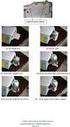 Bilgisayar Kurulum Kullanıcı Kılavuzu Copyright 2007 Hewlett-Packard Development Company, L.P. Windows, Microsoft Corporation kuruluşunun ABD'de kayıtlı ticari markasıdır. Bu belgede yer alan bilgiler
OTURUM AÇMA ADLARI. Tavsiye Edilen Önhazırlık Enterprise Manager'i kullanabilmek.
 Ms SQL Sunucu Düzeyinde Güvenlik Bölüm Veritabanı Yönetimi Yazar Mustafa ÖZEN Yayın Tarihi 04.03.2004 Okunma Sayısı 805 Tavsiye Edilen Önhazırlık Enterprise Manager'i kullanabilmek. Hedefler Kimlik denetemini
Tarih: 2 Ağustos 2018 Son versiyon: 1.8. EndNote X9 Windows Multi/Site kurulum talimatları
 Tarih: 2 Ağustos 2018 Son versiyon: 1.8 EndNote X9 Windows Multi/Site kurulum talimatları İçerik 1 Giriş... 3 2 Oturum aç... 3 3 Download... 4 4 Son kullanıcı dosyası oluşturma... 4 2 1 Giriş ÖNEMLİ: EndNote
NOT: LÜTFEN BU BELGEYİ OKUMADAN YAZILIMI YÜKLEMEYİ DENEMEYİN.
 INSITE YÜKLEME BÜLTENİ Sayfa 2: INSITE yükleme Sayfa 8: INSITE kaldırma NOT: LÜTFEN BU BELGEYİ OKUMADAN YAZILIMI YÜKLEMEYİ DENEMEYİN. HATALI YÜKLEME VEYA KULLANIM YANLIŞ VERİLERE VEYA EKİPMANIN ARIZALANMASINA
Samsung Universal Print Driver Kullanıcı Kılavuzu
 Samsung Universal Print Driver Kullanıcı Kılavuzu olasılıkları hayal edin Telif Hakkı 2009 Samsung Electronics Co., Ltd. Tüm hakları saklıdır. Bu yönetici kılavuzu yalnızca bilgi vermek amacıyla oluşturulmuştur.
IOF Eventor için Sporcu Kılavuzu
 IOF Eventor için Sporcu Kılavuzu İçindekiler Sporcu İçin Kullanıcı Hesabı Oluşturma Profilimi düzenle Herkese açık profilini görüntüle Profil metninizi düzenleyin Fotoğrafınızı değiştirme / Ekleme Yarışmalarımı
ÇALIŞTIRMA KILAVUZU. Code: 565804tr
 ÇALIŞTIRMA KILAVUZU d-copia6500mf/8000mf TR Code: 565804tr YAYINLAYAN: Olivetti S.p.A. Gruppo Telecom Italia Via Jervis, 77-10015 Ivrea (ITALY) www.olivetti.com Copyright 2011, Olivetti Bütün haklar sakl
Kurulum Öncesi Uyarılar
 Kurulum Öncesi Uyarılar Network Kameradan duman çıkıyor ya da anormal bir koku geliyorsa derhal kamerayı kapatın. Network Kamerayı sudan uzak tutun. Network Kamera ıslanırsa hemen kapatın. Böyle bir durumda
Google Cloud Print Kılavuzu
 Google Cloud Print Kılavuzu Sürüm 0 TUR Notların tanımı Bu kullanım kılavuzunda aşağıdaki not stilini kullanıyoruz: Notlar ortaya çıkabilecek durumu nasıl çözmeniz gerektiğini size bildirir veya işlemin
YENİ NISSAN GROUP EPC NİZ BAŞLANGIÇ KILAVUZU
 YENİ NISSAN GROUP EPC NİZ BAŞLANGIÇ KILAVUZU ARACI TANIMLA Microcat Live tarafından desteklenen Nissan EPC en üst düzey parça satış sistemi sunar. Başlamak için, ana ekranlara göz atın. Araç Arama Araç
NAVİGASYON KULLANIM KILAVUZU.
 NAVİGASYON KULLANIM KILAVUZU www.fiatnavigation.com www.daiichi.com.tr Başlarken Araç navigasyon yazılımını ilk kez kullanırken, bir başlangıç ayarı süreci otomatik olarak başlar. Aşağıdaki adımları takip
Flow Kullanım Klavuzu Mart 2014
 Flow Kullanım Klavuzu Mart 2014 İçindekiler Flow nedir? Bir Flow hesabı oluşturmak Oturum açmak Flow Hesabınız Genel Görünüm Flow Hesabınız Kullanım + Add (ekle butonu) Bibliography (Künye/Atıf butonu)
Kurulum; Ana Bilgisayar ve Tahtalara ayrı ayrı yapılmaktadır. KURULUM ŞEMASI x.x x.x x.x x.
 KURULUM ŞEMASI 192.168.x.x 192.168.x.x 192.168.x.x 192.168.x.x ANA BİLGİSAYAR Kurulum; Ana Bilgisayar ve Tahtalara ayrı ayrı yapılmaktadır. KURULUM SİHİRBAZI adresine girerek aktahta_kur.exe dosyasını
Hızlı Başlangıç Kılavuzu
 VIDEO IN AUDIO IN AUDIO OUT +- RS485 CONSOLE HDMI DC 12 V Hızlı Başlangıç Kılavuzu KİT MODELİ SDH-C75100 SDH-C75080 SDH-C74040 SDH-B73040 SDH-B73020 DVR MODELİ SDR-C75300 SDR-C74300 SDR-B73300 SAMSUNG
HIZLI BAşVURU KILAVUZU
 HIZLI BAşVURU KILAVUZU Windows Vista için İçindekiler Bölüm 1: Sistem Gereksinimleri...1 Bölüm 2:...2 Yerel Yazdırma Yazılımını Yükleme... 2 Ağdan Yazdırma Yazılımını Yükleme... 5 Bölüm 3: WIA Sürücüsünü
Bu ürün WinXP, 2000, ME, Win98 de çalıştırılmak için tasarlanmıştır. Her işletim sistemi için yükleme yordamı yaklaşık olarak aynıdır.
 78 Türkçe Hızlı Yükleme Kılavuzu Bu yükleme kılavuzu GW-7100U ve yazılımının yüklenmesinde size yol gösterecektir. Kablosuz ağ bağlantınızı kurmak için, aşağıdaki işlemleri sırayla uygulayın. 1. Yükleme
SA3MXX02 SA3MXX04 SA3MXX08
 www.philips.com/welcome SA3MXX02 SA3MXX04 SA3MXX08 1 Önemli güvenlik bilgileri 4 6 Müzik 22 7 Ayarlar 23 8 Philips Device Manager ile bellenimi 9 Sorun giderme 26 10 Teknik veriler 27 www.philips.com/welcome
K12NET ÖĞRENCİ-VELİ PORTALI KULLANIMI USE OF K12NET STUDENT-PARENT PORTAL
 K12NET ÖĞRENCİ-VELİ PORTALI KULLANIMI USE OF K12NET STUDENT-PARENT PORTAL 1. K12NET i İnternet Explorer 7, 8 ya da 9 sürümlerinde kullanınız. Firefox, Google Chrome vb. tarayıcılarda açmayınız. Use K12NET
Ürün Özeti WIBNB Modülü
 Ürün Özeti WIBNB Modülü Haziran 2018, v1.2 www.inovatink.com Copyright Inovatink WWW.INOVATINK.COM INOVATINK RESERVES THE RIGHT TO CHANGE PRODUCTS, INFORMATION AND SPECIFICATIONS WITHOUT NOTICE. Products
Kart Kimlik Doğrulaması. Yönetici Kılavuzu
 Kart Kimlik Doğrulaması Yönetici Kılavuzu Eylül 2014 www.lexmark.com İçindekiler 2 İçindekiler Genel Bakış...4 Ön şartların ayarlanması...5 Kullanıcı hesabı ekleme...5 iç hesaplar için güvenlik şablonu
1. Kurulum. Tam ekranda iken MENU tuşuna. Başlat sekmesine gelin ve sonra [ / ] basın ve menüye girin. [ / ]
![1. Kurulum. Tam ekranda iken MENU tuşuna. Başlat sekmesine gelin ve sonra [ / ] basın ve menüye girin. [ / ]](/thumbs/26/7302274.jpg "1. Kurulum. Tam ekranda iken MENU tuşuna. Başlat sekmesine gelin ve sonra [ / ] basın ve menüye girin. [ / ]") 1. Kurulum Tam ekranda iken MENU tuşuna basın ve menüye girin. [ / ] tuşlarına basarak Kurulum, Kanal Düzenleme, Sistem Ayarları ve Medya Merkezi menülerine geçiş yapabilirsiniz. Kurulum menüsü altından
1. Kurulum Tam ekranda iken MENU tuşuna basın ve menüye girin. [ / ] tuşlarına basarak Kurulum, Kanal Düzenleme, Sistem Ayarları ve Medya Merkezi menülerine geçiş yapabilirsiniz. Kurulum menüsü altından
WeldEYE. Kurulum Kılavuzu. İçindekiler
 WeldEYE Kurulum Kılavuzu İçindekiler Giriş... Hata! Yer işareti tanımlanmamış. Kurulum... Hata! Yer işareti tanımlanmamış. Sistem/Ortam gerekleri... 3 Yazılımın kurulması... 3 Kamera sürücüsünün kurulumu...
Bağlantı Kılavuzu. Desteklenen işletim sistemleri. Yazıcı yükleme. Bağlantı Kılavuzu
 Sayfa 1 / 5 Bağlantı Kılavuzu Desteklenen işletim sistemleri Yazılım ve Belgeler CD'sini kullanarak, yazıcıyı aşağıdaki işletim sistemlerine kurabilirsiniz: Windows 8 Windows 7 SP1 Windows 7 Windows Server
Kets DocPlace LOGO Entegrasyonu
 Kets DocPlace LOGO Entegrasyonu Kets DocPlace Kurulumu Öncesinde Yapılması Gereken İşlemler Windows 7, Windows 8, Windows Server 2008 R2, Windows Server 2012 veya daha yeni işletim sistemlerinde Programlar
AĞ KULLANIM KILAVUZU. Yazdırma Günlüğünü Ağa Kaydetme. Sürüm 0 TUR
 AĞ KULLANIM KILAVUZU Yazdırma Günlüğünü Ağa Kaydetme Sürüm 0 TUR Notlara ilişkin açıklama Bu Kullanım Kılavuzu boyunca aşağıda belirtilen simgeler kullanılmıştır: Notlar, ortaya çıkabilecek bir duruma
JOBCONTROL KURULUMU. 2 numaralı görüntüde kırmızı daire içerisine alınmış kısımda, bilgisayarınızın kaç bit olduğunu görebilirsiniz.
 JOBCONTROL KURULUMU JobControl kurulumu için, Windows işletim sistemi yüklü bir bilgisayara ihtiyaç vardır. Program kurulumundan önce, işletim sisteminizin 32 bit mi yoksa 64 bit mi olduğunu tespit etmeniz
AirPrint Kılavuzu. Bu Kullanıcı Kılavuzu aşağıdaki modeller için geçerlidir: MFC-J3520/J3720. Sürüm 0 TUR
 AirPrint Kılavuzu Bu Kullanıcı Kılavuzu aşağıdaki modeller için geçerlidir: MFC-J350/J370 Sürüm 0 TUR Notların tanımı Bu kullanıcı el kitabında aşağıdaki not stilini kullanıyoruz: Notlar ortaya çıkabilecek
Google Cloud Print Kılavuzu
 Google Cloud Print Kılavuzu Sürüm A TUR Notların açıklamaları Bu kullanıcı kılavuzunda aşağıdaki not stilini kullanıyoruz: Notlar, ortaya çıkabilecek bir duruma nasıl yanıt vermeniz gerektiğini size söyler
İçindekiler. Akıllı Tahta Uygulaması (ATU) Kullanma Kılavuzu. İçindekiler. Bölüm 1: Uygulama Hakkında Genel bilgi 2
 İçindekiler 1 İçindekiler Bölüm 1: Uygulama Hakkında Genel bilgi 2 Bölüm 2: Akıllı Tahta Uygulamasının Yüklenmesi Akıllı Tahta Uygulaması nı yükleme 3 Akıllı Tahta Uygulaması nı kaldırma 3 Akıllı Tahta
ZWCAD +2012. Önemli. Tek Kullanıcı Sürümü Lisans Kodu Kullanarak Yükleme Kılavuzu
 Sayfa - 2 ZWCAD +2012 Tek Kullanıcı Sürümü Lisans Kodu Kullanarak Yükleme Kılavuzu Önemli ZWCAD de aktivasyon işlemini yaptığınızda lisans kodu, yükleme yapılan bilgisayara kilitlenir. Bu sebeple lisans
Ağ Projektörü Çalıştırma Kılavuzu
 Ağ Projektörü Çalıştırma Kılavuzu İçindekiler Hazırlık...3 Projektörü bilgisayarınıza bağlama...3 Kablolu bağlantı... 3 Projektörün uzaktan bir web tarayıcısı vasıtasıyla kontrol edilmesi...5 Desteklenen
ZİRVEDRİVE IOS YAZILIMI KULLANIM KILAVUZU
 ZİRVEDRİVE IOS YAZILIMI KULLANIM KILAVUZU Kullanıcı Girişi: Giriş ekranınd sisteme giriş yapılır. dan kullanıcı adı ve şifre bilgileri girilip giriş butonuna basılarak Sistem Ekranı: 4 2 1 2 3 Klasörler
IMDS KURULUM KILAVUZU (AIOS TEDARİKÇİLERİ İÇİN HAZIRLANMIŞTIR)
 IMDS KURULUM KILAVUZU (AIOS TEDARİKÇİLERİ İÇİN HAZIRLANMIŞTIR) Internet tarayıcınızın adres kutucuğuna; http://www.mdsystem.com/ yazdıktan sonra, klavyenizden «ENTER» düğmesine basınız. Yukarıdaki, kırmızı
Hızlı Başlangıç Kılavuzu
 Hızlı Başlangıç Kılavuzu Güvenli erişim, paylaşım ve dosya depolama sayesinde her yerde daha fazlasını yapın. Office 365 aboneliğinizde oturum açın ve uygulama başlatıcıdan SharePoint'i seçin. Arama Siteler,
Kurulum Kılavuzu ve Kullanıcı Kılavuzu
 Kurulum Kılavuzu ve Kullanıcı Kılavuzu İçindekiler GfK Internet Monitör... 2 Sistem Gerekleri... 2 Google Chrome ile İndirme... 2 Kurulum... 3 İfşa Etmeme Sözleşmesini Kabul Etme... 4 Kurulum Sihirbazı...
CLIENT MAKİNELERE IBM SPSS Statistics 21 nin KURULMASI
 CLIENT MAKİNELERE IBM SPSS Statistics 21 nin KURULMASI License manager ile lisanslamanın tamamlandığına emin olunduktan sonra son kullanıcıların makinalarına IBM SPSS Statistics 21 client kurulumu yapılabilir.
Kullanıcı Giriş Ekranı
 KULLANIM KILAVUZU Kullanıcı Giriş Ekranı Programı ilk defa kurduysanız kullanıcı adınız ve şifreniz palmiye dir. Server a bağlanmak için server yazan kutuya tıklayınız. IP Numarası olarak Server IP Numarası
Coslat Monitor (Raporcu)
 Coslat Monitor (Raporcu) Coslat Monitor, Coslat Firewall, Hotspot ve Mirror uygulamalarında oluşturulan zaman damgalı kayıtların analiz edilmesini ve raporlanmasını sağlayan uygulamadır. Coslat Monitor
2017 Electronics For Imaging, Inc. Bu yayın içerisinde yer alan tüm bilgiler, bu ürüne ilişkin Yasal Bildirimler kapsamında korunmaktadır.
 2017 Electronics For Imaging, Inc. Bu yayın içerisinde yer alan tüm bilgiler, bu ürüne ilişkin Yasal Bildirimler kapsamında korunmaktadır. 17 Nisan 2017 İçindekiler 3 İçindekiler...5 için durum çubuğu...5
Cisco Unity Connection Web Gelen Kutusu (Sürüm 9.x) için Hızlı Başlangıç Kılavuzu
 Hızlı Başlangıç Kılavuzu Cisco Unity Connection Web Gelen Kutusu (Sürüm 9.x) için Hızlı Başlangıç Kılavuzu Cisco Unity Connection Web Gelen Kutusu (Sürüm 9.x) Cisco Unity Connection Web Gelen Kutusu Hakkında
Yazıcı camından veya otomatik belge besleyicisinden (ADF) taramaları başlatabilirsiniz. Posta kutusunda saklanan tarama dosyalarına erişebilirsiniz.
 Fiery Remote Scan Fiery Remote Scan, uzak bir bilgisayardan Fiery sunucusu üzerindeki taramayı ve yazıcıyı yönetmenizi sağlar. Fiery Remote Scan'i kullanarak şunları yapabilirsiniz: Yazıcı camından veya
MAKİNELERE IBM SPSS Statistics 24 nin KURULMASI. IBM SPSS Statistics 24 Yüklemeye Başlamadan Önce Kontrol Edilmesi Gerekenler
 MAKİNELERE IBM SPSS Statistics 24 nin KURULMASI IBM SPSS Statistics 24 Yüklemeye Başlamadan Önce Kontrol Edilmesi Gerekenler 1. Antivirüs programları kapalı olmalı 2. Kurulum süresince Administrator yetkisi
2014 Electronics For Imaging. Bu yayın içerisinde yer alan tüm bilgiler, bu ürüne ilişkin Yasal Bildirimler kapsamında korunmaktadır.
 2014 Electronics For Imaging. Bu yayın içerisinde yer alan tüm bilgiler, bu ürüne ilişkin Yasal Bildirimler kapsamında korunmaktadır. 23 Haziran 2014 İçindekiler 3 İçindekiler...5 'e erişme...5 Posta kutuları...5
AutoCAD 2011 Kurulumu
 AutoCAD 2011 Kurulumu AutoCAD Installation Wizard Kurulum için AutoCAD 2011 DVD sini sürücüye yerleştirdiğinizde, DVD-ROM un içeriğinin okunduğunu belirten Setup Initialization penceresinden sonra, karşınıza
AirPrint Kılavuzu. Sürüm 0 TUR
 AirPrint Kılavuzu Sürüm 0 TUR Not tanımları Bu kullanıcı el kitabında aşağıdaki simgeyi kullanıyoruz: Not Notlar ortaya çıkabilecek durumu nasıl çözmeniz gerektiğini size bildirir veya işlemin diğer özelliklerle
WEB E-POSTA AYARLARI. Outlook 2003 Ayarı ( Resimli Anlatım )
 WEB E-POSTA AYARLARI Outlook 2003 Ayarı Outlook 2007 Ayarı Outlook 2010 Ayarı Gmail Ayarı Hotmail Ayarı Tüm Ayarlar İçin Gelen posta sunucusu (POP3) ve giden posta sunucusu (SMTP) ye bnposta.bingol.edu.tr
Kurulum (Windows)...3
 Kurulum (Windows)...3 1. StarBoard Software Kurulumu...4 1.1 Sistem Gereksinimleri...4 1.2 Kurulumu Başlatma...5 1.3 Windows Media Encoder Kurulumu (Yalnızca Windows XP/Vista)...6 1.4 Kurulumu Sonlandırma...6
TÜRKİYE CUMHURİYETİ ORMAN GENEL MÜDÜRLÜĞÜ DASDIFFUSION DEPARTMENTAL EDITION 1. FAZ TARAMA PC KURULUM KILAVUZU
 TÜRKİYE CUMHURİYETİ ORMAN GENEL MÜDÜRLÜĞÜ DASDIFFUSION DEPARTMENTAL EDITION 1. FAZ TARAMA PC KURULUM KILAVUZU Hazırlayan: DAS A.Ş. 1 S a y f a D A S R & D Amaç ve Kapsam Bu doküman ile, Türkiye Cumhuriyeti
2014-2015 EĞİTİM-ÖĞRETİM YILI BİLİŞİM TEKNOLOJİLERİ VE YAZILIM DERSİ 6. SINIF 2. DÖNEM 2. SINAV ÇALIŞMA NOTLARI
 2014-2015 EĞİTİM-ÖĞRETİM YILI BİLİŞİM TEKNOLOJİLERİ VE YAZILIM DERSİ 6. SINIF 2. DÖNEM 2. SINAV ÇALIŞMA NOTLARI İşletim Sisteminde Yapılan Uygulamalar Bir Bilgisayarda Hangi İşletim Sistemi Yüklü Olduğunu
Windows 8.1 Güncelleştirmesi Adım Adım Kılavuzu
 Windows 8.1 Güncelleştirmesi Adım Adım Kılavuzu Windows 8.1 Yükleme ve Güncelleştirme BIOS yazılımını, uygulamaları, sürücüleri güncelleştirme ve Windows Update'i çalıştırma Yükleme türünü seçme Windows
JLR EPC. Hızlı Başlangıç Kılavuzu. İçidekiler. Turkish Version 2.0. Adım Adım Kılavuz Ekran Kılavuzu
 JLR EPC Hızlı Başlangıç Kılavuzu İçidekiler Adım Adım Kılavuz......2-7 Ekran Kılavuzu.....8-11 Turkish Version 2.0 JLR EPC Hızlı Başlangıç Kılavuzu 1. Uygulamaya Giriş İnternet tarayıcınızı açıp https://epc.jlr-apps.com/